WooCommerce Product Table
Build a WooCommerce product table from Google Sheets
FlexTable turns any Google Sheet into a searchable, sortable product table. Show prices, specs, images, and buy links on your WooCommerce store.
Works with Gutenberg, Elementor and shortcodes
How it works
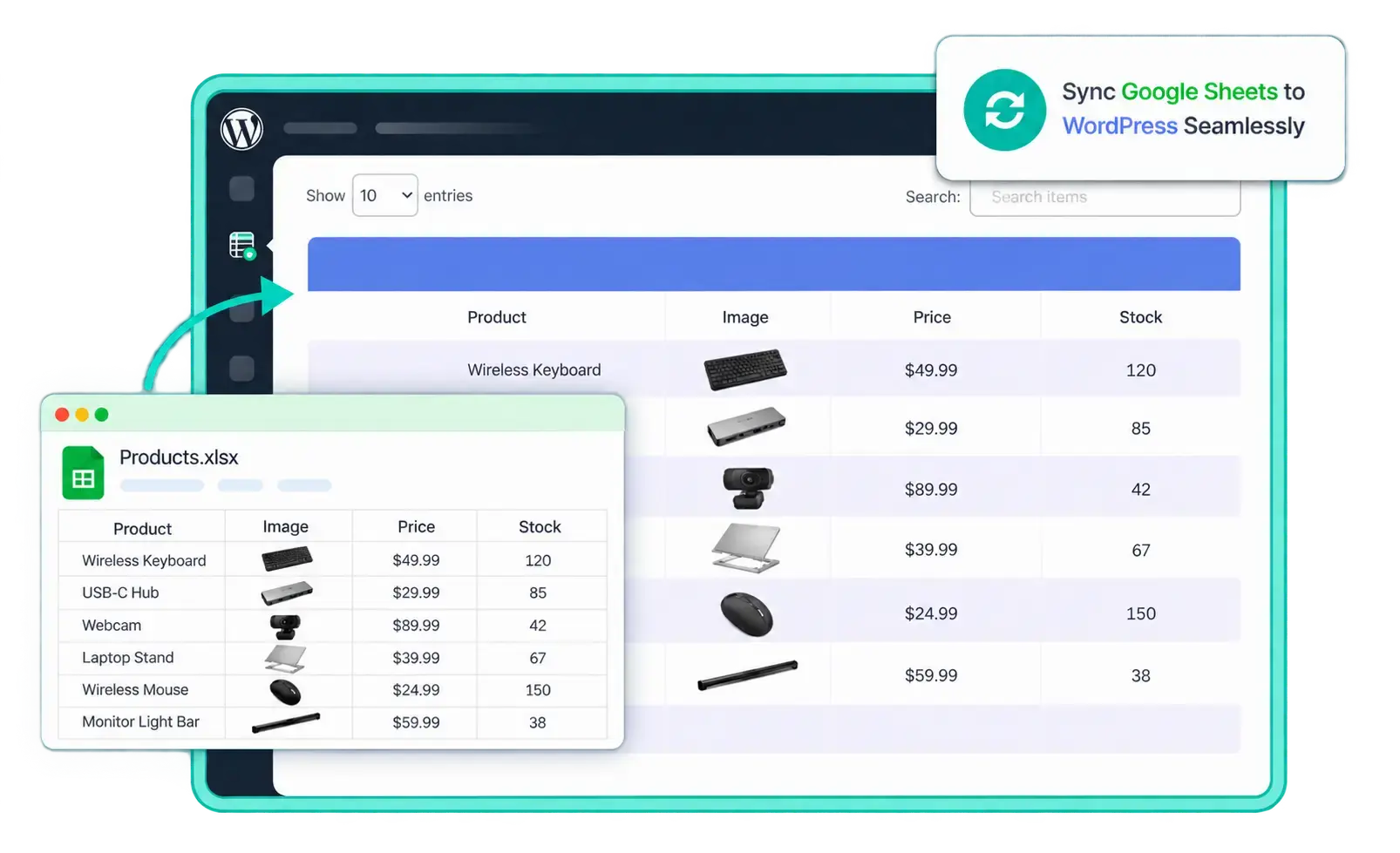
From spreadsheet to product table in three steps
Keep your product list in a Google Sheet your whole team can edit, then display it anywhere on your WooCommerce site.
Put your products in a Google Sheet
One row per product. Add columns for name, price, SKU, image, category, stock, and a product link. An export you already have works fine.
Connect the sheet to FlexTable
Paste the sheet URL, pick the range, and FlexTable builds a responsive product table. A live preview shows exactly how it will look.
Embed it and keep editing the sheet
Drop the block, widget or shortcode onto any page. Every edit in the sheet syncs to the product table automatically.
Product catalogs & price lists
Show your whole catalog as one searchable products table
Let shoppers scan every product at once instead of clicking through the shop grid. They can search, sort by price, filter by category, and page through hundreds of rows. The data stays in your spreadsheet.
Add a Buy column that links every row straight to its product or checkout page.

Spec & comparison tables
Build a product specification table for WooCommerce
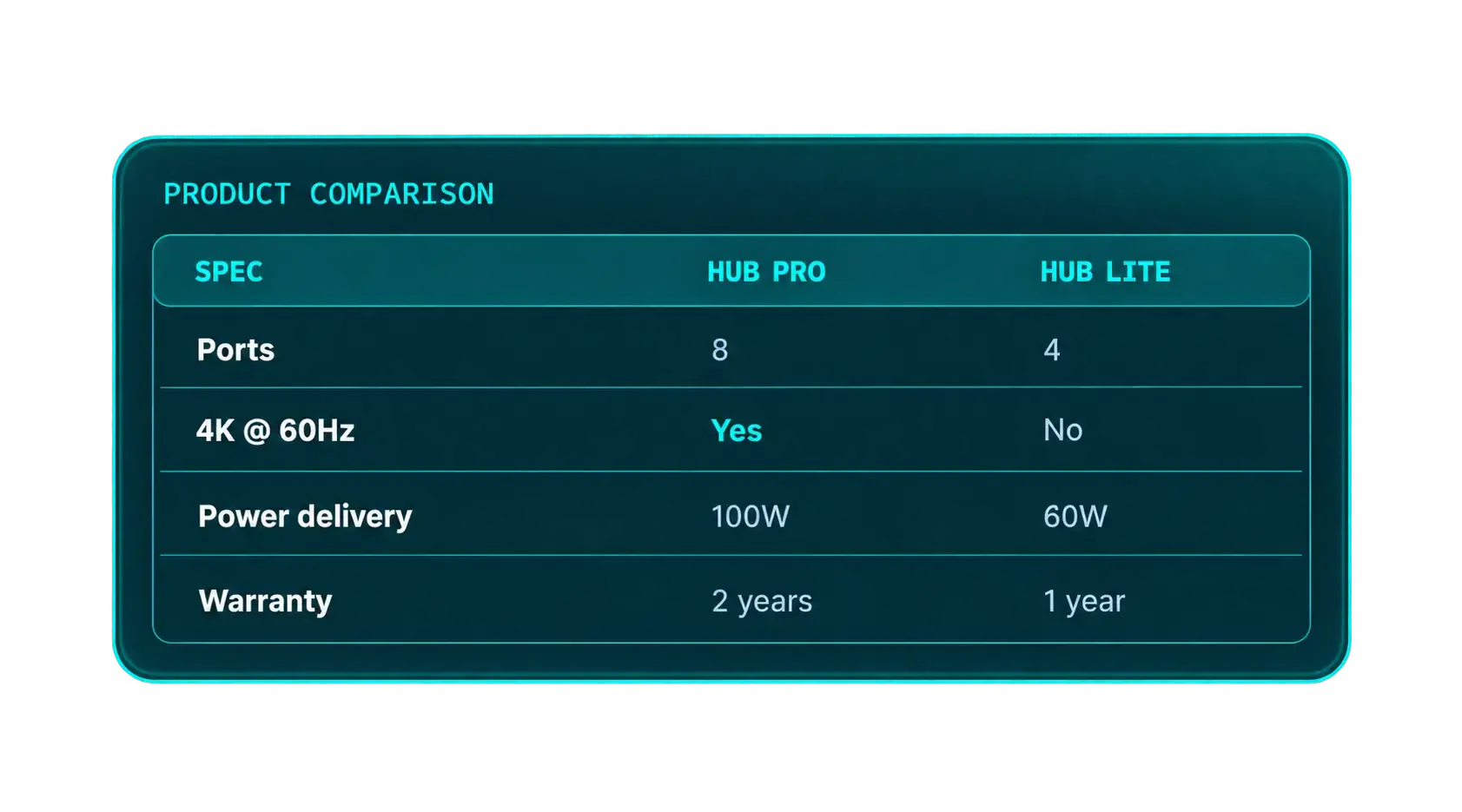
Put the details buyers compare side by side: dimensions, materials, compatibility, warranty. Freeze the first column and header so long lists stay readable as shoppers scroll.
Configuration
Every product table setting in one panel
Control how the table reads and behaves from the same screen where you build it.
Map, rename, hide and reorder columns
Show only the columns shoppers need. Hide internal fields like cost or supplier, rename headers, load images from URLs, and turn plain links into buttons.
Search, sort, pagination and sticky headers
Turn on the search bar, set rows per page, allow sorting, and freeze the header and first column so wide tables work on mobile.
Under the hood
Built for real WooCommerce catalogs
The same responsive engine that powers every FlexTable, tuned for product data.
Search & filter
Ajax search and category filters help shoppers find a product in a 500-row table instantly.
Sort & paginate
Per-column sorting and pagination keep large product tables fast and easy to browse.
Product images
Point a column at image links and FlexTable shows product thumbnails in each row.
Buy & product links
Link each row to its product page, add-to-cart URL or affiliate link with one column.
Sticky header & frozen column
Keep product names and headings in view while shoppers scroll wide spec tables.
Live sync & caching
Sheet edits appear on the table automatically, and cached output keeps pages loading fast.
Use cases
What you can build
Anywhere a spreadsheet is the easiest place to manage product data.
Product catalog table
List every product with its price, image, and a link to buy. A scannable alternative to the shop grid.
“Show me all products under $50”
Pricing & plan table
Build a WooCommerce pricing table for plans or services and update rates in the sheet.
“Which plan includes priority support?”
Spec comparison table
Let buyers compare models point by point before they add to cart.
“Which model has the longer warranty?”
Wholesale price list
Share a bulk or trade price list with logged-in customers and revise it from one sheet.
“What’s the price break at 100 units?”
Restaurant or service menu
Menus, packages and rate cards where staff update a sheet instead of editing WordPress.
“What’s vegetarian and under $15?”
Product directory
Stockists, parts finders or model directories that link out to each product page.
“Which parts fit the 2021 model?”
FAQs
Common questions about WooCommerce product tables
Give your store a product table your team can manage
Build a WooCommerce product table from a Google Sheet in minutes. Search, sort, and sync are all included.