









We are going to enter the year 2026 and the rise of social media is on the rise. That is why people are still looking for the best social sharing plugins.
One of the best ways to promote your brand is through social media. And if you can integrate social sharing plugins on your site then you can automate social media management. By incorporating social bookmarking and sharing buttons, you will give your readers the ability to quickly share your blog posts on their favorite social networking sites.
That is why today we are going to list the best WordPress social media plugins so that you can find the best one for your site.
Here we go.
Why use WordPress social sharing plugins?
As per DataReportal, there are 4.74 billion social media users recorded in 2022! That gigantic number implies that you can’t easily overlook the force of web-based entertainment. Specialists think about social media as quite possibly the most amazing asset in present-day advertising. Furthermore, clearly, it’s a significant wellspring of traffic for most sites.
Accordingly, social media integration is fundamental for promoting and marking. Luckily, WordPress makes the task a lot more straightforward, with a lot of social sharing plugins to choose from.
There are a ton of free and premium social sharing plugins for WordPress, so it might in fact be confounding to pick the right one.
Also, that is where we come in to assist you with picking the best WordPress social media plugins!
9 best WordPress social media plugins
And now, here are the best social media plugins for WordPress that you can confidently use.
WP Dark Mode
WP Dark Mode is a one-of-a-kind plugin that helps enable a dark theme in any kind of website. This plugin works across all operating systems including Android, iOS, and macOS. You don’t need settings to configure. This dark mode plugin intelligently detects device preferences and dynamically delivers a handcrafted, expert-designed dark mode experience for your readers.
WP Dark Mode’s Social Share is a one-of-a-kind feature that lets you enable stylish social share icons on your website. These buttons are optimized for dark themes and don’t break on any device/theme.
It has quite a cool social sharing feature. Here’s how it works,
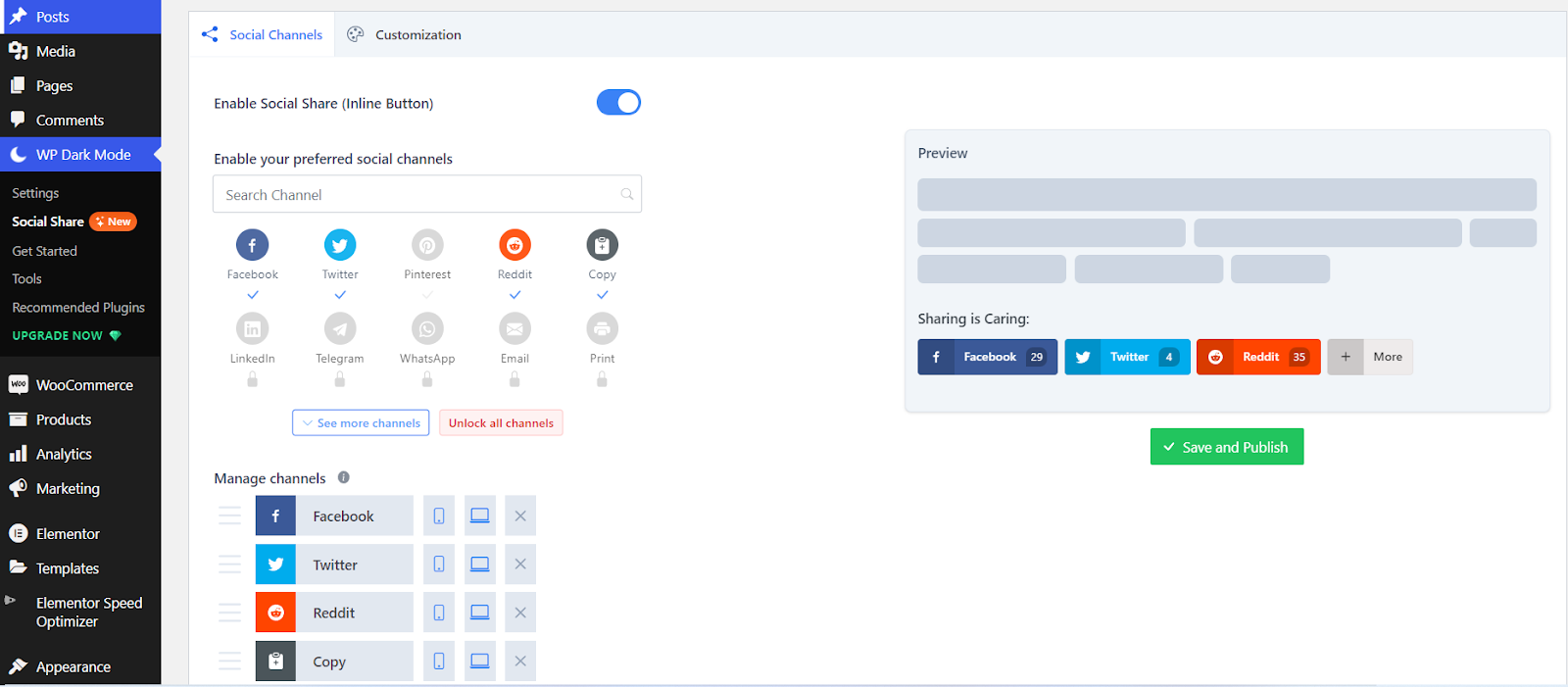
Select Social Share from the WP Dark Mode’s submenu and tick Enable Social Share. Then, you choose your preferred social channels. The live preview will show you exactly how the social media buttons will appear on your website.
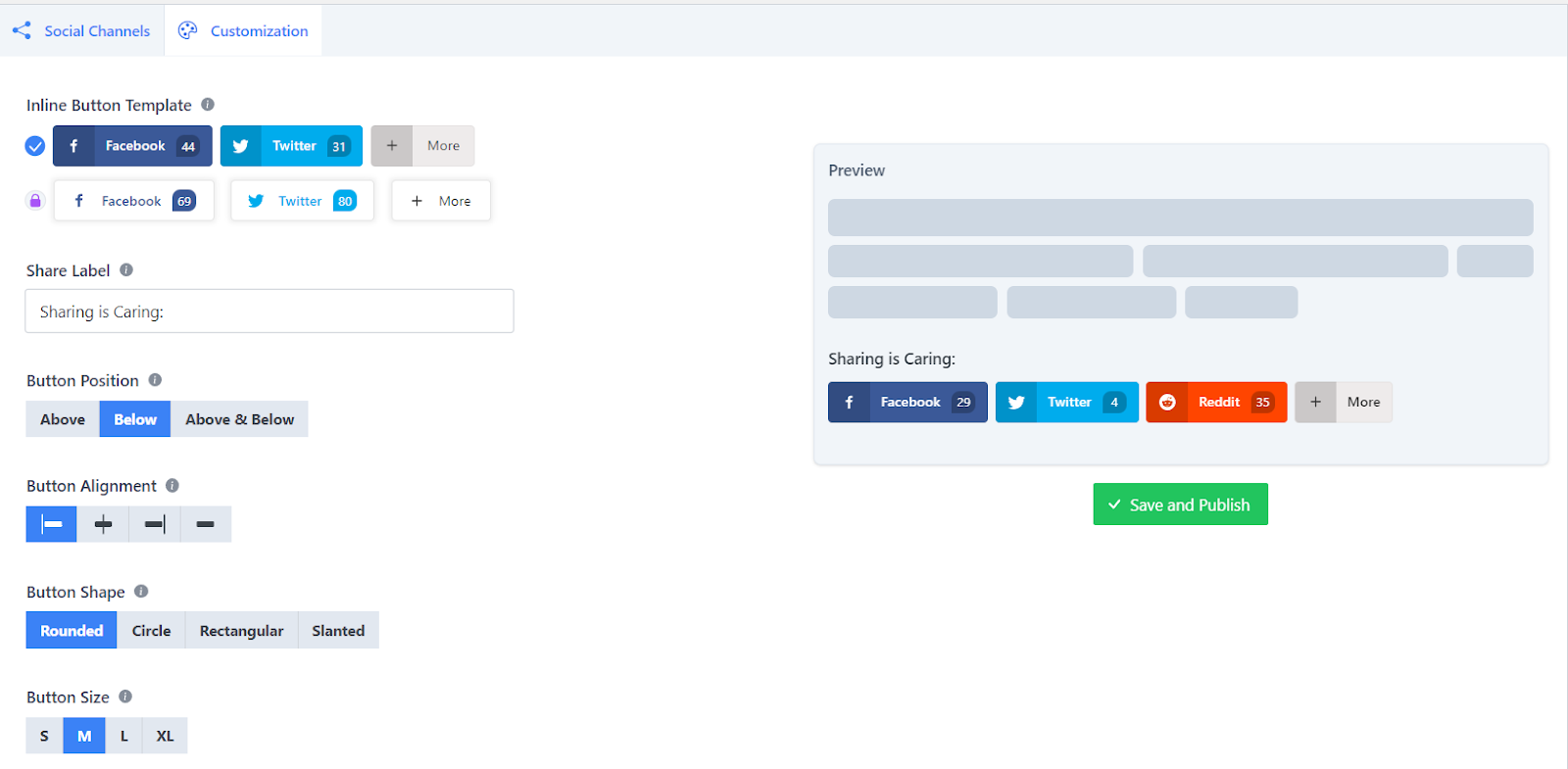
You can customize the social share buttons’ outlook from the Customization menu. Choose your preferred inline button template, update the shared label, button position, button alignment, button shape, and button size and try other detailed customization options.
Additional Features:
- Time Mode
- OS-Based Color Mode
- Different Switch Styles
- Elementor and Gutenberg Support
- Exclude Posts from Dark Mode
- Ready-Made Color Scheme.
- Custom CSS Support.
WP Social Ninja
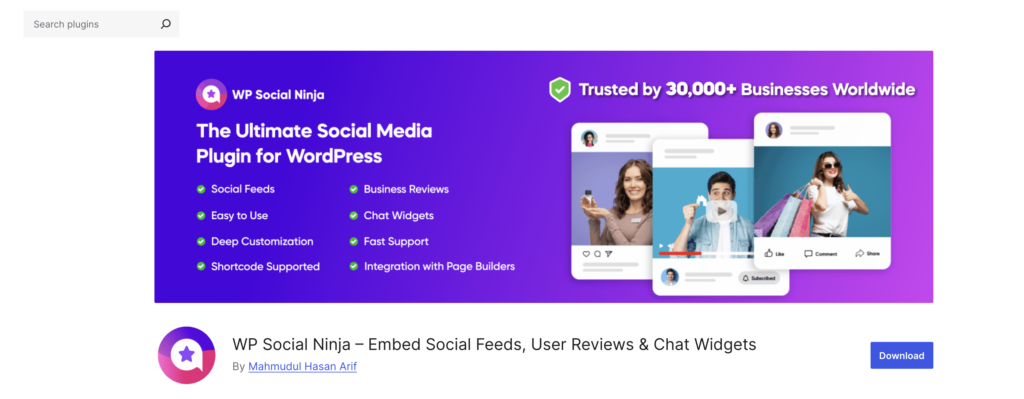
If you want one plugin to manage all your social proof, WP Social Ninja is a strong choice. It lets you show social feeds, reviews, chat widgets, testimonials, and popups from one dashboard.
You do not need four different plugins anymore. WP Social Ninja replaces them. This reduces plugin conflicts and keeps your site stable. It also helps you keep your branding consistent.
You can connect with 30+ platforms. Show social feeds and customer reviews directly on your website. Build trust and increase sales with real content from real users.
It comes with ready-made templates. You can also customize everything without code. Use filters to control what appears. Match the design with your theme. It works with popular themes and page builders, so you can start right away.
The plugin is built for speed. It uses API-based integration, caching, and image optimization. Your pages load fast. Auto-sync keeps feeds and reviews updated. It is also GDPR compliant to protect user privacy.
If you want a website that looks trusted and ready to grow, WP Social Ninja makes it easy.
More Features
- Display social feeds from Instagram, YouTube, Facebook, TikTok, and more with stable API integration
- Show customer reviews from Google, Yelp, WooCommerce, and other review platforms
- Add chat widgets like WhatsApp, Messenger, Telegram, and more
- Create custom testimonials and notification popups to highlight recent activity
- Shoppable Instagram feeds for product-focused websites
- Schema snippet support for business reviews
- Auto-synchronization for the latest posts and reviews
- AI-powered review summarizer for quick overviews
- Review publishing automation with smart filters
- QR code generation to collect reviews manually
- GDPR compliance with optimized images
- No-code advanced customization options
- Shortcode support to place feeds and review anywhere on your site
Bit Social
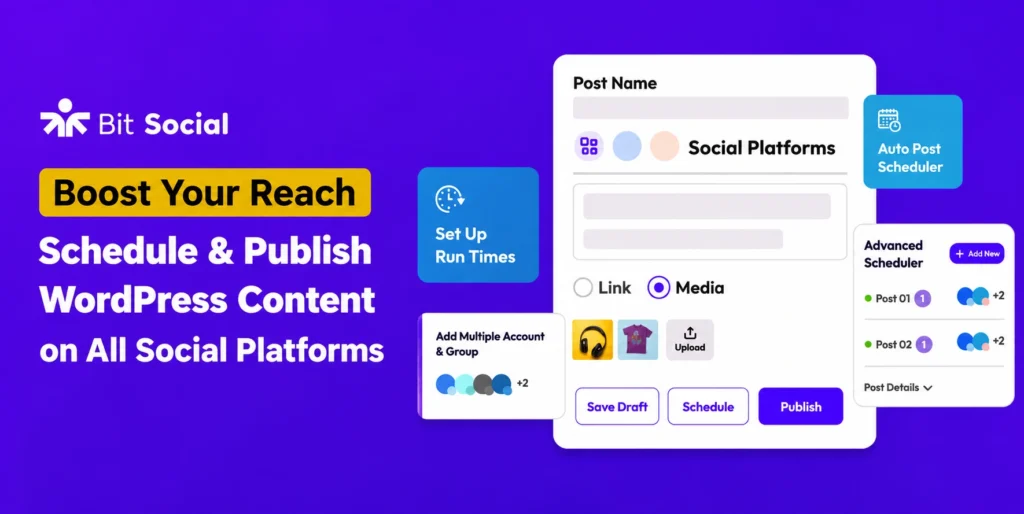
Bit Social lets you automatically share and schedule WordPress posts across 12+ social media platforms in One place. Connect your social accounts once, then publish blog posts, WooCommerce products, and website updates without manual work.
Schedule posts, auto-share new products, publish instantly, and organize campaigns with a visual calendar. From Facebook and Instagram to LinkedIn, Pinterest, and Google Business Profile, Bit Social keeps your store active on social media while saving time and effort.
Whether you run a blog, business website, or online store, Bit Social helps you maintain a consistent social media presence while saving valuable time at an affordable cost.
More Features:
- WooCommerce product auto-posting
- Advanced scheduling & calendar view
- Share Now for instant publishing
- AI prompts for automated captions
- Category-based post filtering
Easy Social Share Buttons for WordPress

Easy Social Share Buttons for WordPress is an adaptable yet power-pressed plugin for social sharing. This plugin can also act like other social sharing plugins that empower your site users to share your site’s content on their separate virtual social stages straightforwardly. Subsequently, it assists with helping social offers in the most available and connecting way!
Further, the plugin is viable with 50 online social platforms. Consequently, sharing your content on a significant stage is a breeze. You likewise get 30+ mechanized show techniques alongside its perky plan choices.
In this way, if you need to raise your supporters, exhibit your complete social following, and incorporate social live visit capabilities, Easy Social Share Buttons for WordPress is ideal for you.
More Features:
- Browse 30+ presentation positions.
- Offers 55+ formats.
- WooCommerce sharing.
- 20+ free additional modules.
- Offers print and email buttons.
Smash Balloon Social Photo Feed

On the off chance that you’re looking for a social sharing plugin to deal with your Instagram posts, Smash Balloon Social Photo Feed has got you covered. It’s cherished and utilized by numerous lofty brands like Coca-Cola and WPBeginner and has 1+ million dynamic users.
With it, you can show your Instagram content straightforwardly on your site, which assists with keeping your guests locked in. Further, it’s not difficult to see live changes rapidly with its visual feed customizer, saving you time.
You might show your photos from numerous Instagram accounts inside something similar or separate feeds. Likewise, to show various Instagram benefits from similar pages or various pages of your site, you can do it without any problem!
More Features:
- Show Instagram posts in arbitrary or sequential requests.
- Implicit shortcode choices to redo each feed.
- GDPR (General Information Insurance Guideline) consistency.
- Load More button for endless burden a greater amount of Instagram photographs.
- Feed creation wizard.
Social Media Share Buttons & Social Sharing Icons

Another free WordPress social sharing plugin on our list is Social Media Share Buttons & Social Sharing Icons. This plugin brings a great deal to the table. For example, it allows you to add more than 200+ online social platforms which incorporate Facebook, Pinterest, Twitter, Youtube, and so on.
Further, you can pick from 16 distinct plans for your social share symbols. You can likewise give your social sharing symbols animations to draw your clients to them. It likewise permits your clients to buy into your blog through email.
Additionally, you can likewise choose to show the offer depends via web-based entertainment buttons. The plugin also offers incredible help to its clients.
More Features:
- The choice to make your virtual entertainment symbols ‘float’ or ‘tacky’.
- The choice to include spring up the chosen pages.
- Show social sharing symbols and sharing buttons toward the finish of each and every post.
- Improved for portable.
- Optimized social media counters.
FS Poster

FS Poster top-notch WordPress social media auto poster and schedular plugin. With it, you can consequently post to twenty virtual social networks straightforwardly from your WordPress dashboard. Additionally, it lets you re-distribute your past happy, plan new web journals, and lead direct offers at every stage.
One of the significant advantages of utilizing FS Poster is that you can set a schedule with its timetable, auto-post to stages, and run examinations to run your virtual entertainment promotion.
The plugin likewise gauges the KPI of each additional organization by means of booked posts. All things considered, it can further develop your site’s Web optimization by raising traffic and acquiring a higher situation on indexed lists.
More Features:
- Altered post URLs
- Announcing board to see clicks, commitment, and so forth.
- Posting stretch choices.
- No restriction on the arrangement of interpersonal organization accounts.
- Upholds emoticons on custom post messages.
Monarch

In the event that you knew about Exquisite Topics, the organization behind the prestigious item Divi, then they likewise offer a plugin for social media sharing called Monarch. With its helpful elements, the social sharing experience will resemble a stroll in a recreation area.
Clients can make the most out of its inline buttons, drifting sidebars, and robotized pop-ups to share content via social entertainment platforms. It likewise allows you to add time delay for your pop-ups and fly-ins that seems when your clients stay on a page for a particular time frame length!
More Features:
- Allows choosing from 35 social networks.
- Six automatic pop-up and fly-in triggers.
- Follow button placement in any widget area.
- Display social counts.
- Check statistics via the dashboard.
Nextend Social Login and Register

Nextend Social Login and Register is a basic yet helpful plugin that allows your guests to sign in and register to your site with their separate social profiles. Thus, clients can save time and exertion without filling in any enrollment structure or monitoring usernames/passwords.
In addition, the clients don’t have to sit tight for any approval email. You might in fact coordinate the module with your current WordPress record’s login data. Likewise, a solitary client can join however many social records as they wish.
Extra Highlights:
- Social accounts tied to WordPress user accounts.
- Allows displaying Facebook and Twitter profile pictures as avatars.
- Choose from several login layouts.
- Login shortcodes and widgets.
- WooCommerce and BuddyPress compatibility.
Sassy Social Share
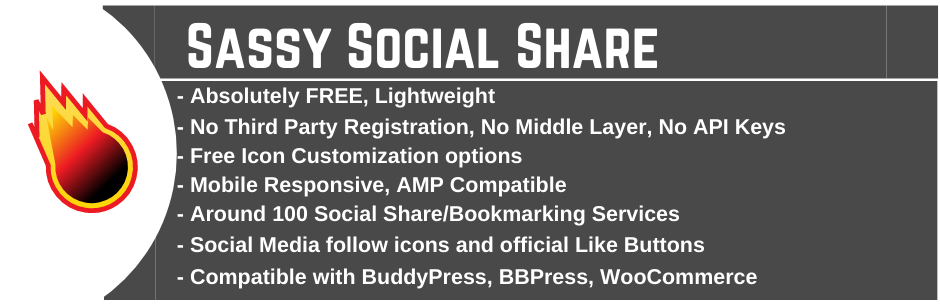
One of the least difficult and smoothest social sharing plugins must be Sassy Social Share. Besides the fact that it advanced in its speed, it additionally accompanies alluring-looking vector symbols.
Sassy Social Share permits you to add in excess of 100 virtual social platforms to your site. Besides, you can likewise add share counts alongside online entertainment buttons to give your clients greater permeability about your webpage.
The plugin also gives you full power to change the foundation and logo of the web-based entertainment buttons. Plus, you can match the button to your site’s subject tone to give it a quite fitting look.
Strong Highlights:
- Fully mobile responsive.
- Supports BuddyPress, bbPress, and WooCommerce.
- Enable/Disable vertical/floating sharing interface on mobile.
- Option to customize the share counter.
- Two layouts for social share icons – standard and floating.
Conclusion
Now that you’ve learned the importance of social sharing, it’s time to integrate these WordPress social media plugins into your WordPress site and enjoy the exposure.
Social media is a powerful tool in today’s generation and is important for website owners out there. With social sharing plugins like these, you’ll be able to connect with your audience much better.
FAQs
1. Which is the best WordPress social media plugin for user engagement?
WP Dark Mode is the ultimate choice for boosting engagement. By offering a flawless dark theme tailored to your readers’ OS preferences, it significantly reduces eye strain and extends time-on-site. Its built-in social share feature offers stunning, dark-optimized icons that don’t break your theme, driving more shares naturally.
2. Can social media plugins slow down my website?
Yes, heavy scripts can hurt loading times. To keep your site fast, choose optimized plugins like WP Dark Mode and WP Social Ninja. They utilize clean asset loading and cached structures to keep your pages lightweight while maintaining full social sharing capabilities.
3. How do I automatically share WordPress posts to social media?
To fully automate your workflow, use a dedicated scheduling plugin like Bit Social or FS Poster. These allow you to auto-publish and schedule blogs or WooCommerce products across 12+ social platforms directly from your WordPress dashboard.
Add your first comment to this post