









Let’s rewind for a second.
When we first built ArchiveMaster, our mission was crystal clear: help WooCommerce store owners break free from painfully slow sites and bloated databases.
We released our beta, and you absolutely loved it! The speed improvements, the decluttered databases, the smoother admin experience, everything clicked.
Then Reality Hit, and we heard your feedback like:
“Managing a separate database just for archives? That’s… complicated.”
“Setting up Amazon RDS or a local database server? Not everyone has that expertise.”
“Can’t this be simpler?”
And you know what? You were right.
We realized that while archiving to custom databases is powerful, it shouldn’t be the ONLY option. Sometimes you just want something familiar, straightforward, and easy.
So we listened. And now…
Table of Contents
- Introducing: Google Drive Archiving
- Why You’ll Love It:
- Coming Soon: Even More Power 💪
- And There’s One More Surprise 🎁
Introducing: Google Drive Archiving
Yep, you read that right! Archive your old WooCommerce orders straight to Google Drive, the storage solution you already use and trust every single day.
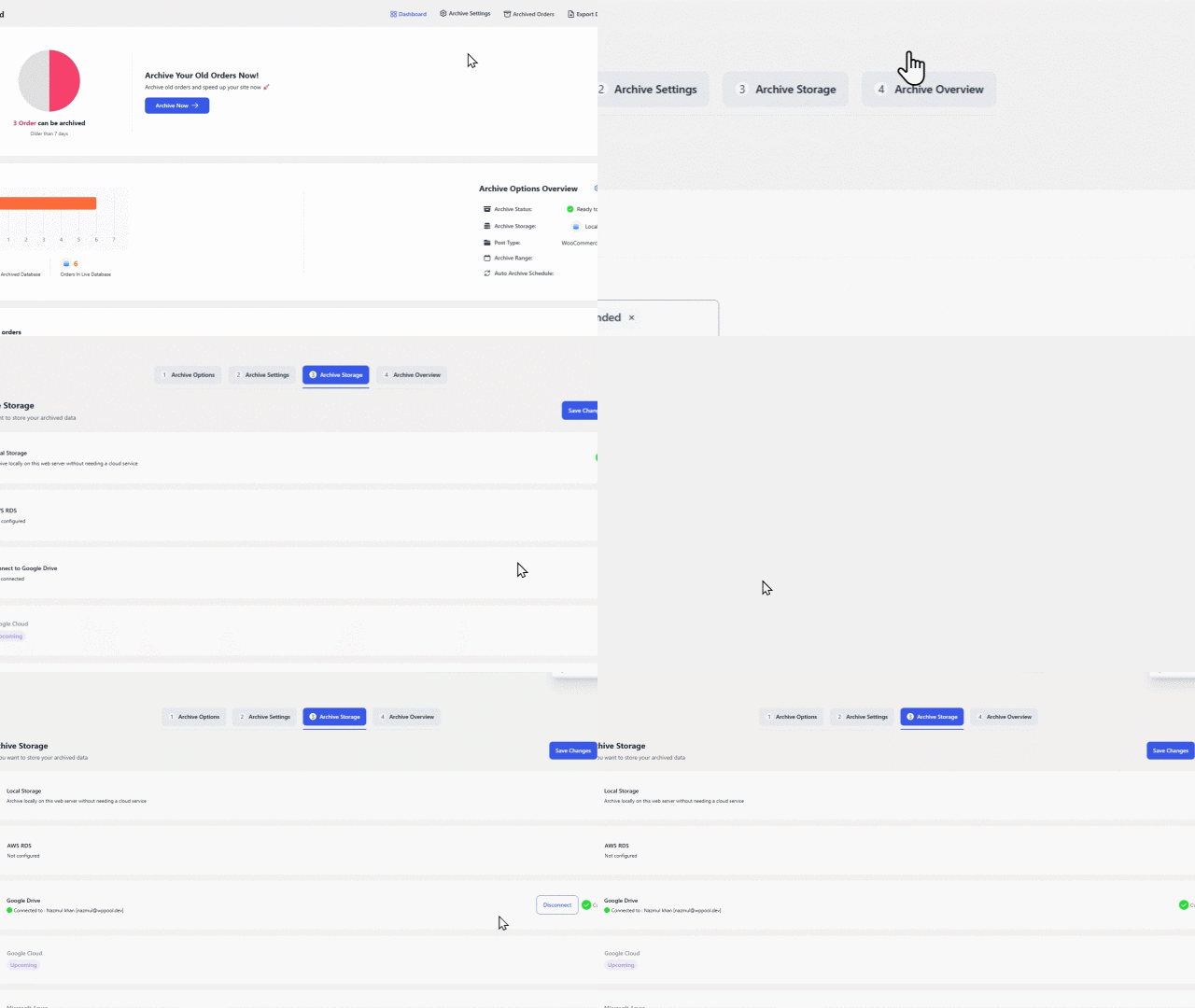
The Google Drive Archiving feature allows you to archive WooCommerce orders from any chosen date range, such as 7 days, 15 days, 1 month, etc, or custom date ranges. This ensures your website remains lightweight and optimized, while all your past orders are securely stored in Google Drive for easy access and backup.
🚀 How to Connect Google Drive:
Navigate to ArchiveMaster > Archive Storage > Click on the Google Drive “Connect” button.
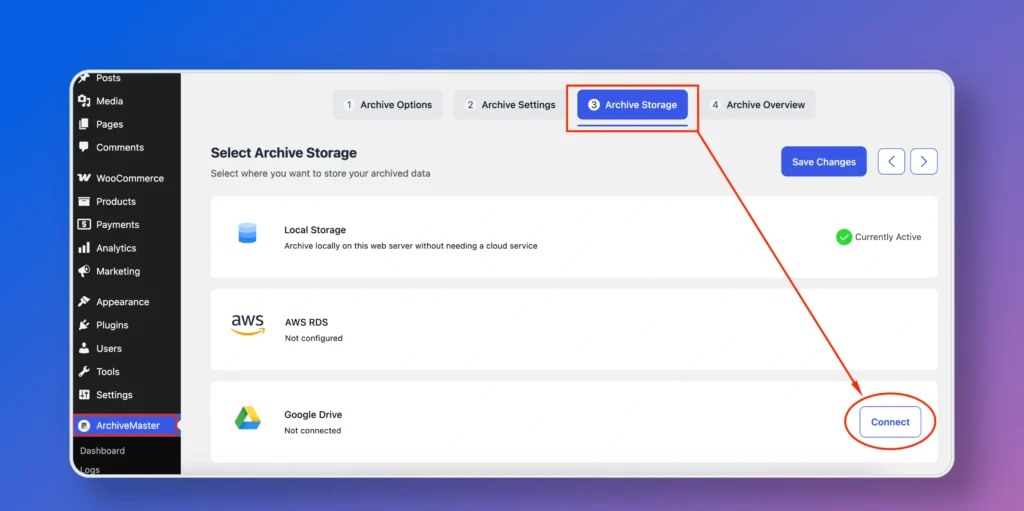
Choose your Google account when prompted.
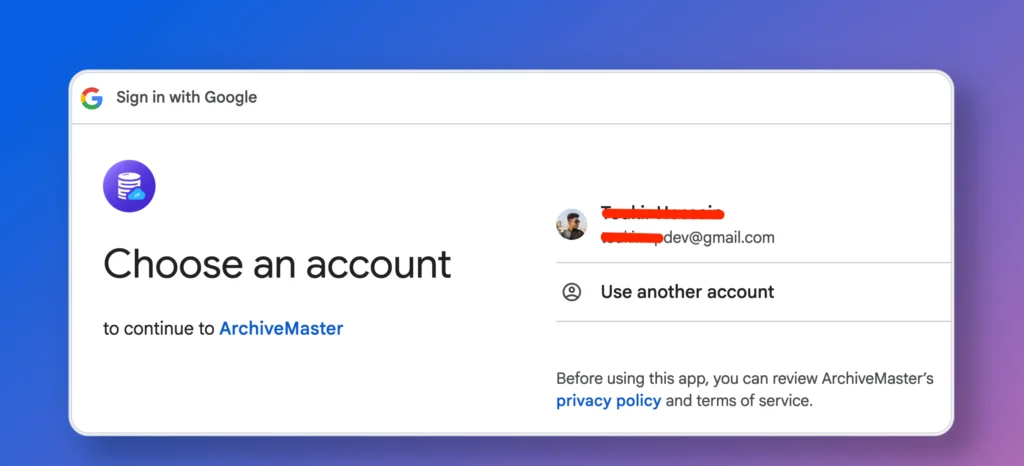
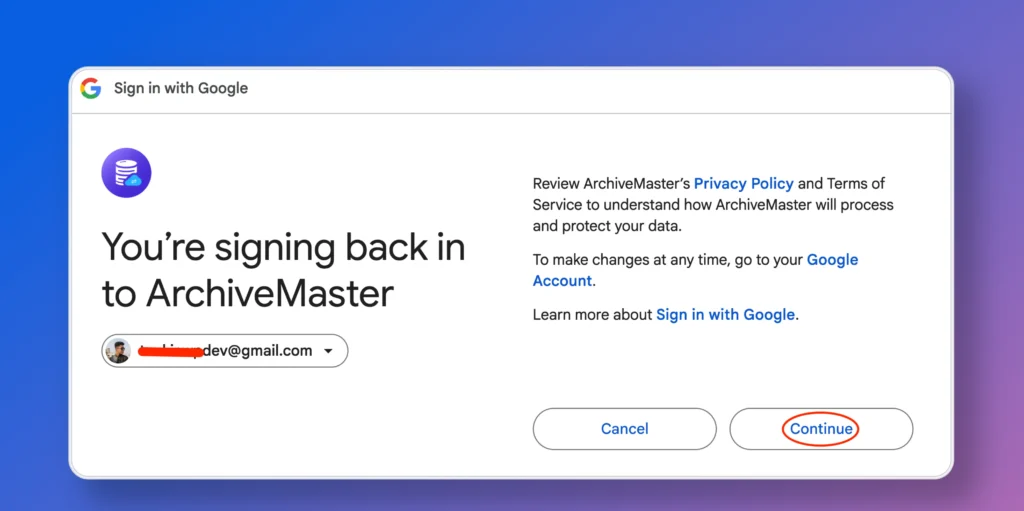
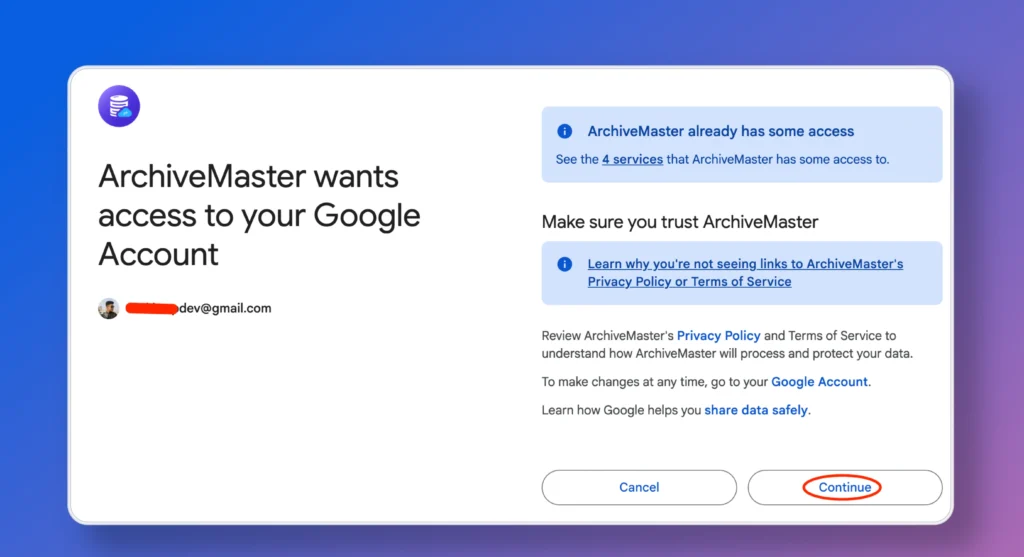
Just click “Continue” to safely allow the needed permissions and go ahead.
Once connected, you’ll see the Google Drive status updated in your dashboard.
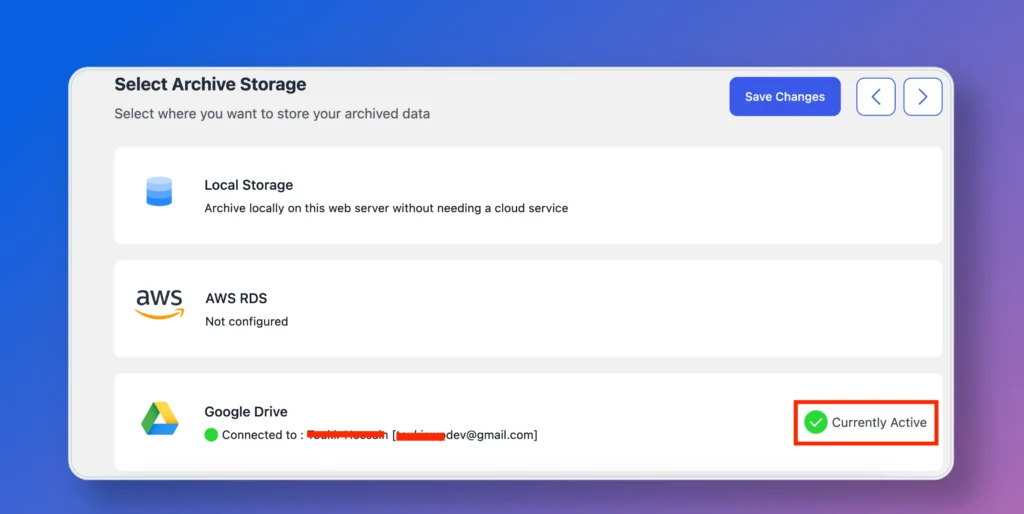
ArchiveMaster is now successfully connected to your Google Drive!
📦 How to Archive Orders:
Go to the Archive Settings. Select the desired date range (e.g., 7 days, 15 days, 1 month, etc, or custom date ranges).
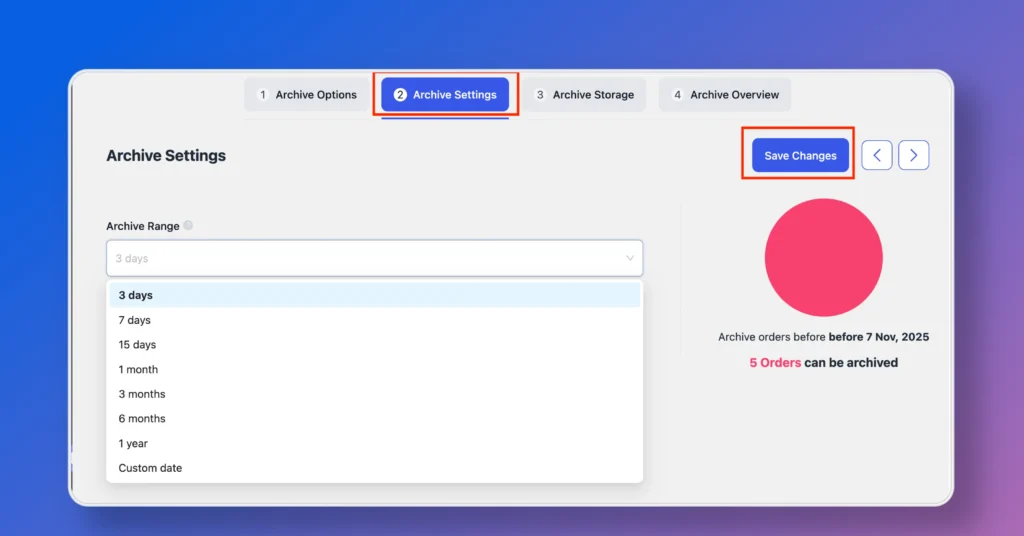
Save your settings and then click “Archive Now” to proceed.
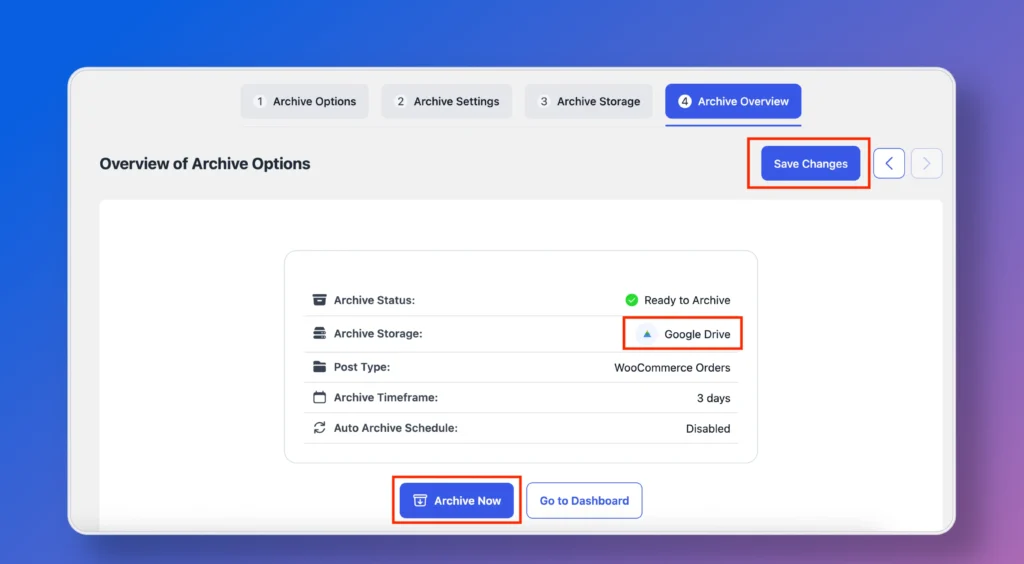
ArchiveMaster will securely transfer your selected orders to Google Drive. You can check the archive logs or status anytime from the log of ArchiveMaster.
Why You’ll Love It:
- Super Simple Setup: Connect your Google account once, and ArchiveMaster does the rest. No technical wizardry required.
- Zero Extra Costs: No database fees, no server management, just your existing Drive storage. Your wallet will thank you.
- No Learning Curve: It’s Google Drive, you already know how it works! No new interfaces to master, no documentation to wade through.
Coming Soon: Even More Power 💪
But wait, we’re not stopping here! We’ve got some more incredible features coming to ArchiveMaster, including 5 game-changing features that will take your store management to the next level.
And There’s One More Surprise 🎁
We’re thrilled to announce our ArchiveMaster Launch Deal is live! Now’s the perfect time to declutter your database and start fresh with exclusive early-bird pricing.
Want to stay in the loop? Join the WPPOOL Squad to get insider updates, early feature access, and exclusive deals before anyone else.

Add your first comment to this post