









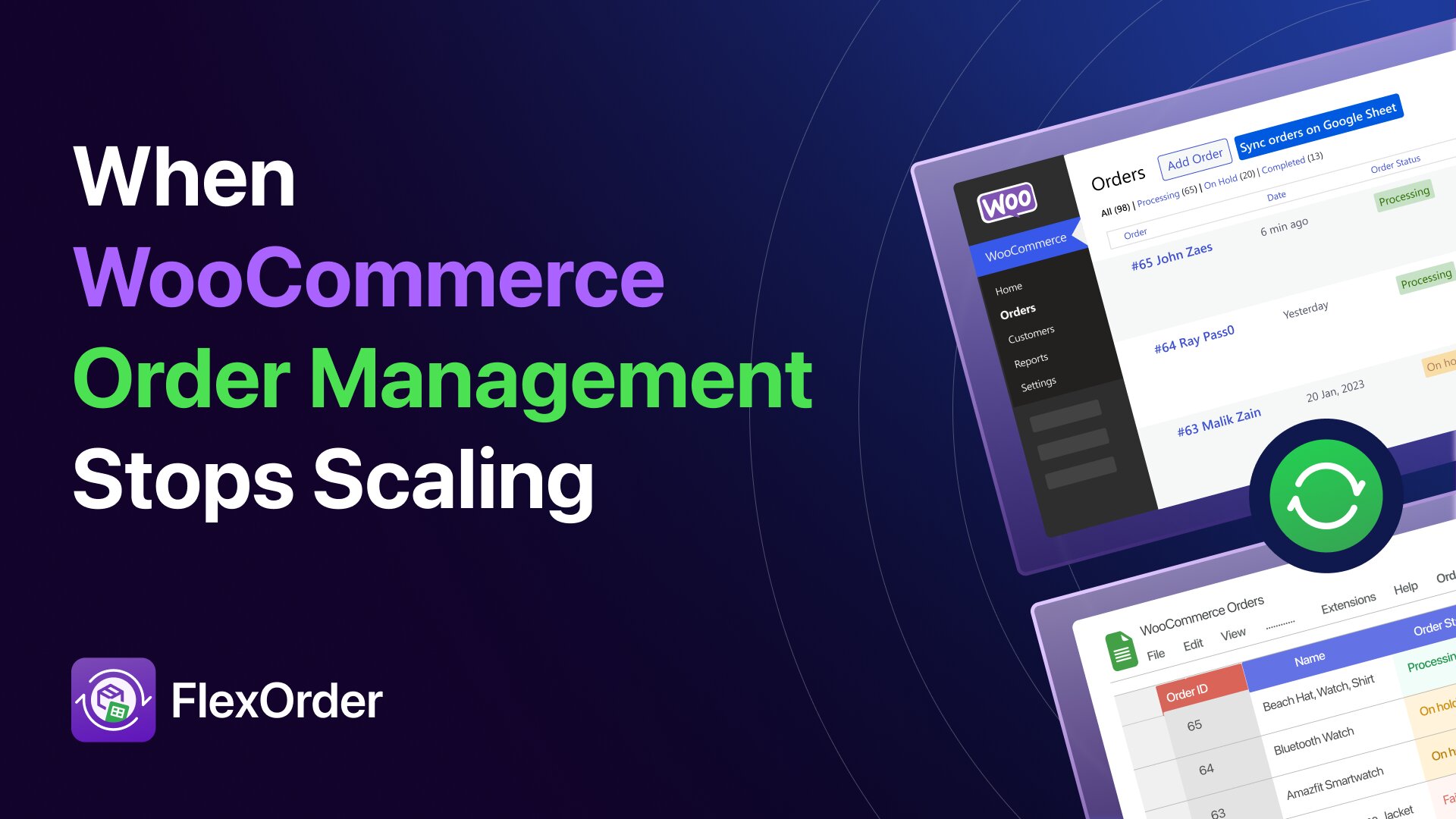
Imagine this: It’s a busy morning. You’re trapped in a loop of opening tabs, waiting for pages to load, and manually clicking “Update” just to change a single status. While you’re fighting the interface, shipping labels are stalling and support tickets are piling up. What started as a productive day has quickly turned into dashboard chaos.
Most WooCommerce stores don’t slow down because of traffic. They slow down because of operations.
Studies of growing WooCommerce stores show that manual order management tasks can account for up to 70% of operational inefficiencies.
Teams often report spending 3 – 5 hours daily on repetitive tasks like status updates, address corrections, and reconciliation time that could be spent fulfilling orders or providing better customer support.
What worked at 10 orders a day quietly breaks at 100. At 300, mistakes happen daily.
If you’re seeing slower fulfillment, more support tickets, or constant reconciliation headaches, this isn’t just “growing pains” – it’s a workflow problem.
The good news: this doesn’t require new tools or complicated setups. FlexOrder allows teams to manage WooCommerce orders directly in Google Sheets, keeping all data live, synchronized, and collaborative. Teams can update statuses, correct addresses, handle bulk operations, and work safely without touching the WordPress admin.
Why WooCommerce Order Management Struggles as Stores Grow
In a growing WooCommerce business, order management is not a single task or role. It spans the entire operation.
- Store owners oversee daily performance
- Fulfillment teams preparing and shipping orders
- Support teams handling address changes and order issues
- Accountants reconciling payments and records
All rely on the same data in WooCommerce. WordPress wasn’t built as a collaborative workspace, so as order volume and team size increase, friction appears – not because features are missing, but because workflows break.
Common Operational Bottlenecks
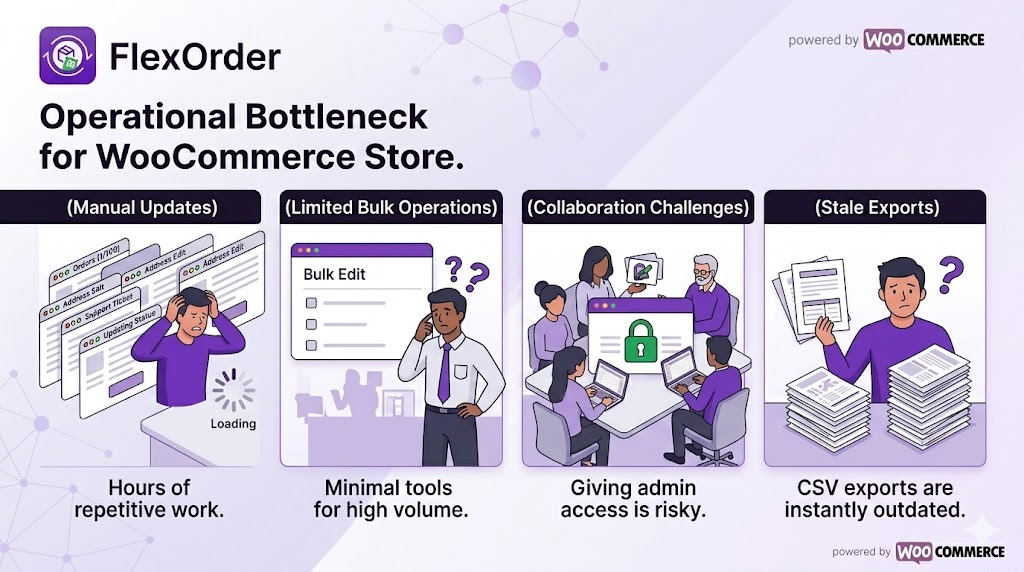
- Manual Updates: Status changes, address corrections, and notes require one-by-one edits. High volume turns simple tasks into hours of repetitive work.
- Limited Bulk Operations: WooCommerce bulk tools are minimal; sales events force teams into exports or fragile workarounds.
- Collaboration Challenges: Giving multiple people WordPress admin access increases risk and complexity.
- Stale Exports: CSVs become outdated instantly; changes outside WooCommerce must be repeated manually.
- Error Scale: Minor mistakes compound, leading to refunds, delays, and extra support.
Example: During a seasonal sale, three team members handling 200+ orders reported that 15-20% of orders had inconsistencies by the end of the day:
- Statuses are out of sync
- One address fix never updates
- CSVs are outdated
- Support tickets pile up
Effort alone doesn’t fix this. Workflow does. A live, shared workspace eliminates repeated actions and keeps everyone aligned.
Why Google Sheets Is a Better Way
Modern order management works best when it follows three principles:
- A shared workspace teams already know
- Live, continuously updated data
- Two-way synchronization so changes stay consistent everywhere
For many teams, that shared workspace already exists: Google Sheets.
Spreadsheets are flexible, familiar, and collaborative. They allow filtering, sorting, and bulk editing without learning new tools. The real challenge has never been using spreadsheets, it’s keeping them reliably connected to WooCommerce so your data stays live and synchronized.
How FlexOrder Helps Manage Orders
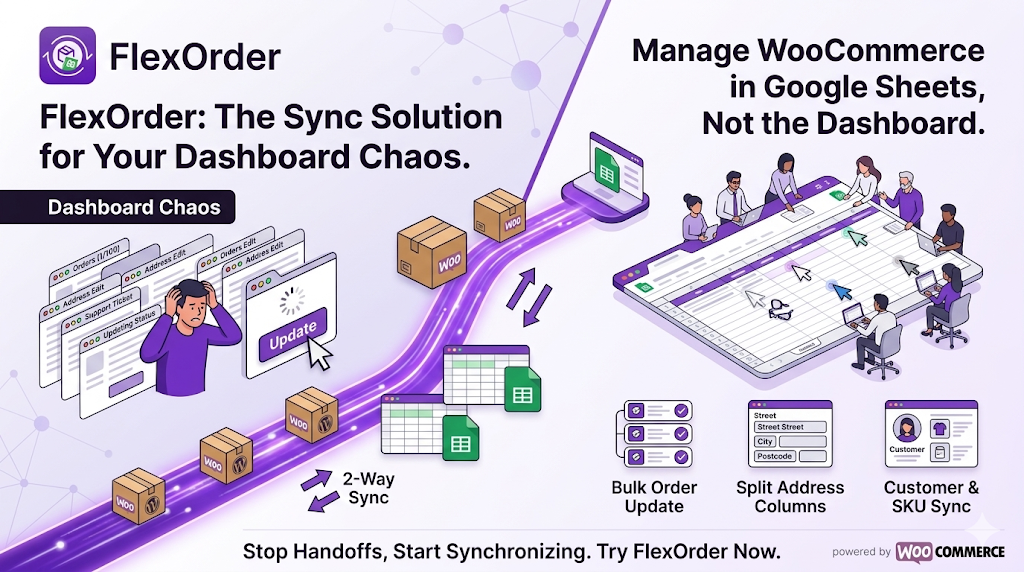
FlexOrder is built around a spreadsheet-first approach. It connects WooCommerce and Google Sheets with real-time, two-way synchronization.
Instead of treating spreadsheets as static exports, FlexOrder turns them into a live order management workspace:
- Orders sync automatically to Sheets
- Updates made in Sheets, such as status changes or address edits are reflected instantly in WooCommerce
- Changes made in WooCommerce appear in Sheets just as quickly
FlexOrder extends WooCommerce without replacing it, allowing teams to manage orders where they already work.
How FlexOrder Solves Real Order Management Problems
FlexOrder doesn’t just “copy” data; it turns Google Sheets into a live command center for your store. Here are the advanced problems it solves:
1. Manual Order & Wholesale Management
- Create Orders from Sheets: Need to handle a phone order or a wholesale request? Simply fill in a row in your spreadsheet. FlexOrder pushes the data to WooCommerce, creating the order automatically.
- Customer Name & Order URL Sync: Instantly see who placed the order and get a direct link back to the specific WooCommerce order page for deep dives.
2. Advanced Fulfillment & Logistics
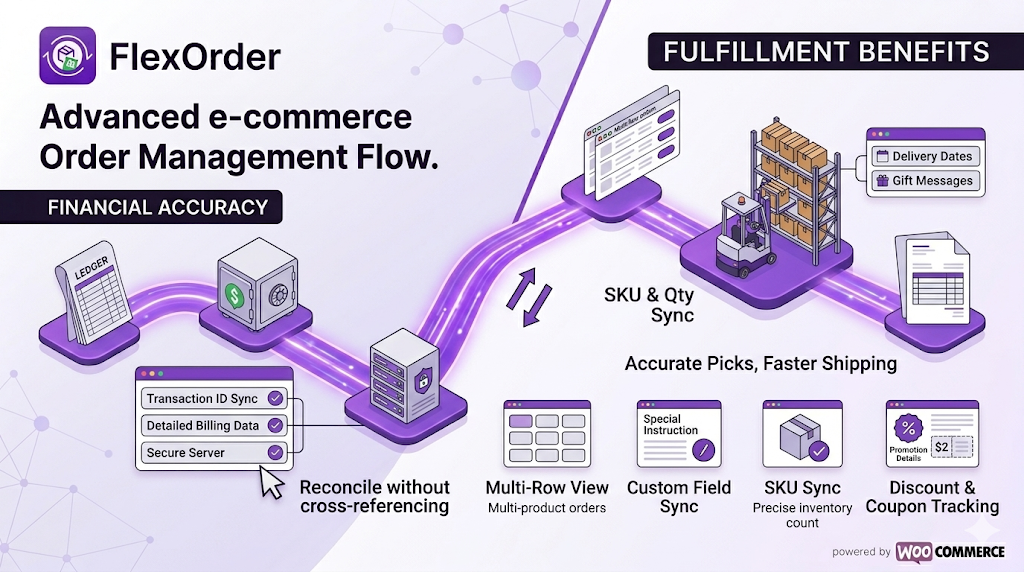
- Split Address Columns (Clean Data): Stop squinting at “Address Line 1.” FlexOrder can split billing and shipping details into separate columns (City, Postcode, Country, etc.).
- Business Impact: Makes generating shipping labels and filtering by region effortless.
- Product SKU & Quantity Sync: Track exactly what is moving. SKUs sync directly, ensuring your warehouse team picks the right items every time.
- Multi-Row View for Multi-Product Orders: Choose to display complex orders across multiple rows so every item gets its own line.
- Business Impact: Essential for accurate packing lists and inventory reconciliation.
3. Financial Accuracy & Reconciliation
- Transaction ID & Payment Method Sync: Automatically link orders to their payment gateway IDs.
- Business Impact: No more manual cross-referencing between your bank statement and your website.
- Discount & Coupon Tracking: See exactly which promotions were applied and the total discount value in real-time.
- Detailed Billing Sync: Includes state/county, company name, and phone numbers for professional invoicing.
4. Total Control Over Your Data
- Custom Field & Metadata Sync: Do you use plugins for delivery dates, gift messages, or special instructions? FlexOrder pulls those “hidden” custom fields into your sheet.
- Custom Order Status Support: If you use a third-party plugin for statuses like “Ready for Pickup” or “Out for Delivery,” FlexOrder syncs them perfectly.
- Advanced Filtering & Sorting: Only sync what you need. Filter by status, a specific date range, or “days old” to keep your sheet from getting cluttered with old data.
5. Safe & Secure Collaboration
- Admin-Free Access: Your team, VAs, or accountants can update statuses and fix addresses in Google Sheets without ever needing a WordPress login.
- Customizable Column Layout: Drag-and-drop your columns to match your team’s specific workflow – put “Status” first or “Shipping Address” last.
Who Spreadsheet-First Order Management Is For
This approach works especially well for:
- WooCommerce stores processing growing order volumes
- Fulfillment and operations teams managing daily workflows
- Accountants and virtual assistants needing structured access to order data
- Agencies managing multiple WooCommerce stores
Once order volume, team size, or operational complexity increases, spreadsheet-first workflows consistently outperform dashboard-only setups.
Rethinking Order Management
Issues aren’t missing features – they’re workflow problems. Efficiency comes from keeping order data live, editable, and synchronized across people and tools. Teams move faster, make fewer errors, and reduce overhead.
Take the Next Step
If order management is starting to slow your team down, don’t take it on faith.
Prove it to yourself 👇
Sync a week of WooCommerce orders into Google Sheets. Make a few bulk updates – such as status changes, address fixes, notes, and watch what happens. Most teams immediately notice fewer handoffs, fewer repeated actions, and far less time spent jumping between tools.
This is usually the moment when exporting CSVs and clicking through orders one by one stops making sense.
Give FlexOrder a try to see how much faster your daily routine becomes when you aren’t fighting the dashboard.



Add your first comment to this post