









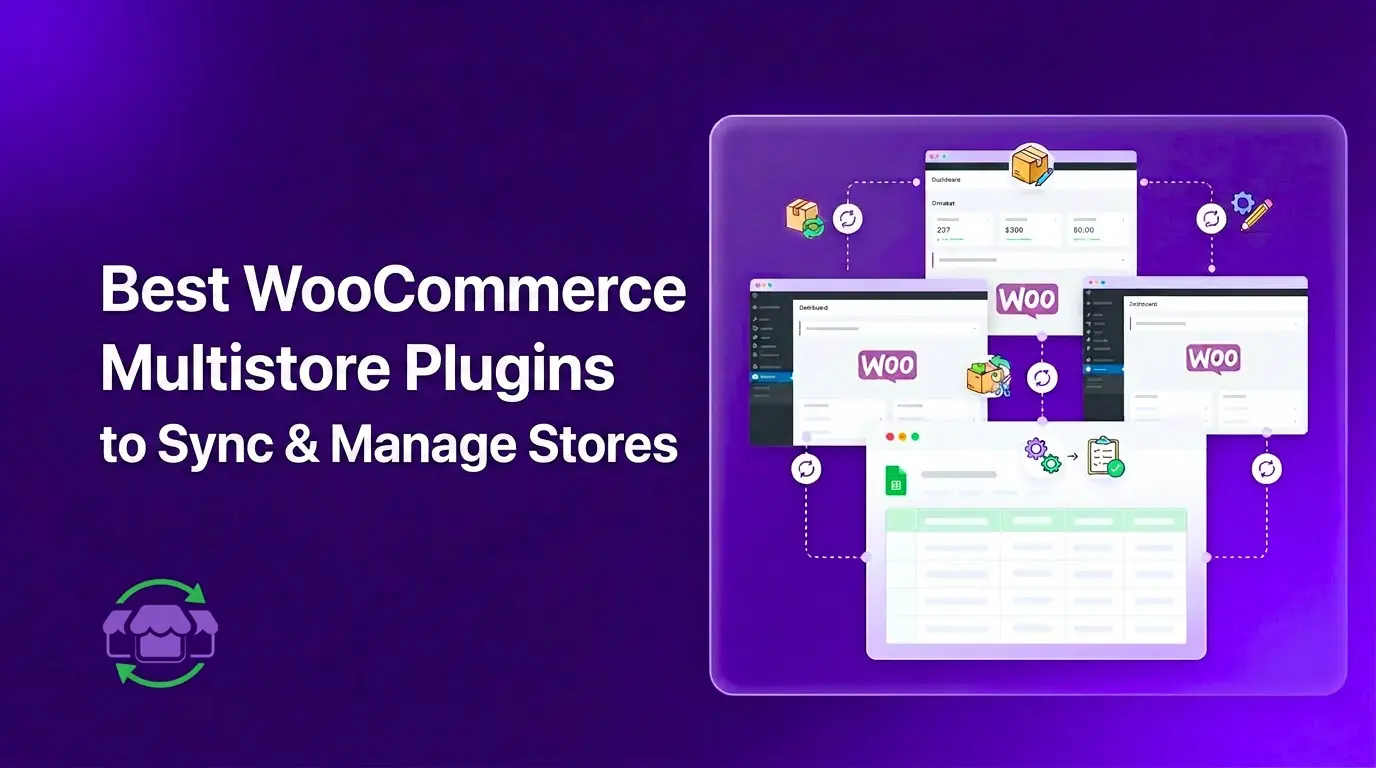
Running multiple WooCommerce stores is manageable. But keeping them in sync is where things break.
Stock goes out of date. Prices drift between stores. You update a product in one store and forget the other two even exist until a customer emails you about it. Add more stores and the problem scales with them.
Inventory distortion costs retailers nearly $1.8 trillion a year worldwide, which shows how expensive poor stock synchronization can become. That is where a WooCommerce multistore plugin comes in. It connects your stores so stock, prices, and product data stay accurate across all of them automatically.
This guide covers six of the best options available right now, what each one actually does, and which type of store owner each one fits best.
What Does a WooCommerce Multistore Plugin Actually Do?
By default, WooCommerce stores know nothing about each other. There is no shared data layer, no automatic sync, nothing. Whatever happens in Store A stays in Store A.
A multistore plugin changes that by creating a live connection between stores. Depending on which tool you use, it can:
- Keep stock quantities accurate across all stores in real time
- Push price changes from one central store or spreadsheet to the rest
- Sync product data like SKUs, descriptions, and images
- Give you one place to view and manage all your stores
Some tools handle inventory only. Others cover the full product catalog. A few replace the store dashboard entirely with a connected Google Sheet.
If you have not settled on a setup yet, our WooCommerce multistore architecture guide covers the three main approaches: Multisite, separate installs, and separate installs with a sync layer.
6 Best WooCommerce Multistore Plugins
The best WooCommerce multistore plugin depends on how your stores are set up and what you need to keep in sync. Some tools are ideal for shared inventory, while others are better for separate installs, Multisite networks, or sheet-based workflows.
1. FlexStock Multi-Store Sync
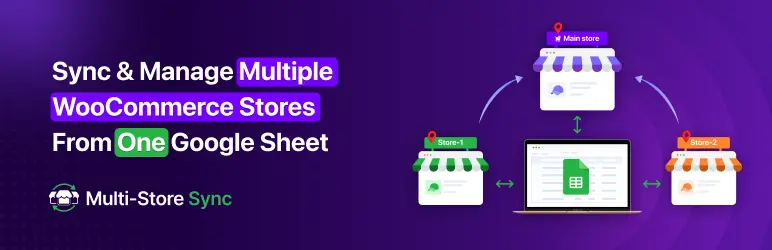
FlexStock is a WooCommerce inventory sync plugin that connects your stores to Google Sheets. The Multi-Store Sync addon extends that to work across multiple separate WooCommerce stores.
It works in two distinct ways, which sets it apart from most other tools in this list.
Mode 1: Shared Stock Across Stores
- One shared stock across all the connected stores.
- Any change made in one store, whether it is price, SKU, description, or images, automatically pushes to all stores.
- You choose which fields to sync. You are not forced to push everything.
- Changes are reflected in real time or on a set schedule.
- Especially useful for brands running multiple stores from a single warehouse/inventory.
Mode 2: Independent Inventory Mode
- All your stores connect to one Google Sheet but stay fully independent.
- Each store gets its own tab (Sheet A, Sheet B, Sheet C…).
- Cross-store syncing is disabled. Changes in one store do not affect the others.
- You get a unified view of all your stores from one spreadsheet without mixing their data.
This second mode is genuinely useful for agencies or business owners who manage multiple client stores or separate brands. You can see everything in one place without worrying about accidental overwrites.
| 💡 FlexStock Multi-Store Sync is currently in early beta. All pro features are free during the beta period. Beta users also get priority support and one-to-one store setup assistance. When the product officially launches, beta users will receive a special lifetime discount. |
What you can sync with FlexStock:
- Stock quantity and stock status
- Regular price and sale price
- SKU
- Product name, descriptions, and tags
- Product images
- Product categories and attributes
- Custom fields
- Image alt texts
- Upsell and cross-sell products
Best for: Brands running multiple stores that share the same warehouse or stock, also agencies, separate brands, or clients who should not affect each other’s inventory. Try FlexStock on the WordPress plugin directory or visit the Multi-Store Sync addon page to join the beta.
2. WooMultistore
WooMultistore is one of the most established multistore plugins for WooCommerce. It works with both WordPress Multisite networks and separate WooCommerce installations.
Key features:
- Syncs products, orders, and stock across multiple stores
- Supports one-way and two-way sync
- Works with variable products and product variations
- Compatible with Multisite and standalone installs
WooMultistore is a solid choice if you want a dedicated sync plugin without using a spreadsheet as the interface. The setup is more technical than FlexStock but gives you direct store-to-store sync.
Best for: Store owners running WordPress Multisite who need product and order sync across the network.
3. Central Stock for WooCommerce
Central Stock is built specifically for WordPress Multisite setups. It manages a shared inventory pool so all stores in your network draw from the same stock.
Key features:
- Shared stock across all sites in a Multisite network
- Real-time stock updates when a sale happens on any store
- Simple setup for Multisite environments
The main limitation is that it only works with WordPress Multisite. If you run separate WooCommerce installs, Central Stock is not an option.
Best for: Multisite networks that share a common inventory pool.
4. WooCommerce Multisite Duplicator
This plugin solves a different problem. Instead of syncing stores in real time, it lets you clone a store and push product data from one store to another on demand.
Key features:
- Duplicate products, categories, and attributes from one store to another
- Push updates manually when needed
- Works across Multisite subsites
This is not a real-time sync tool. It is useful when setting up a new store or doing a bulk product refresh, not for keeping live inventory accurate across stores.
Best for: Store owners who need to clone or bulk-push product data occasionally, not for ongoing sync.
5. Stock Sync for WooCommerce
Stock Sync for WooCommerce focuses on one thing: keeping stock quantities accurate. It connects WooCommerce stores to external stock sources including other WooCommerce stores, suppliers, and spreadsheets.
Key features:
- Import and sync stock from external sources
- Schedule automatic stock updates
- Supports multiple data formats including CSV and XML
It is a lighter tool than WooMultistore and does not sync full product data. If stock quantity accuracy is the only thing you need to fix, it gets the job done at a lower cost.
Best for: Stores that mainly need to fix stock sync and do not require full product catalog management.
6. MultilingualPress

MultilingualPress is built for a specific use case: running separate stores for different countries or languages. It connects language or region variants of your site and keeps content aligned across them.
Key features:
- Links product pages across language variants
- Supports separate URLs and currencies per store
- Works with WordPress Multisite
This is not a general inventory sync tool. It handles the content and translation layer for regional store networks, not stock management.
Best for: Businesses with stores in multiple countries or languages that need content kept in sync.
Quick Comparison: Which Plugin Fits Your Setup?
| Plugin | Best For | Works With | Real-Time Sync | Spreadsheet Layer |
| FlexStock Multi-Store Sync | Sheets-based management, agencies | Separate installs | Yes | Yes (Google Sheets) |
| WooMultistore | Full product and order sync | Multisite + Separate | Yes | No |
| Central Stock | Shared inventory pool | Multisite only | Yes | No |
| Multisite Duplicator | Cloning and bulk push | Multisite | No | No |
| Stock Sync for WooCommerce | Stock quantity fix only | Separate installs | Scheduled | Partial |
| MultilingualPress | Regional and language stores | Multisite | No | No |
How to Choose the Right WooCommerce Multistore Plugin
The right plugin depends on how your stores are set up and what you actually need to keep in sync.
Use FlexStock Multi-Store Sync if:
- You manage inventory through Google Sheets or want to start doing so
- You run separate WooCommerce installs and need flexible sync control
- You are an agency managing multiple client stores and need a bird’s eye view
- You want to cross-sync between stores since you have one unified inventory
Use WooMultistore if:
- You want direct store-to-store sync without a spreadsheet in between
- You run a WordPress Multisite network with multiple storefronts
- You need order sync in addition to product and stock sync
Use Central Stock if:
- You run a Multisite network where all stores share one physical inventory
- You want real-time stock deduction when any store makes a sale
Use Stock Sync for WooCommerce if:
- Your only problem is stock going out of date across stores
- You need to connect to a supplier feed or external stock source
What to Think About Before Installing a Multistore Plugin
Before picking a plugin, answer these questions about your setup:
- Are your stores on WordPress Multisite or separate installs? Some plugins only work with one.
- Do you need real-time sync or is scheduled sync enough? High-volume stores need real-time.
- Do you need full product sync or just stock quantities? Some tools only handle stock.
- How many people manage your stores? If it is a team, a spreadsheet-based tool makes collaboration easier.
- Do stores share inventory or draw from separate warehouses? This changes what kind of sync you need.
If you want more detail on the operational side of managing multiple stores, our guide on how to manage multiple WooCommerce stores covers daily workflows, team access, and reporting.
Frequently Asked Questions
What is the best WooCommerce multistore plugin?
It depends on your setup. WooMultistore is the most established option for full product and order sync across Multisite networks. FlexStock Multi-Store Sync is the best choice if you want to manage stores through Google Sheets, work with separate installs, or need a bird’s eye view across independent stores.
Can I sync inventory across separate WooCommerce installations?
Yes. Plugins like FlexStock Multi-Store Sync and WooMultistore work across separate WooCommerce installs. They do not require WordPress Multisite.
Is there a free WooCommerce multistore plugin?
Stock Sync for WooCommerce has a free version with basic sync features. FlexStock Multi-Store Sync is currently in early beta, and all pro features are free during this period.
How do I stop overselling across multiple stores?
Use a plugin with real-time stock sync. When a product sells on one store, the stock count needs to update immediately on all other stores. Scheduled sync with short intervals also works for lower-volume setups.
Do I need WordPress Multisite to sync multiple WooCommerce stores?
No. Multisite is one way to run multiple stores, but most sync plugins also work across completely separate WordPress and WooCommerce installations.
Conclusion
Finding the right WooCommerce multistore plugin comes down to two things: how your stores are set up, and what you need to keep in sync.
For most store owners running separate WooCommerce installs, WooMultistore or FlexStock Multi-Store Sync cover the main bases. If you already manage inventory in Google Sheets, FlexStock gives you the most flexibility, including the option to manage all your stores from one connected spreadsheet without cross-store sync getting in the way.
FlexStock Multi-Store Sync is in beta right now. All pro features are free, and beta users get priority support plus a special discount when it officially launches.
Learn more about WooCommerce inventory management.

Add your first comment to this post