


Zoom popularized remote video conferencing, but its restrictions can become a bottleneck for growing businesses and online creators. The 40-minute limit on free group calls can interrupt sales demos, monthly per-host subscription fees increase as teams grow, and hosting meetings on external platforms sends traffic away from your own website.
Whether you want greater data privacy, flexible hosting, longer meeting sessions, or the ability to embed live video calls directly into your website, choosing the right Zoom alternative can give you more control over your meeting experience.
Below is an in-depth review of the six best Zoom alternatives in 2026, evaluating open-source software, browser-based applications, and WordPress-native video meeting plugins.
FlexMeeting is built by WPPOOL, the team behind this guide, and the comparisons below are based on each product's published features and documentation.Why Look for a Zoom Alternative?
While Zoom offers reliable video conferencing, its limitations often create friction for growing businesses, educators, and content creators.
Here are the most common reasons users explore other options:
- Meeting Time Limits: Zoom’s free plan limits group calls to 40 minutes, which can interrupt sales demos, live lessons, and client meetings.
- Scaling Subscription Costs: Advanced features and host licenses incur recurring monthly fees that increase as teams grow.
- Privacy and Data Control: Organizations handling sensitive data often prefer open-source or self-hosted software to maintain data ownership.
- Native Website Integration: WordPress site owners often want video calls embedded directly onto their own pages rather than sending visitors to third-party apps.
- Specialized Collaboration Tools: Educators, tutors, and online communities frequently require built-in whiteboards, breakout rooms, or course monetization features.
The best Zoom alternative ultimately depends on your budget, meeting requirements, and whether you prefer a cloud-hosted app or a self-hosted setup.
Best Zoom Alternatives at a Glance
| Software | Primary Best For | Deployment / Infrastructure Model | Free Tier Session Limit | Key Differentiator |
| FlexMeeting | WordPress Site Owners & Creators | WP Plugin (Public Jitsi / JaaS 8×8 / Self-Hosted) | 2 hours per meeting on 8×8-hosted domains; no fixed limit when self-hosted (depends on server resources) | Embeds live video rooms directly inside WP pages & LMS |
| Jitsi Meet | Instant Open-Source Calls | Web Browser App / Open-Source | Public meet.jit.si: 95 minutes (as of October 2026) | Open-source browser meetings with self-hosting support |
| BigBlueButton | Virtual Classrooms & Educators | Open-Source / Self-Hosted Server | Free to self-host; limits depend on your server. Commercial hosting is available separately | Built specifically for online teaching, breakout rooms, and whiteboards |
| Nextcloud Talk | On-Premise Data Privacy | Self-Hosted Collaboration Suite | Depends on deployment and server capacity | Self-hosted collaboration with greater infrastructure control |
| Whereby | Client Appointments | Cloud Hosted SaaS | 30 minutes, up to 4 participants | Browser-based meetings with reusable room URLs |
| Google Meet | Google Workspace Teams | Cloud Hosted SaaS | 60 minutes for free group calls | Native integration with Gmail and Google Calendar |
1. FlexMeeting: Best Open-Source Video Conferencing for WordPress
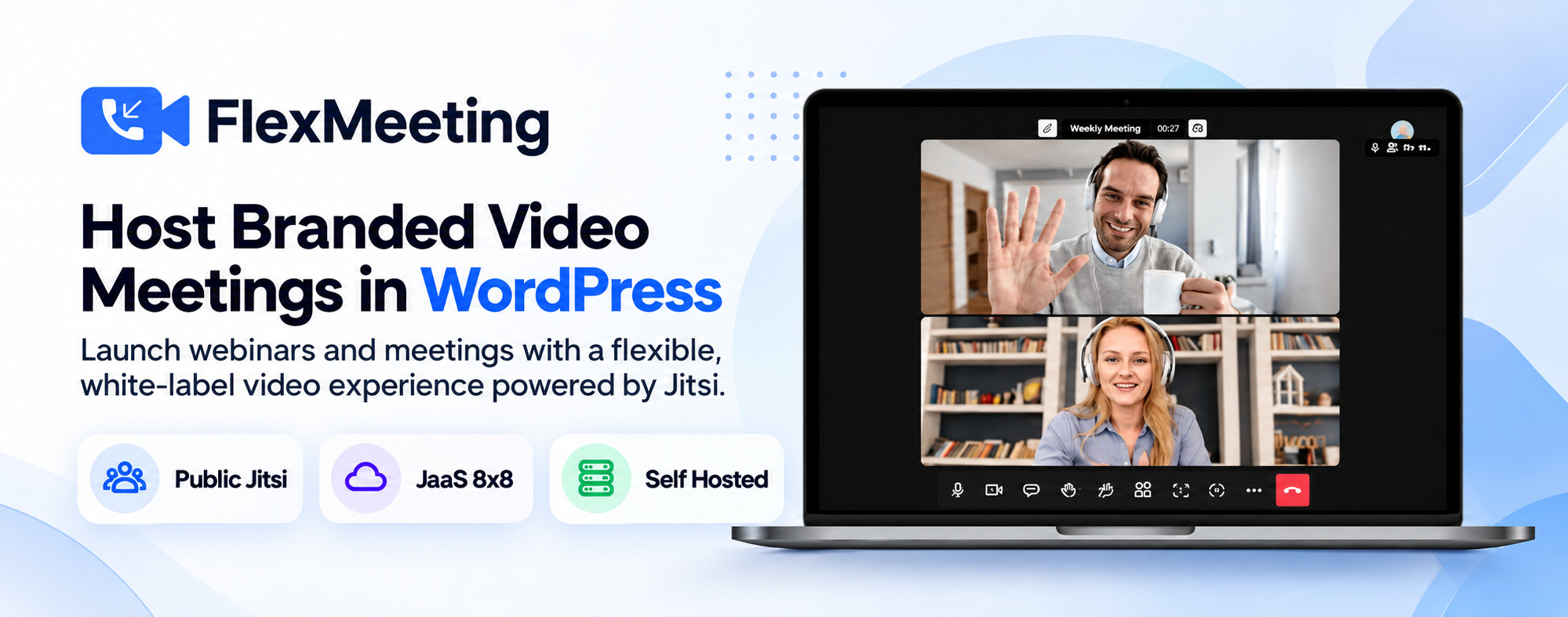
FlexMeeting is a Jitsi-powered WordPress video plugin that adds video conferencing and webinar hosting to a WordPress website. Rather than sending clients, students, or team members to Zoom or external meeting links, FlexMeeting allows website owners to host live video rooms directly on their own domain.
Three Flexible Server Infrastructure Options
Unlike proprietary meeting platforms, FlexMeeting connects your WordPress dashboard to three distinct server architectures:
- Public Jitsi (Free): Connects directly to public Jitsi servers, allowing website owners to embed video conferencing in websites instantly with zero server fees.
- JaaS 8×8 (Managed Cloud): Connect through Jitsi as a Service for managed hosting, custom branding, recording, transcription, and live streaming with eligible plans and subscriptions.
- Self-Hosted Jitsi Server: Links your WordPress site to your own private Jitsi Meet server URL, giving developers and privacy-focused organizations greater control over hosting, configuration, branding, and data management.
Core Features & Integrations
- Native WordPress Page Builders: Embed meetings anywhere using Gutenberg blocks, Elementor widgets, or simple shortcodes.
- LMS Integration: Integrates with the best WordPress LMS plugins including LearnDash, Tutor LMS, and LearnPress to deliver interactive live lectures.
- Monetization & E-Commerce: Sell online courses using WooCommerce or monetized consultations by selling video access through WooCommerce products and Dokan multivendor stores.
- Automated Scheduling: Host your own meetings with frontend meeting creation, recurring meeting rules, and Google Calendar, Outlook, and Apple Calendar integration.
- Pricing: The free version is available on WordPress.org, with a premium version for additional features. Recording requires the premium version and a JaaS 8×8 premium plan, and participant limits on JaaS depend on the JaaS plan.
Verdict: FlexMeeting is designed for WordPress site owners, coaches, course creators, and businesses seeking the best video conferencing plugin for WordPress to keep visitors engaged on their own brand domain.Ready to try FlexMeeting?
Try the free plugin from WordPress.org or download pro version and explore Public Jitsi, JaaS 8×8, and Self-Hosted options.
2. Jitsi Meet: Best Standalone Open-Source Meeting Software
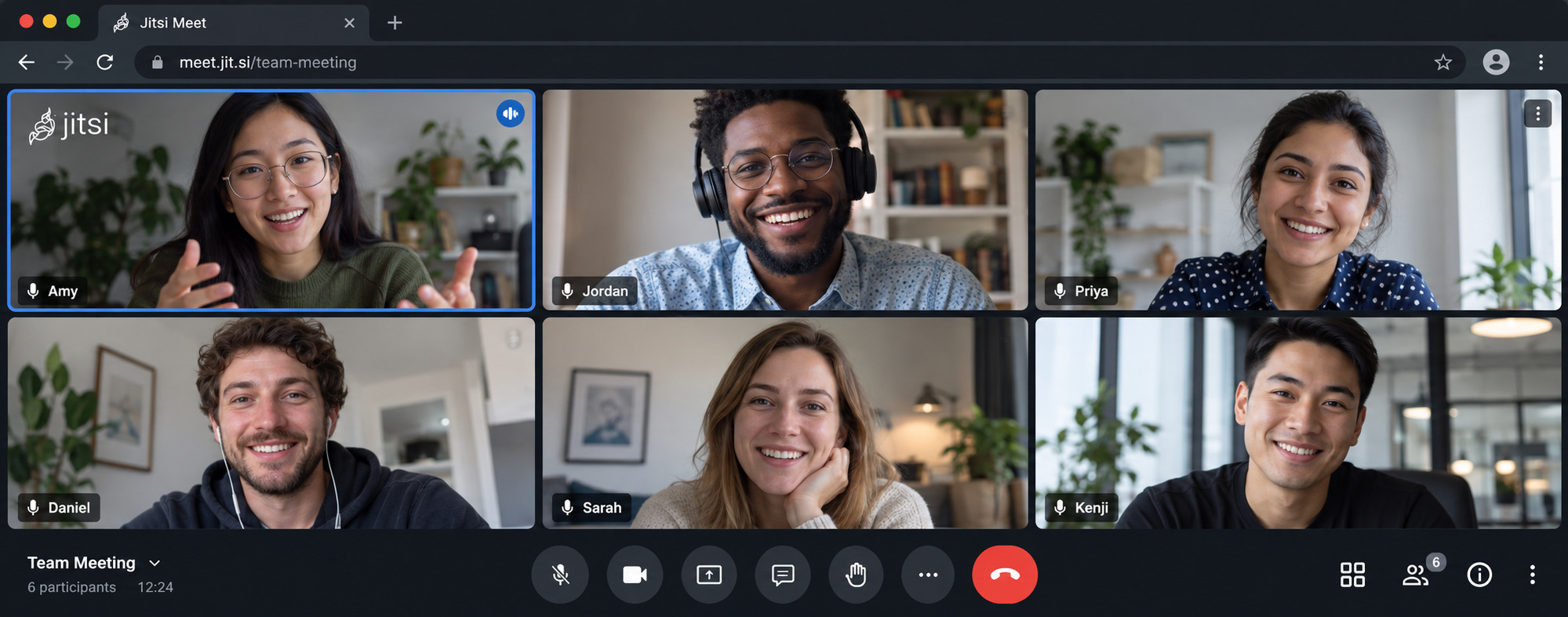
Jitsi Meet is an open-source video conferencing platform that runs directly in modern web browsers using WebRTC. Participants can join meetings through shared links without installing desktop software, while public meeting hosts may need to authenticate.
Key Features
- Browser-Based Access: Join meetings directly through supported browsers using shared meeting URLs.
- Open-Source Flexibility: Access and customize the open-source conferencing software.
- Built-in Collaboration: Screen sharing, text chat, hand raising, virtual backgrounds, and collaborative tools.
- Self-Hosted Deployment: Run Jitsi Meet on your own infrastructure for greater control over meeting configuration.
- Mobile Apps: Jitsi Meet is available for iOS, Android, and F-Droid.
- Pricing: Free and open source. JaaS, the managed hosting service from 8×8, is offered separately.
- Session Limits: As of October 2026, public meetings on meet.jit.si are limited to 95 minutes. Self-hosted servers are not subject to that limit, though capacity depends on your server resources.
Verdict: An excellent open-source Zoom alternative for users seeking browser-based meetings, collaboration tools, and flexible hosting options.3. BigBlueButton: Best for Virtual Classrooms & Online Teaching
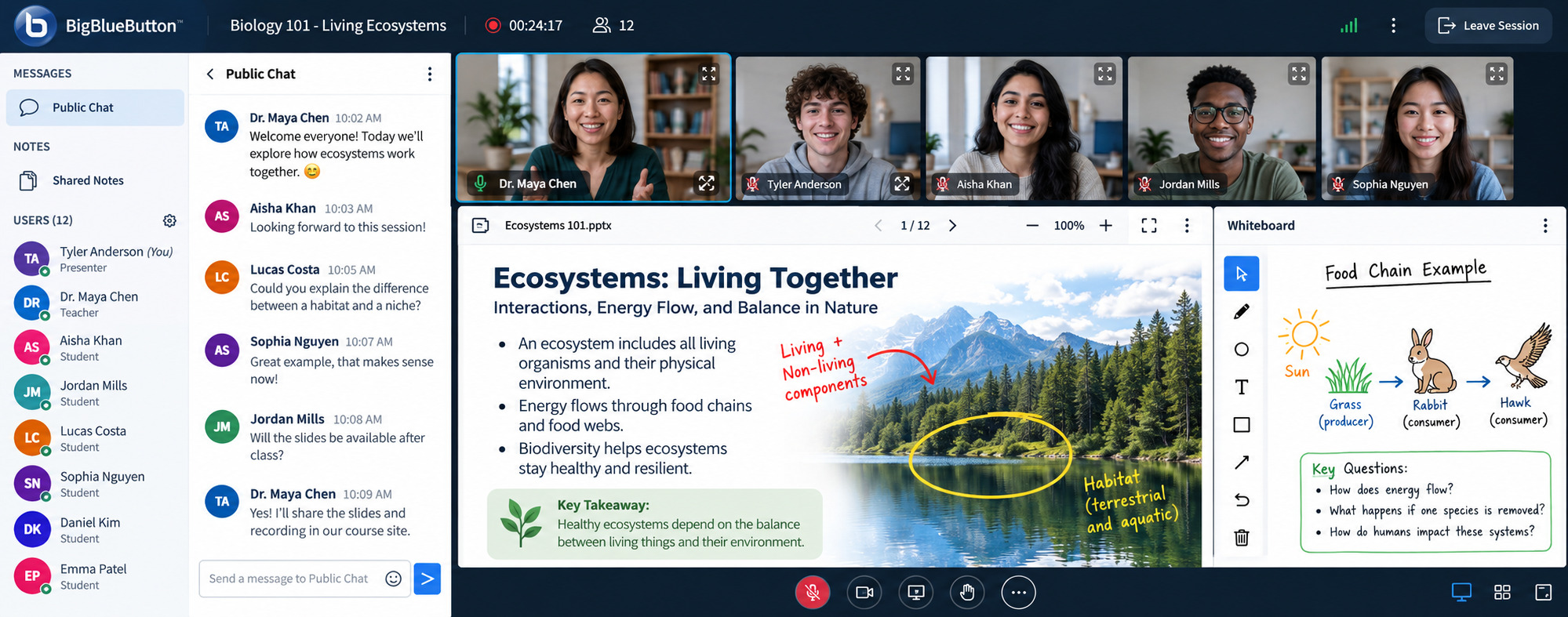
BigBlueButton is an open-source web conferencing system engineered specifically for online education, virtual classrooms, and remote tutoring.
Key Features
- Interactive Multi-User Whiteboard: Annotate presentation slides and draw diagrams live with students.
- Student Engagement Tools: Shared notes, emoji reactions, live polling, and dynamic breakout rooms.
- LMS Ecosystem: Embeds into academic learning platforms like Moodle, Canvas, and Sakai.
- Learning Analytics: Built-in analytics help teachers see which students are engaged or struggling.
- Language Support: Used by educators and learners in over 65 languages.
- Pricing: Free open-source software that you host yourself. Commercial hosting is available separately.
Verdict: An open-source platform for schools, universities, and academic institutions requiring dedicated classroom tools.4. Nextcloud Talk: Best for Privacy-Focused Team Communication
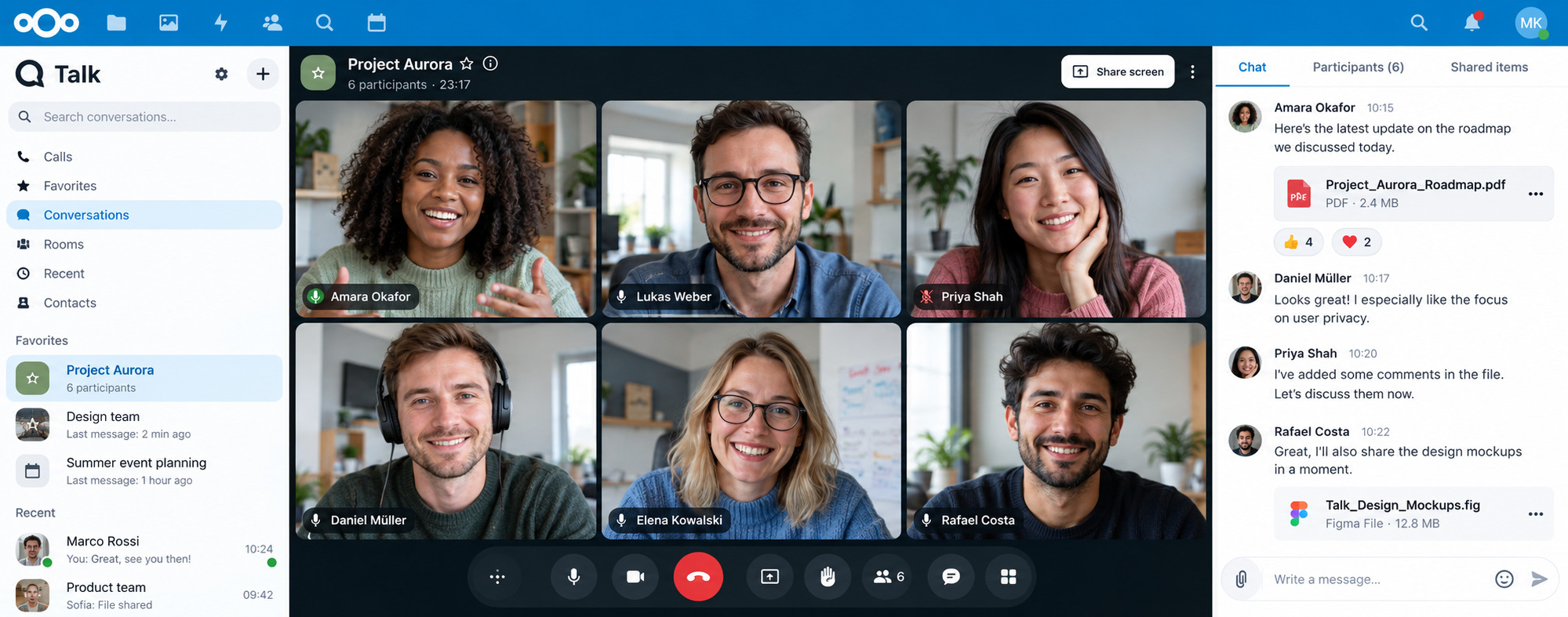
Nextcloud Talk is a self-hosted audio, video, and chat platform that operates within the Nextcloud productivity suite, helping organizations manage communication through their own infrastructure.
Key Features
- Self-Hosted Infrastructure: Deploy meetings and messaging on private servers or with a trusted hosting provider.
- Integrated Workspace: Share files, collaborate on documents, and connect communication with Nextcloud productivity tools.
- Privacy-Focused Communication: Supports end-to-end encrypted calls, access controls, and security features that help organizations meet their data protection requirements.
- Webinar Requirements: Webinars with a lobby and phone dial-in (SIP) require the Nextcloud Talk High Performance Backend.
- Pricing: Open source and free to self-host. Nextcloud Enterprise plans are available for organizations that need support.
Verdict: A strong choice for privacy-conscious organizations seeking greater control over video communication and private cloud collaboration.5. Whereby: Best for Simple Browser-Based Client Meetings
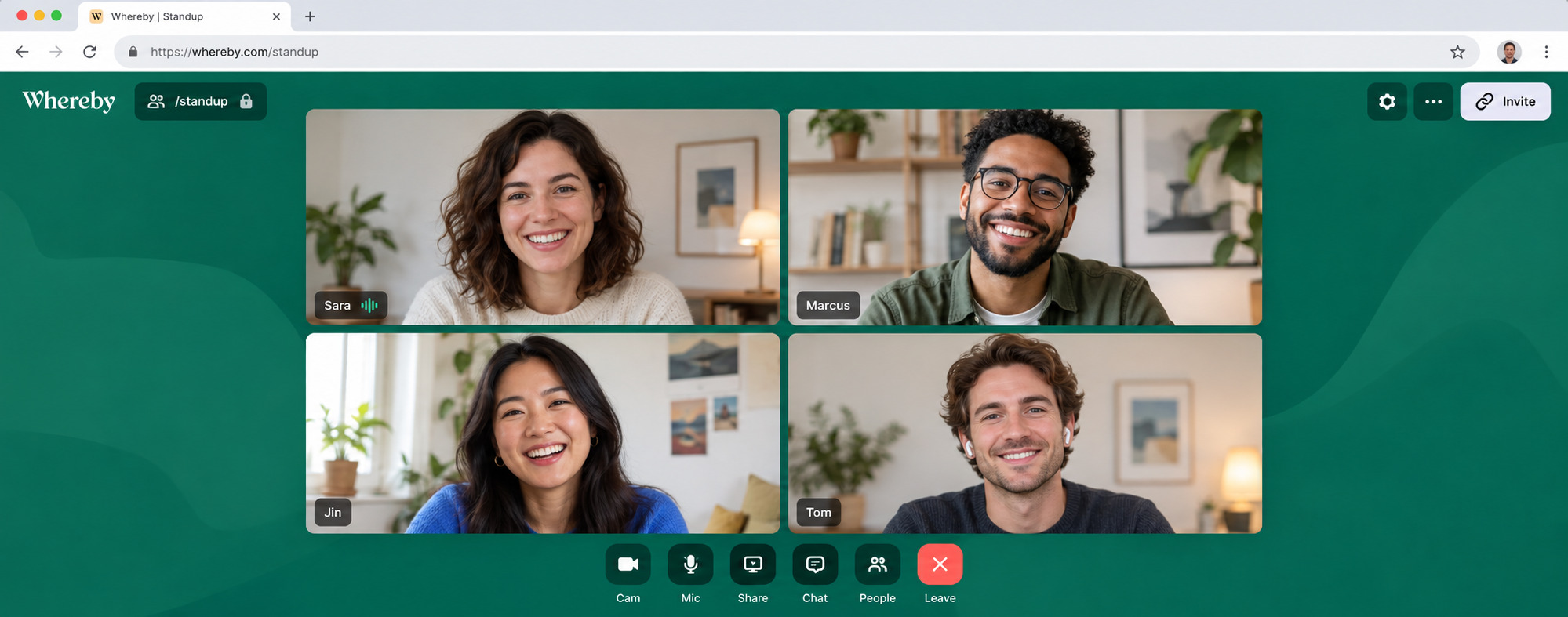
Whereby is a European-owned, browser-based video calling platform with reusable room links for individuals and small teams. It is GDPR and HIPAA compliant and ISO 27001 certified.
Key Features
- Custom Room URLs: Dedicated, memorable meeting room links (e.g., whereby.com/your-brand).
- Custom Room Branding: Apply your own branding to meeting rooms. This is available on paid plans.
- No App Downloads: Runs directly in desktop and mobile web browsers without plugins.
- Embedded API and SDK: Developers can create rooms programmatically and embed calls in their own products.
- Pricing: The free plan allows up to 4 participants and 30-minute meetings. Paid Meetings plans start at $10.99 per month.
Verdict: A clean, professional choice for freelancers and agencies conducting frequent 1-on-1 client appointments.6. Google Meet: Best for Everyday Business Communication
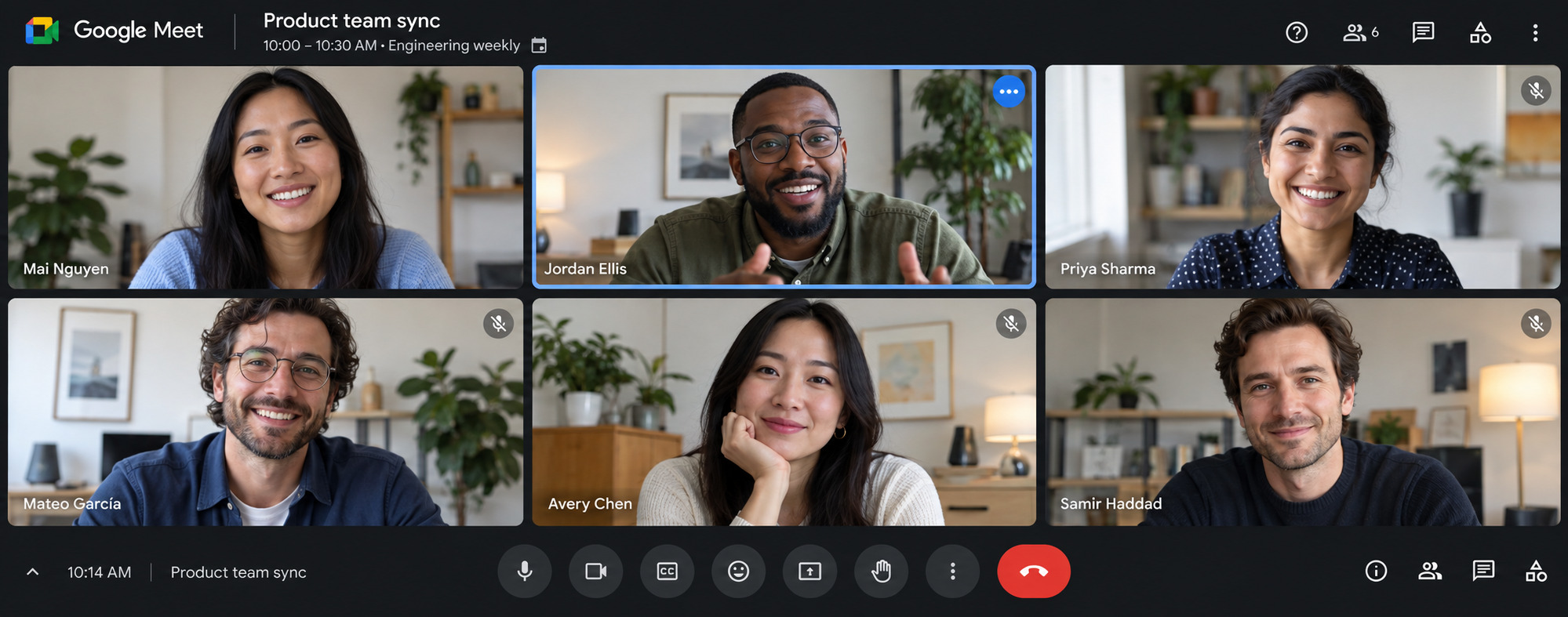
Google Meet is Google’s web-based video conferencing tool, deeply embedded into Google Workspace.
Key Features
- Google Workspace Sync: Generate video links automatically when scheduling Google Calendar invites.
- Free One-on-One Calls: One-on-one calls on free accounts can last up to 24 hours.
- Free Group Calls: Supports free group video calls up to 60 minutes for up to 100 participants.
- Pricing: Free with a Google account. Longer group calls and larger meetings require a paid Google Workspace plan.
Verdict: Suited to for businesses already operating within the Google Workspace ecosystem.Free Zoom Alternatives Without Strict Time Limits
One of the main reasons users explore Zoom alternatives is its 40-minute limit on free meetings. However, meeting duration varies depending on the platform and hosting setup.
- Open-Source & Self-Hosted Software: Platforms like Jitsi Meet, BigBlueButton, and Nextcloud Talk allow organizations to manage their own conferencing infrastructure. Meeting capacity and duration depend on server configuration, resources, and deployment policies.
- WordPress Embedded Meetings: FlexMeeting supports Public Jitsi, managed JaaS, and Self-Hosted Jitsi connections. As of October 2026, public meet.jit.si meetings have a 95-minute limit, while self-hosted deployments offer more flexibility over server-level meeting policies.
- Commercial Free Plans: Google Meet allows 60-minute free group meetings, while Whereby provides 30-minute meetings for up to four participants.
For users seeking longer meetings, self-hosted conferencing can provide greater flexibility, provided the server is configured and maintained to support their needs.
Open-Source vs. Proprietary Meeting Platforms
Selecting between commercial SaaS tools (Zoom, Google Meet) and open-source video platforms comes down to three operational factors:
| Feature / Criteria | Commercial SaaS Platforms (Zoom, Google Meet) | Open-Source Tools & Native Solutions (Jitsi, BigBlueButton & FlexMeeting) |
| Pricing Model | Per-host monthly/annual recurring subscription fees | Free open-source software; flexible host or self-hosted options; FlexMeeting offers free and premium versions |
| Meeting Environment | Redirects users to external apps or third-party domains | Jitsi and BigBlueButton run on their own or self-hosted domains; FlexMeeting embeds meetings directly on your WordPress site. |
| Session & Call Limits | Plan-specific meeting limits | Depends on server configuration or hosted-service policies |
| Data Ownership & Privacy | Managed under the provider’s infrastructure and policies | Greater infrastructure and data-management control when self-hosted |
| Integrations | Business apps, calendars, and productivity platforms | Custom integrations, LMS support, and website embedding where supported |
- Data Sovereignty & Privacy: Self-hosted open-source platforms give organizations greater control over server infrastructure, data storage, and security configurations.
- Brand & Client Retention: Embedding meetings into a WordPress website using FlexMeeting keeps the meeting experience connected to your own domain and brand.
- Cost Scalability: Open-source solutions can reduce dependency on per-host subscriptions, although server hosting, maintenance, and premium services may add costs.
How to Choose the Best Zoom Alternative for Your Workflow
To pick the right software, match your core requirements against these scenarios:
- If you operate a WordPress site: Choose FlexMeeting to schedule, embed, and monetize meetings natively on your domain. Pair it with essential business plugins for site optimization.
- If you need a browser-based open-source meeting tool: Choose Jitsi Meet for simple video conferencing, with participant access through shared links and flexible hosting options.
- If you manage online courses or webinars: Combine FlexMeeting with top webinar tools or choose BigBlueButton for academic setups.
- If you require strict data privacy: Deploy Nextcloud Talk or a Self-Hosted FlexMeeting server.
- If you host lightweight client calls: Choose Whereby or Google Meet.
Frequently Asked Questions (FAQ)
What is the best free Zoom alternative?
Google Meet is a convenient cloud-based option for everyday meetings. Jitsi Meet offers open-source video conferencing with browser-based access, while FlexMeeting is ideal for embedding Jitsi-powered meetings directly into WordPress websites.
Is there a free alternative to Zoom with no time limit?
Self-hosted platforms like Jitsi Meet, BigBlueButton, and Nextcloud Talk offer greater flexibility over meeting duration based on server configuration. Public Jitsi and commercial free plans may apply session limits. FlexMeeting also supports self-hosted Jitsi connections.
What are the best open-source alternatives to Zoom?
Jitsi Meet is the best general-purpose open-source alternative for web calls. BigBlueButton focuses specifically on virtual classrooms and online education, while Nextcloud Talk suits privacy-focused organizations needing an integrated self-hosted cloud suite.
Can I host video meetings directly on my WordPress site?
Yes. The FlexMeeting plugin allows WordPress site owners to embed live video calls directly onto pages, posts, or course portals using Gutenberg blocks, Elementor widgets, or shortcodes. It also provides native integrations for LMS plugins (LearnDash, Tutor LMS, LearnPress) and WooCommerce.
Can I self-host a Zoom alternative platform?
Yes. Platforms like Jitsi Meet, BigBlueButton, and Nextcloud Talk support self-hosted deployments. If you run a self-hosted WordPress site, FlexMeeting also lets you connect it to your own Jitsi server for greater control over conferencing infrastructure and data management.
What apps are similar to Zoom, and which Zoom competitors suit client calls?
If you want lightweight web-based apps or zoom-like websites without software downloads, tools like Whereby and Google Meet allow clients to join through shared links. For WordPress site owners, FlexMeeting offers a native experience where clients join calls directly on your website URL rather than external meeting sites.
Why choose an open-source Zoom alternative over commercial SaaS competitors?
Open-source alternatives offer greater customization and self-hosting flexibility. They can also reduce reliance on per-host subscriptions, although infrastructure and maintenance costs may apply. Tools like FlexMeeting add WordPress-specific integrations for website owners.
Is FlexMeeting the same as Jitsi Meet?
No. Jitsi Meet provides the underlying open-source video conferencing infrastructure, while FlexMeeting is the WordPress plugin wrapper that connects Jitsi Meet into your WordPress site, providing user management, scheduling, calendar integration, and site builder embeds.
Final Thoughts
While Zoom remains popular, exploring alternative video conferencing platforms can help you find more flexible meeting limits, different pricing models, and greater control over how your meetings are hosted.
For WordPress site owners, FlexMeeting offers a practical open-source option by allowing you to embed, schedule, and manage live video calls directly on your own domain using Public Jitsi, JaaS, or a private self-hosted server. Selecting a platform that aligns with your technical setup and privacy requirements allows you to maintain a smoother video conferencing workflow.


Add your first comment to this post