









Ever wondered how to use Dark Mode on Elementor Hello Theme? You’re not alone, and with Dark Mode becoming a standard expectation on modern websites, there’s never been a better time to add it to yours.
Elementor has become a household name in the page-building industry, and for good reason. It powers over 21 million websites worldwide, making it the most widely used drag-and-drop page builder on WordPress. Whether you’re a complete beginner or an experienced web creator, Elementor lets you build a professional website without writing a single line of code.
Hello Elementor is the official theme built by the Elementor team themselves, designed to work in perfect harmony with the page builder. With over 1 million active installs, it’s the fastest and most conflict-free foundation you can build an Elementor website on.
So today, we’re going to show you exactly how to use Dark Mode on Elementor Hello Theme, step by step, no coding required. But first, let’s get to know the Hello Theme a little better, shall we?
Hello Elementor, is this the best Elementor Theme?
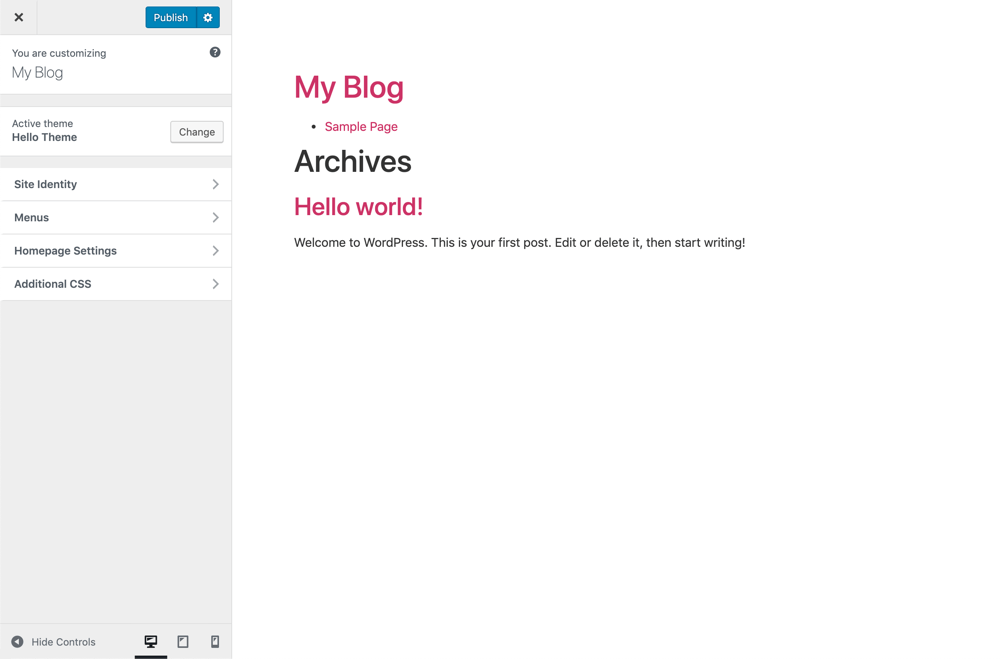
Hello Theme is Elementor’s first and flagship theme. Since they know Elementor better than anyone else, they could create a theme that lets the user make the most of it. As a result, they created a theme that lets you build beautiful websites using Elementor. Additionally, the theme you use won’t get into your design’s way anymore.
In May 2019, the Elementor team officially got their Hello theme listed at WordPress.org. Today, it has grown into one of the most widely used WordPress themes on the planet with over 1 million active installs.
When you work with Elementor on Hello theme, you can focus on designing the pages. In fact, you don’t have to worry about the theme getting in the way of your gorgeous design ideas. Since it doesn’t have many features, it doesn’t have much code. Hello Theme weighs just 6 KB and loads in under a quarter of a second, which makes it one of the lightest and fastest themes on WordPress.org.
That lean code isn’t just good for speed either. Search engines love fast, clean websites, so Hello Theme’s minimal footprint naturally works in your favor when it comes to rankings. And if you’re running an online store, you’ll be glad to know Hello works seamlessly with WooCommerce too, giving you the full power of Elementor’s WooCommerce Builder without any compatibility headaches. As a result, Hello Elementor might just be the best theme for Elementor.
Here are some of the Hello theme features:
- A lean Starter theme framework
- 100% compatible with Elementor
- Responsive design capabilities
- Well documented
- Developer-friendly code
- Fullscreen & Boxed Layouts
- RTL supported
- Accessibility ready
- Easy to customize: header, footer & more
- Custom menu
- Translation ready in 60+ languages
- WooCommerce compatible
- SEO friendly
- Perfect for landing page management
Why WP Dark Mode?
If you follow the daily news, the way Dark Theme trends are rising day by day, everyone is looking to add a dark theme to their website. Also, if you are using a WordPress website, then you are in luck.
Using the WP Dark Mode plugin, adding Dark Mode to your website is as easy as ever.
If you are building your website with Elementor along with the Hello Theme, then you are very fortunate. WP Dark Mode is specifically optimized for Hello Elementor and has a dedicated Elementor widget in its free version that will help you place a dark mode toggle button anywhere on your website.
On top of that, it also supports Gutenberg blocks and shortcodes, so no matter how your site is built, you have a way to place the switch wherever makes the most sense.
One of the most impressive things about WP Dark Mode is how smart it has become. With the newly introduced AI-Powered Color Preset Generator, you can simply describe the color style you want, and the plugin will instantly generate a custom dark mode color palette tailored to your brand, which is something no other dark mode plugin currently offers.
Here are some of the features:
- AI-Powered Color Preset Generator
- Floating Dark Mode Switch
- Elementor Widget & Gutenberg Block Support
- Multiple Dark Mode Switch Styles
- 24+ Floating Switch Styles
- 16+ Dark Mode Color Schemes
- Dark Mode Switch Shortcode
- Place Switch Above Post/Page Content
- Admin Panel Dark Mode
- Time-Based & Sunset-Based Dark Mode
- Dark Mode Analytics
- Excludes Pages and Elements from Dark Mode
- Custom Switch Text & Custom Triggers
- Dark Mode-Based Image & Video Replacement
- Background Image Change
- Dark Mode Logo Support
- Dark Mode Switch in Menu
- Font Size Toggle for Better Accessibility
- Custom Dark Mode Colors & CSS
- WordPress Post Editor in Dark Mode
- All Major WordPress Themes Supported
Setting up Hello Elementor theme for your website
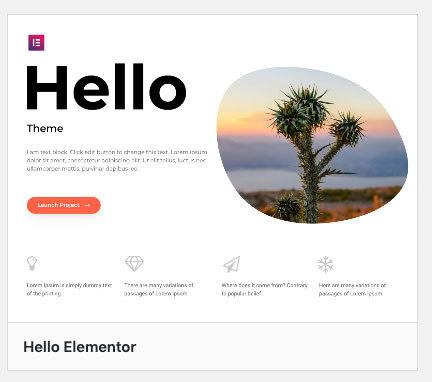
Setting up Hello Theme is actually pretty simple. All you need to do is go in to
- Go to Appearance → Themes
- Click Add New
- Type “Hello Elementor” in the search bar
- Hover over the theme and click Install
- Once installed, click Activate
How to enable dark mode on Elementor
You need to follow these easy steps in order to enable Dark Mode in your Elementor website.
Step 1: Install & activate Elementor
To start off, you need to install Elementor. Go to Plugins → Add New, search for “Elementor”, click Install Now, and then click Activate. Or you can download it from here.
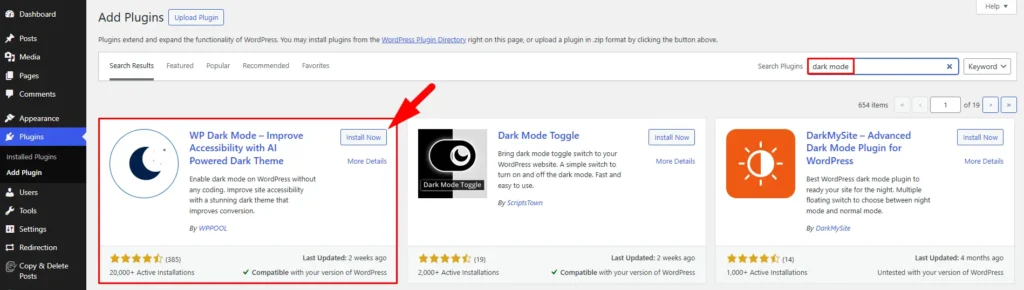
Step 2 : Download WP Dark Mode
Go to Plugins → Add New, search for “WP Dark Mode”, click Install Now, and then click Activate. The free version is all you need to get the Elementor widget working.
However, you can get all the advanced customization options in the Pro version.
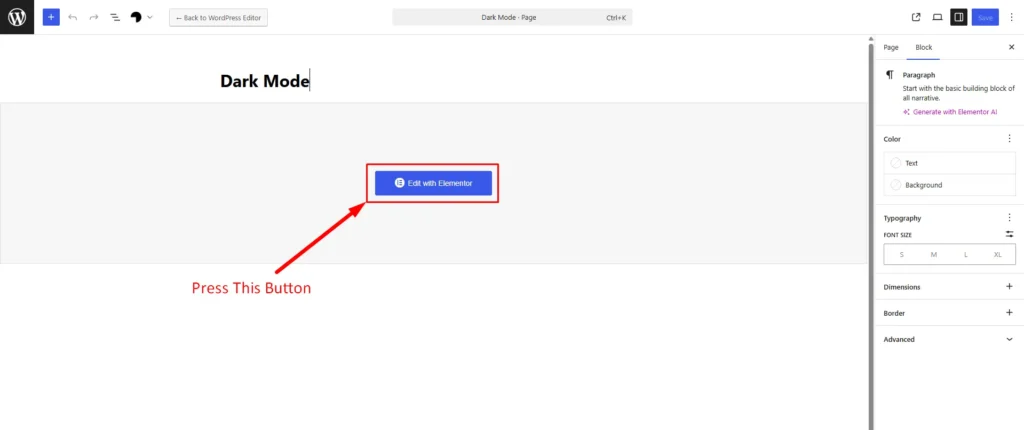
Step 3: Create a page & edit it with Elementor
Now, you need to create a page with Elementor. After creating a page click on the Edit with Elementor button.
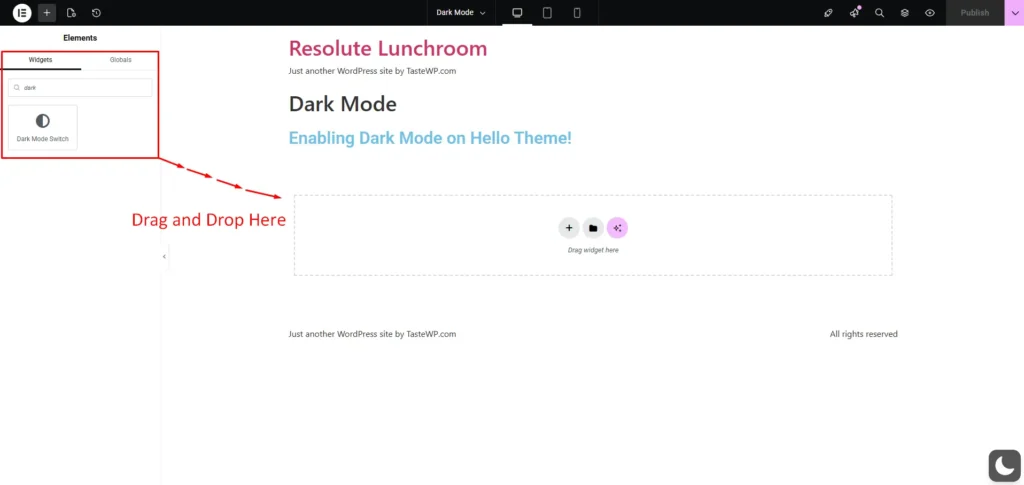
Step 4: Drag n drop the dark mode widget
Once you are inside the Elementor editing panel, search for “Dark Mode” in the widget search bar on the left side.
Find the WP Dark Mode widget and drag and drop it into your desired editing area, just as you would with any other Elementor widget.
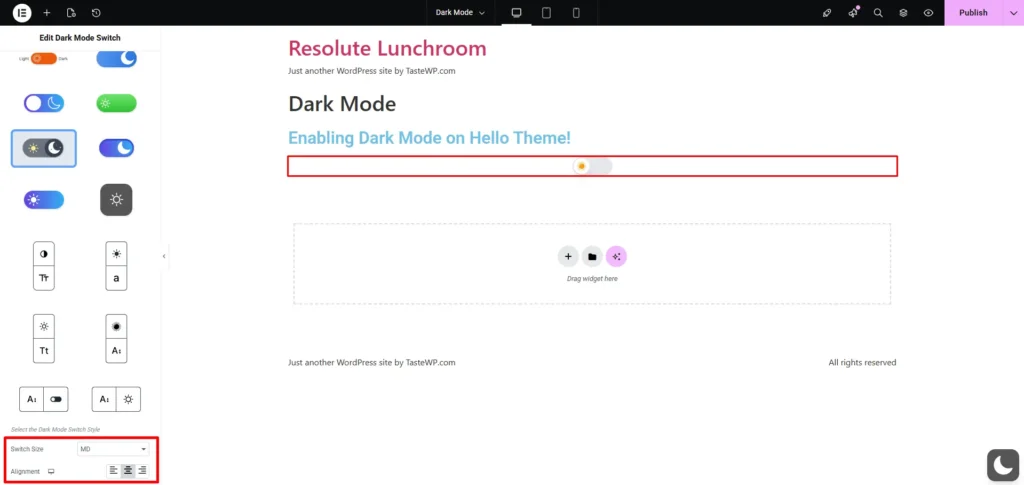
Step 5: Select the switch style & align per your requirements
With the widget placed on your page, you will see several switch style options on the left panel. Select a style that suits your website’s look and feel.
Once you have chosen a style, adjust the alignment to match your page layout: left, center, or right
Step 6 : Update & publish
You are done. Just publish your page and you will see the magic.
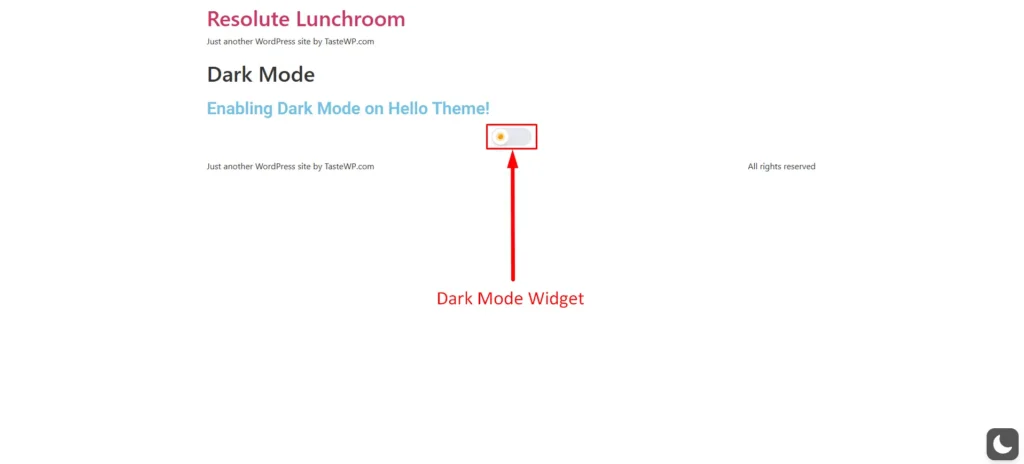
Now you know how to enable Dark Mode on Elementor with ease.
Finishing up
So, we are at the end of the tutorial on how to use Dark Mode on Elementor.
Dark Mode is slowly becoming a trend. And with such a fantastic plugin at your disposal, you can easily add a dark theme to your website with a few clicks.
And if you can add a dark theme on your Elementor website then you can easily stand out from the rest. So, what are you waiting for? Grab your copy now!
Want to learn more about WordPress dark mode? Try our comprehensive guide.
Frequently Asked Questions
How do I use Dark Mode on Elementor Hello Theme? You can easily use Dark Mode on Elementor Hello Theme using the WP Dark Mode plugin. Simply install the plugin, drag the Dark Mode widget into your Elementor editor, and publish.
Can I use Dark Mode on my Hello Elementor website for free? Absolutely! WP Dark Mode offers a free version available in the WordPress plugin repository that includes essential dark mode features, including the dedicated Elementor widget.
Will Dark Mode affect my Hello Elementor website’s loading speed? No. WP Dark Mode is lightweight and optimized for performance. It won’t negatively impact your Hello Elementor website’s loading speed.



Add your first comment to this post