









Key Takeaways
- What are AI plugins for WordPress?
- How to evaluate an AI plugin feature for WordPress?
- What’s the impact of AI on SEO and Content Generation?
- How to leverage AI for enhanced customer interaction and support?
In just a few years, AI has taken the world by storm. And it’s only bettering itself every second. A task that required hours of effort before now only needs seconds.
From basic content generation to fulfilling queries to image creation – AI can pretty much take on both mundane and complex projects. And that’s why there’s always been a misconception going around that AI is going to take people’s jobs & careers.
But what you cannot forget is that the sole purpose of AI is to help you, not replace you. In the right hands and with the right plugins, AI can do wonders. And by letting it take care of the monotonous tasks, you can focus on new and better prospects to develop your brand.
On that note, it’s time to know all about the Best WordPress AI Plugins we think will dominate in 2026. With these plugins, you can whip up an organized website in a matter of hours, and maintain it like a well-oiled machine. So, without further ado, let’s get started!
How will you evaluate AI plugins for WordPress?
If you’re in the market for these WordPress plugins, you have to ask yourself the following questions first:
- Why do I need an AI plugin?
- What type of website am I building?
- Do I want AI to take care of website design or customer management?
- How can AI plugins help me with lead conversion later on?
Answer these questions and make a note for yourselves. Before you know it, you can narrow down your preferences and choose accordingly. For your convenience, here’s a primary list of the features that you should be evaluating while making a purchase.
Does it Give you an Improved UI/UX Design?
Optimum user experience is key to a great WordPress website. Hence, it’s the very first thing that you should evaluate.
A competent AI plugin simplifies a complex interface to improve user experience. It offers an intuitive interface that adapts to the customer preferences.
Read More: 6 Best WordPress LMS plugins
Does it Offer Enhanced Data Integration?
Plugins rarely work solo. A good AI plugin should be able to integrate seamlessly with major WordPress plugins such as – Gutenberg, WooCommerce, etc.
Plus, it should be able to process and integrate data from multiple sources without lagging. In addition to external integration, it should integrate seamlessly with your WP themes, caching plugins, etc.
How Good is Its Machine Learning Performance?
The best WordPress AI plugins come with exceptional AI engines with exceptional machine learning performance.
As your website’s in-house plugin, a good AI plugin has to retain and expand on every single piece of data on your website. Additionally, it needs to retain customer information and preferences to offer personalized and user-friendly solutions.
Does it Facilitate Automation?
The coolest thing about AI is how quickly it adapts in a new environment. It should be able to solve multiple problems at once.
Scheduling bulk tasks, posts, responses, mail, etc. should feel like a breeze. Upon receiving comments, DMs, forms, mail, etc., the best AI plugins should send responses instantly.
Continuous evolution and retention of information are a must for absolute efficiency.
The Impact of AI on SEO and Content Generation
With AI-driven tools and plugins, it’s now possible to completely redefine SEO strategies and content generation tactics. By doing so, strategists can save precious time, resources, and effort extensively.
Here’s a brief overview of the overall impact of AI on SEO and content generation in today’s AI-powered world:
You Can Generate Content Faster
Elegant Themes reports that with the help of AI, WordPress developers can now finish tasks 40-60% faster. That means, a project that would have taken months before can be finished within days now.
By using AI writing tools such as ChatGPT, Jasper, etc., strategists can churn out quality ad and sales copies, informative blogs, affiliate content, etc., in minutes.
Alongside product descriptions, they can curate product images for promotions with the help of AI as well. This reduces image production costs and cuts the time in half.
AI Plugins Help You with Predictive SEO Practice
By using high-powered AI SEO tools such as SurferSEO, website developers can super charge their keyword research in seconds and analyze them with competitor keywords as well.
And that’s just the start. Well-furnished AI plugins don’t just hand you a list full of keywords and a bunch of metrics. They provide in-depth research about search queries to help you understand customer intentions and pain points.
And this is where predictive SEO kicks in. By analyzing past trends and metrics, a good AI SEO plugin helps you to predict high-value keywords for the future. By working on these keywords early on, you can stay 10 steps ahead of everyone else.
AI Optimizes Your Website Based on Your Users!
Good AI Plugins don’t just work for the website, but for the customers as well. By analyzing and comparing user intentions, they offer user-centric optimization & avoid unnecessary topics.
In addition to the product or type of content you’re looking for, these AI add-ons may offer similar suggestions. As in, things that you would be interested in based on your search history.
That way, you won’t have to manually look through the entire catalog. You will be able to find what you need easily and not go through even half the hassle.
And how does this impact the website owners, you ask? Well, it’s pretty simple.
When a customer receives a highly-personalized experience, they are far more likely to stay on the website longer. CTRs (Click-Through-Rates) and other engagement metrics go through the roof and the conversion rates go up too.
A study conducted by MoldStud revealed that you can increase conversion rates up to 10% by using personalized content. User-centric optimization, with the help of AI, is hence a total game-changer.
WordPress AI Plugins That’ll Put Your Website on Steroids!
WordPress has developed intensely ever since the arrival of AI. Instead of thinking of AI as the devil, it’s time to join forces to create indomitable content.
So, here’s a list of the 7 plugins that you can use to improve your website performance in 2026:
If you’re looking for an AI plugin that can talk to your customers exactly like you would, Tidio is the plugin to go for. Tidio states that in 2026, the use of chatbots will go up by 34% compared to previous years.
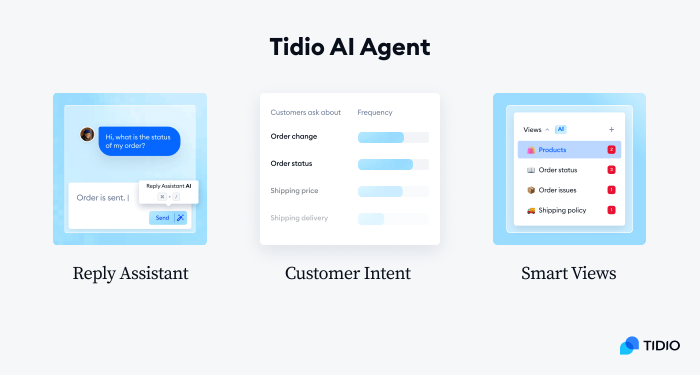
With Tidio, you can get 24/7 live customer support as well as AI automation. Whenever you’re free, you can answer customer queries directly. And when you’re not, Tidio’s very own conversational AI, Lyro, can pick up the pace by instantly resolving 70% of queries.
Tidio comes with a lively and mobile-friendly live chat widget. This widget encourages visitors to talk to customer support about the products. And yes, the widget works perfectly fine on all platforms including phones and desktops.
This AI plugin also offers multi-channel live chat plugin support for easy management. That means, you can manage all your conversations in one place. No more missing out on clients just because you forgot to reply to one important text!
Tidio also allows Live Visitor Tracking to further boost your sales. Based on search history, online presence, and location, Tidio chatbots can prompt conversations to convince customers as to why they should pursue your services.
Lastly, Tidio offers WooCommerce live chat integration to ensure a smooth user experience. That means, you don’t have to leave the chat window to track down your orders and products any longer. You can view your cart, order history, etc. directly from the live chat and decide accordingly.
Anyone into content writing, has used or at least heard about Yoast. The SEO Plugin with red lights and green lights (sorry for the Squid Game Pun). This thing is so popular that WordPress’s repository itself deems it as the number 1 WP SEO plugin.

Yoast SEO offers seamless integration with prominent WordPress tools such as Google Site Kit, Elementor, Semrush, Mastodon, etc. With the help of these integrations, you can easily access website analytics, high-value keywords, trends, etc.
With Mastodon integration, you can verify your website and improve its performance via advanced optimization. With Wincher integration, you can track internal keyword performance via the dashboard directly.
Yoast SEO is mostly popular for its internal readability analysis. With the help of AI, you can detect your lackings, fix grammar mistakes, avoid plagiarism, and write engaging and user-friendly content.
This plugin further improves your content with inclusive language analysis. That way, you can appeal to multi-language readers and curate your content in a conversational tone.
Yoast SEO allows SERP previews for both mobile and desktop platforms. You can check out the readability of your content in real time and fix mistakes accordingly.
This plugin also offers detailed SEO analysis of target high-value keywords and in turn, it improves your SERP rankings. You can optimize top-ranking content to attract more visitors to your site if you use these SEO recommendations well.
Yoast SEO comes with built-in schema support. With HowTo and FAQ blocks, you can answer popular queries and with breadcrumb blocks, you can facilitate improved navigation for your content.
For advanced AI features, you need the Yoast SEO premium. Yoast adds two specific features in its premium model. First is, AI Optimize. With it, you can create and regenerate SEO-friendly titles and meta descriptions.
With Yoast AI Summarize, you can instantly get summarized versions of your blogs, social media posts, etc. You can further use these summaries to provide the users a sneak peek of your content.
Fun fact – Rank Math SEO was the first ever WordPress plug to use AI. Like Yoast, Rank Math is an SEO-centric WP AI plugin.
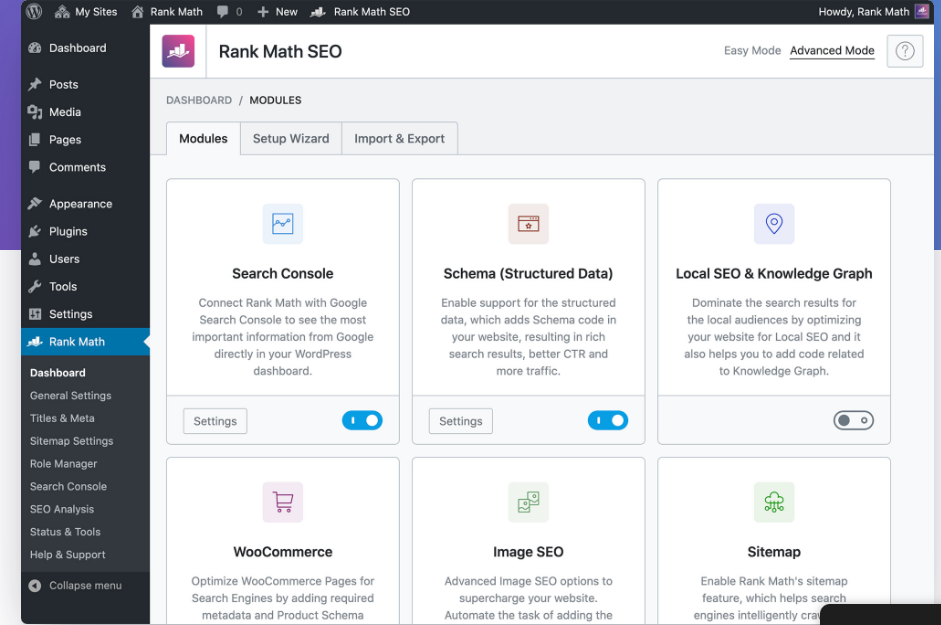
The difference? Yoast is a content-centric plugin while Rank Math is a website-centric one. That means, if you’re looking to build a website from scratch, Rank Math is your go-to plugin for search engine optimization.
Rank Math SEO comes with a setup wizard. As in, all you need to do is to follow the step-by-step installation and configuration guidelines, and it’ll practically do the rest by itself.
In addition to unlimited keyword optimization, Rank Math has “Content AI” as well. You’ll receive a personal AI assistant to help you write well-optimized SEO-friendly content for your website.
Rank Math Seamlessly integrates with GSC. You can check the keyword rankings and website metrics directly from your dashboard. You can also conduct an SEO analysis of your entire website in minutes.
Rank Math helps you to find LSI keywords to further boost your content to the top. By finding variations of the focus keyword, it enriches your content by implementing LSI keywords and advanced SEO practices.
Additionally, It suggests where to interlink in the article and with which one. By linking to other articles from your website, you can greatly improve your SERP rankings.
Rank Math can manage a network of sites, and doesn’t lag in the process. It has a comparatively lightweight code, even though it comes with a set of extensive features and integrations.
Lastly, Rank Math is famous for its built-in 404 monitoring. If a content page malfunctions, it automatically sends you an alert and helps you to fix the issues.
While we’re discussing AI Plugins, Elementor is inevitably a part of the conversation.
It’s currently powering well over 18 million sites all over the world. Just like Yoast SEO is the #1 SEO plugin, Elementor is the #1 drag and drop website builder for WP.

Elementor features a no-code, drag and drop intuitive website builder. Even if you have no coding knowledge whatsoever, you can still build a perfectly organized layout with advanced API integrations.
It comes with built-in CSS controls for advanced website optimization. You can select preferred colors, gradients, styles, shapes, SVGs, effects, etc. seamlessly.
Access Elementor’s Template Library to find instant setups if you don’t want to build your website from scratch. You can also choose blocks, pop-up templates, etc. separately for further customization.
You can use Elementor’s native AI integration mode to instantly create templates, headings, images, texts, etc. You can receive useful and responsive design suggestions. These suggestions ensure consistent color & style schemes for the website.
Elementor provides 40+ free widgets (with premium, even more) to provide a seamless website design experience. Free widgets include text editor, video, image, carousels, headings, and many more.
This plugin lets you tap into revision history so you can restore to previous formats. So, if you don’t like a design, you can simply revert the changes.
Elementor Pro gives you access to its very own WooCommerce builder. With it, you can curate product pages, shop layouts, checkout pages, etc. to further improve the aesthetic appeal of your website.
Like Elementor, Divi AI is also a prominent website theme and visual page builder. If you want to build your website elegantly with access to hundreds of customizable themes, this is the best plugin for you.
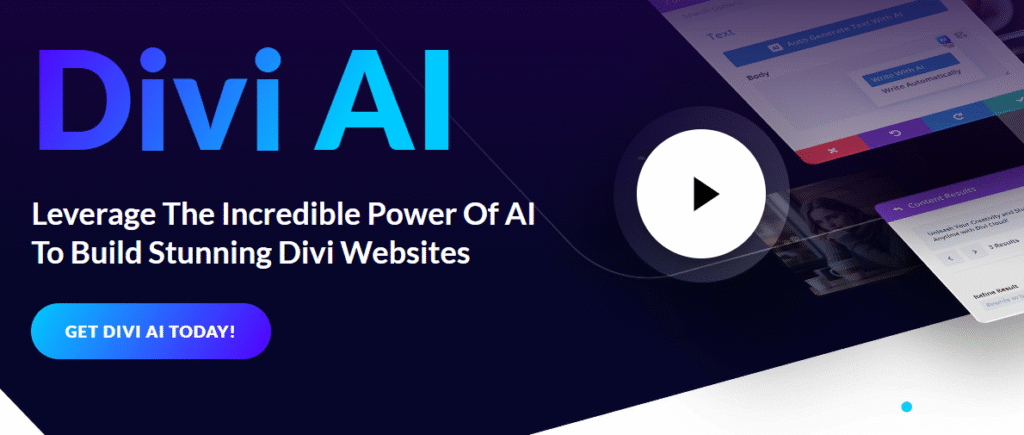
Good news! Divi AI is built into the Divi Theme and Divi Builder. The former focuses on designs and themes while the latter prioritizes building websites i.e. the technical aspects.
With Divi AI, you can generate images directly from your website interface. That means, you no longer have to separately curate the images and implement them into the content. You can train your Divi AI assistant to generate the images based on product descriptions.
Divi AI also helps with writing blogs and social media content for the website. It functions just like content generators. You write prompts, you get a result, you edit that result, and you got your content for different platforms.
Like Yoast SEO, Divi AI allows you to fix the grammar mistakes. Additionally, it provides useful suggestions by scanning the weaknesses of the content.
Divi AI also features an internal translator. That means, you can translate your content to any language for your readers.
AIOSEO stands for All In One SEO. A study conducted by The Web Shop revealed that this plugin attracted approximately 6.14 million visits in 2026 for its websites.
AIOSEO is slowly but steadily gaining popularity among WordPress users as it’s practically a combo pack for website builders and content developers.

AIOSEO comes with an impressive AI writing assistant to help you curate engaging and user-friendly content. You can also analyze keywords, competitor’s performance, and SERP rankings directly.
AIOSEO also features a Broken Link Checker. Like Rank Math’s 404 Monitor, the Broken Link Checker is an AI-powered plugin that automatically detects broken links within the website and sends alerts.
This plugin also comes with an automatic link assistant. By using its smart internal linking algorithm, you can automatically link different articles to improve your SEO.
AIOSEO offers a Search Statistics Module to its users. With this module, you can auto-detect the contents with decaying traffic so you can revitalize their SERP rankings with improved SEO practices.
Last but not the least, if you need to create forms or conduct surveys or polls, then WPForms AI is your best bet.
WPForms AI comes with a built-in drag and drop online form builder. You can choose from their 2000+ form templates.
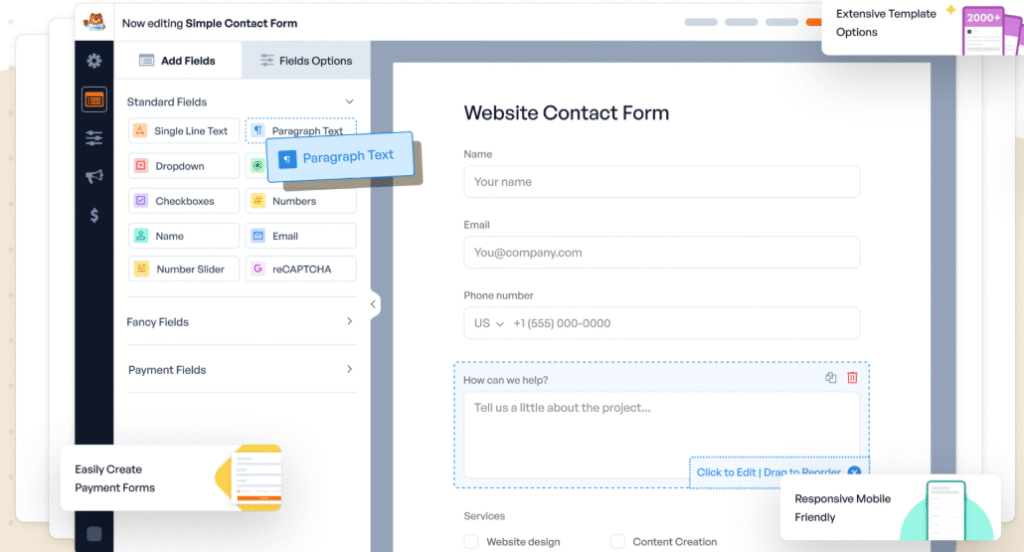
You can create forms that can run on any platform. The forms are 100% responsive, mobile-friendly, and SEO-centric.
WPForms AI also features a Calculations add-on. With it, you can create custom forms with simple arithmetic and complex conditional formulas. You can also display the results directly for the user.
This plugin also allows free Stripe integration. That means, you can easily take service payments, donations, product payments, etc. in a hassle-free manner.
Leveraging AI for Enhanced Customer Interaction and Support
With WordPress AI plugins, it’s easier than ever to amp up the customer interaction and support game. It takes away the monotony of having to deal with simple issues customers face every day. Alternatively, customers receive prompt and to-the-point service 24/7.
Here’s how AI plugins can be leveraged to enhance your customer interaction and support features:
AI-Driven Personalization
As mentioned already, user-centric optimization is probably one of the most impactful features of WP AI plugins. MoldStud states that a whopping 80% of the consumers are more likely to purchase when offered a personalized approach.
With AI-driven personalization, it’s easier than ever to track user behavior, search intent, pain points, and so on. By analyzing these metrics, you can greatly improve your customer’s user experience and offer them exactly what they need.
Constant Availability
Human beings may take breaks, but an AI chatbot doesn’t need to do so. So, even when you are away, the website will continue to cater to customer needs.
Hence, you can now say 24/7 customer support and actually make it work. By training the chatbots, you can promptly serve your users with all necessary info.
Workflow Automation
Customers can submit forms to schedule appointments or place purchase orders, and all of it can be done automatically. By integrating with WooCommerce, you can automatically load product descriptions, images, & FAQs for a fraction of the time.
You can essentially get rid of all sorts of repetitive tasks entirely. No more manual sorting form by form, let the AI plugins sort the candidates based on set criteria.
Improved Accuracy
Let’s say you run an online toy store. It’s not possible for you to remember the specific dimensions or material of a product all the time, right?
But guess what? A trained AI chatbot doesn’t have that constraint. As it has constant access to all website data, it can instantly figure out the accurate measurements and material information from the product description. And then it can provide that information to the customer when they ask about it.
Hence, in addition to saving time, these products can improve customer interaction by being accurate.
Read More: 7 best practices in web design for a higher conversion rate.
Multi-Region Support
Lastly, AI Chatbots, with the help of LLMs (Large Language Models), can be trained to provide support in any language. So, time, place, and now language – nothing is an obstacle with fully-trained AI chatbots.
You, on the other hand, can cater to a larger customer base, and expand your businesses beyond your usual horizons. With enough exposure, you can even do international shipping of your products.
Hence, by providing multi-region and multi-language support, you can greatly enhance your brand image. You can also promote in their native language to attract more and more customers to your site.
Final Verdict
So, there you have it. We have tried our level best in this article to inform you about some of the most competent WordPress AI plugins that’ll make your life a lot easier.
The greatest thing is that most of these plugins complement each other. And hence, you can go after multiple plugins based on your needs.
We’d highly recommend Tidio if your main concern is customer management and support. And if you need help with SEO, then you can choose between Yoast SEO, Rank Math SEO, and AIOSEO.
Again, if you want to double down on website-building, then you should go after either Elementor or Divi AI. And if you are in charge of taking mass surveys or polls, then WPForms AI is the best option.
With that, it’s time to go. Let us know about your favorite product and what you liked about them the most!

Add your first comment to this post