









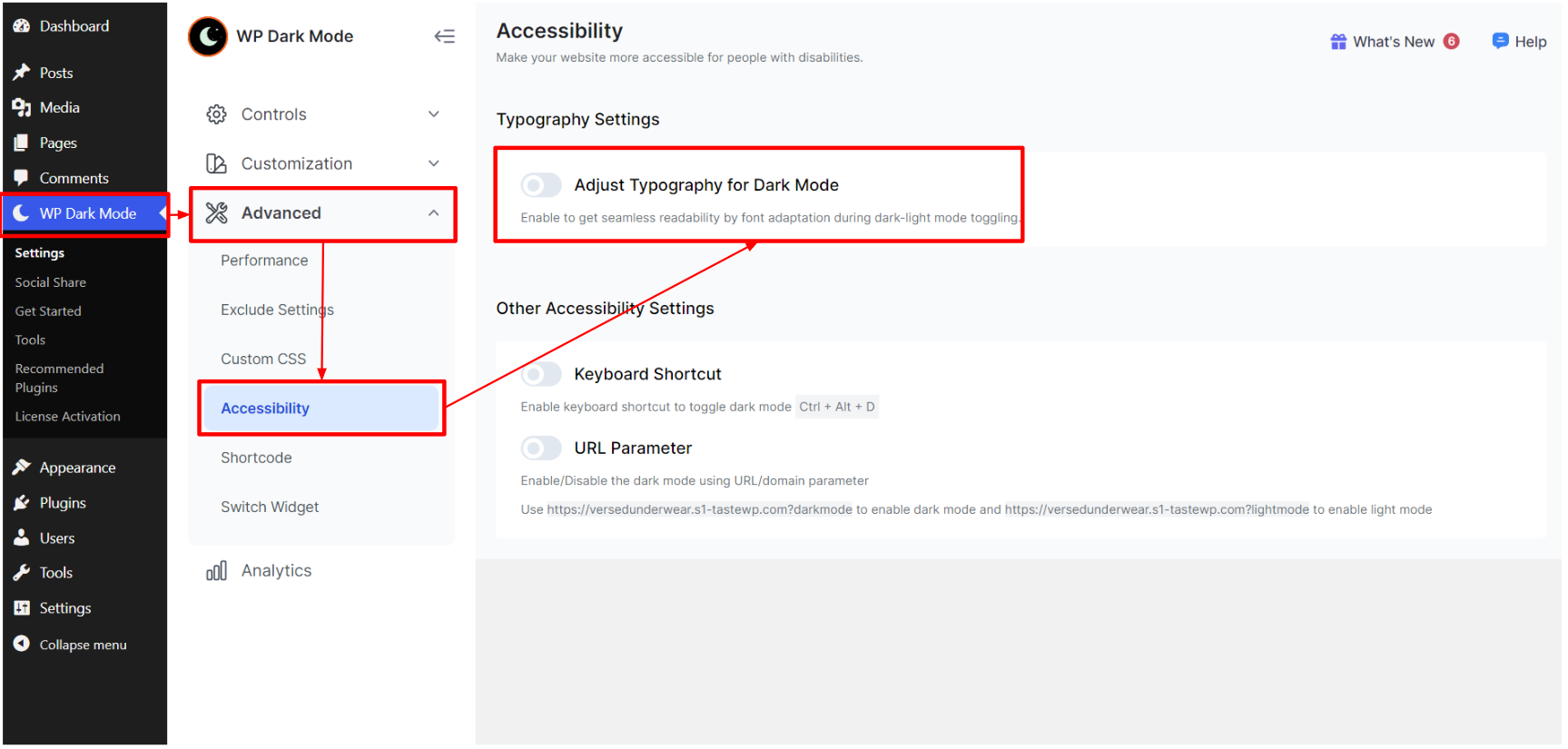
Go to your WordPress dashboard and navigate WP Dark Mode > Advanced > Settings > Accessibility. Enable the “Adjust Typography for Dark Mode” setting.
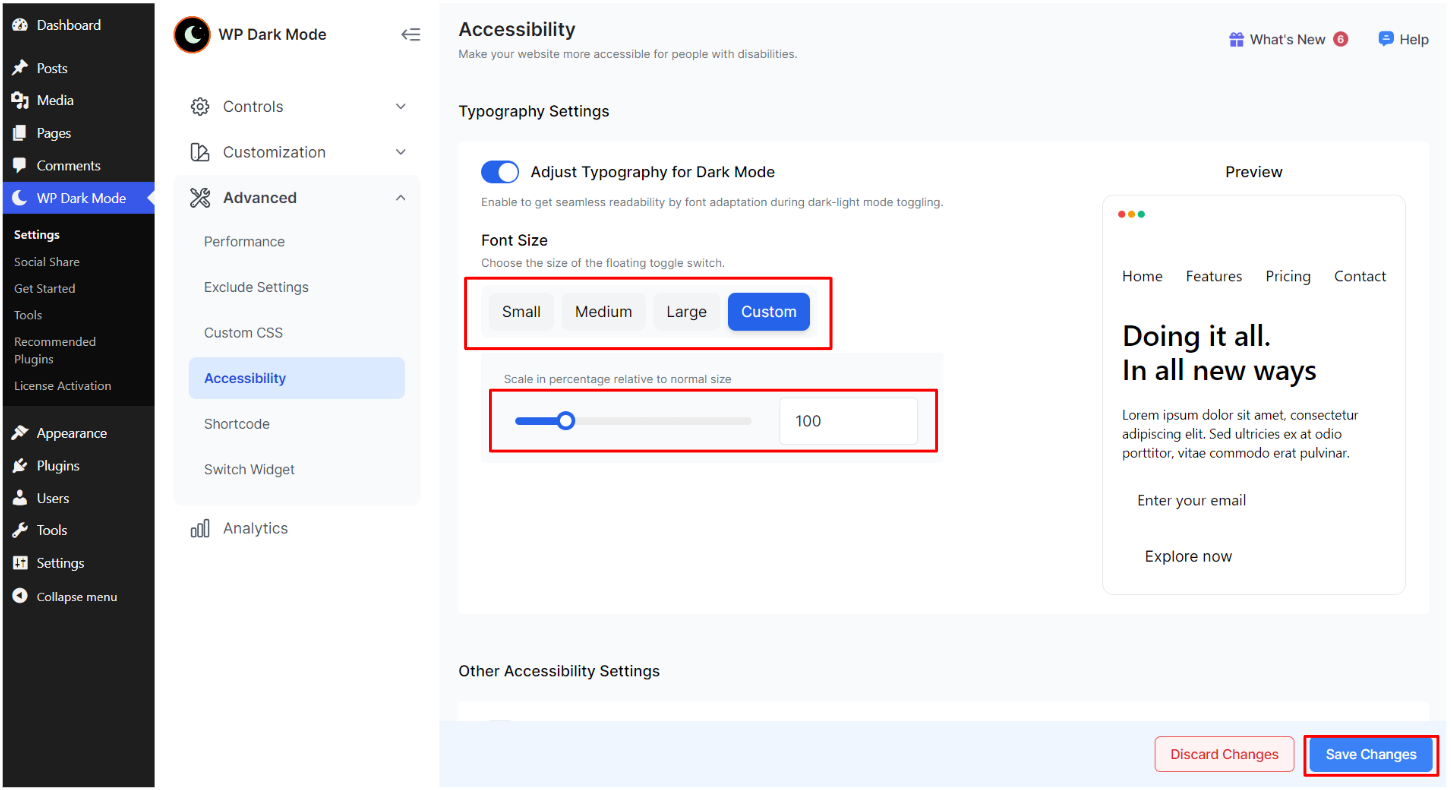
Select your required font size from the given options. You can also make other font customization from here. Finally, click on “Save Changes”.


Add your first comment to this post