









Table of Contents
Method 1: Install from WordPress Dashboard #
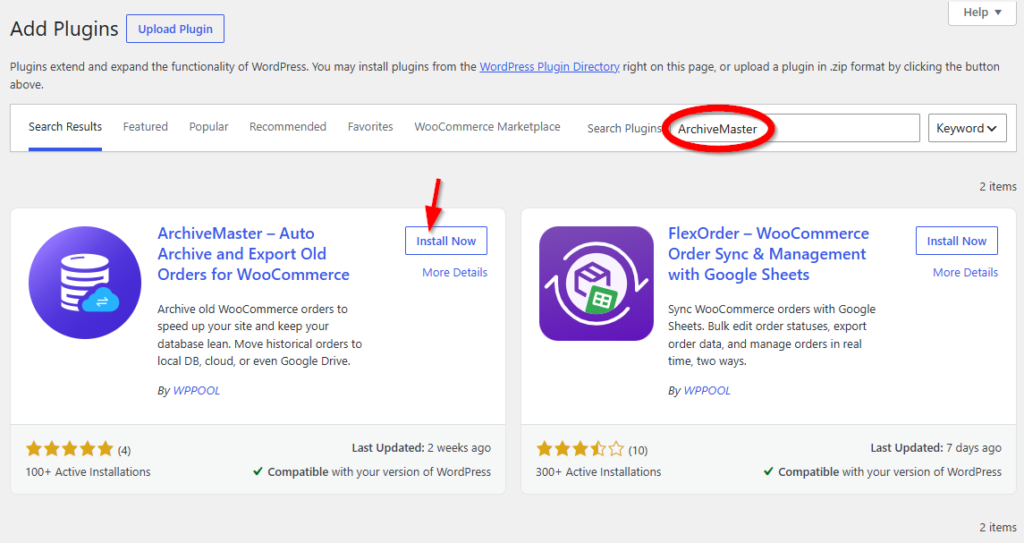
- Log in to your WordPress Admin Dashboard
- Navigate to Plugins → Add New
- Search for ArchiveMaster
- Click Install Now
- After installation, click Activate
Step 2: Access the ArchiveMaster Interface
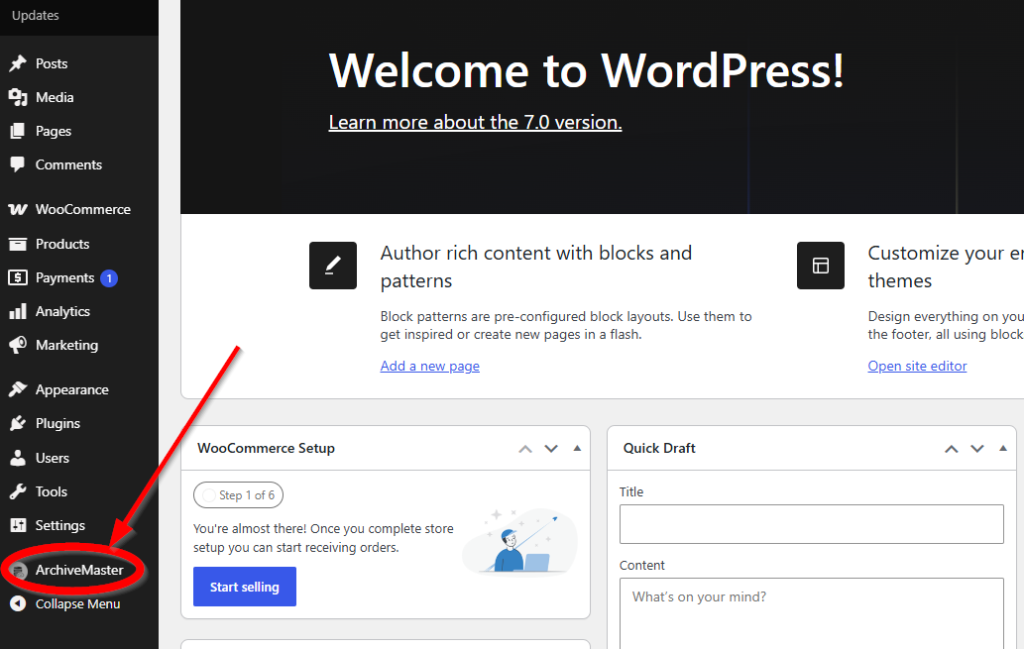
After activation, you’ll see the ArchiveMaster plugin added to your dashboard menu. Click on it to open the main interface
Within the ArchiveMaster interface, you’ll find options to manage your past orders:
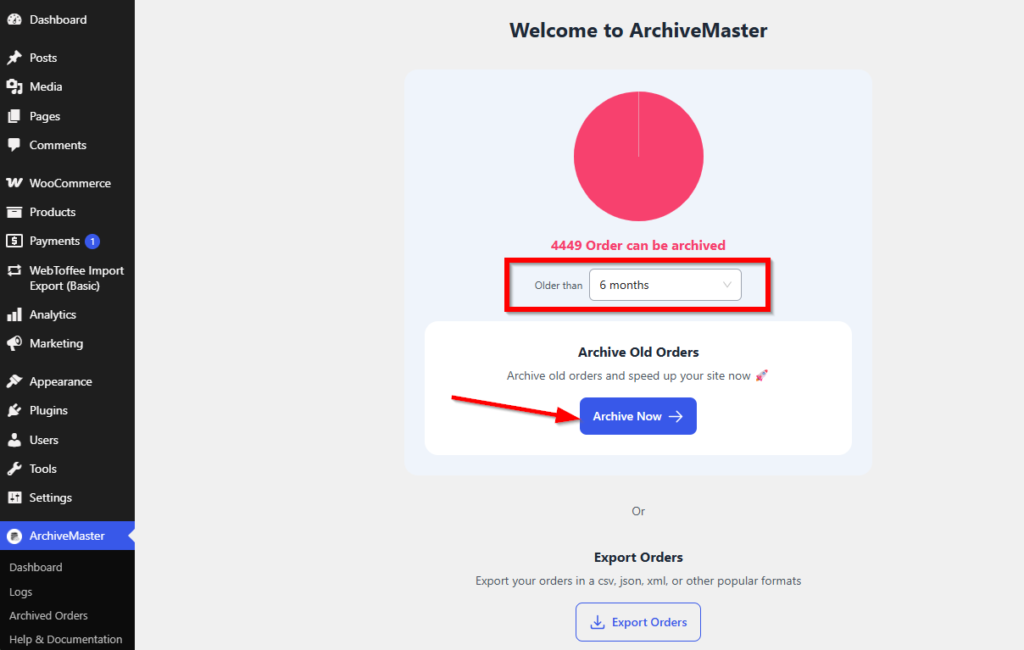
- Archive Orders: Select this option to archive older orders for better data organization.
- Export Orders: Choose this option to export your old orders as a file for external use or backup.
Check out ArchiveMaster


Add your first comment to this post