









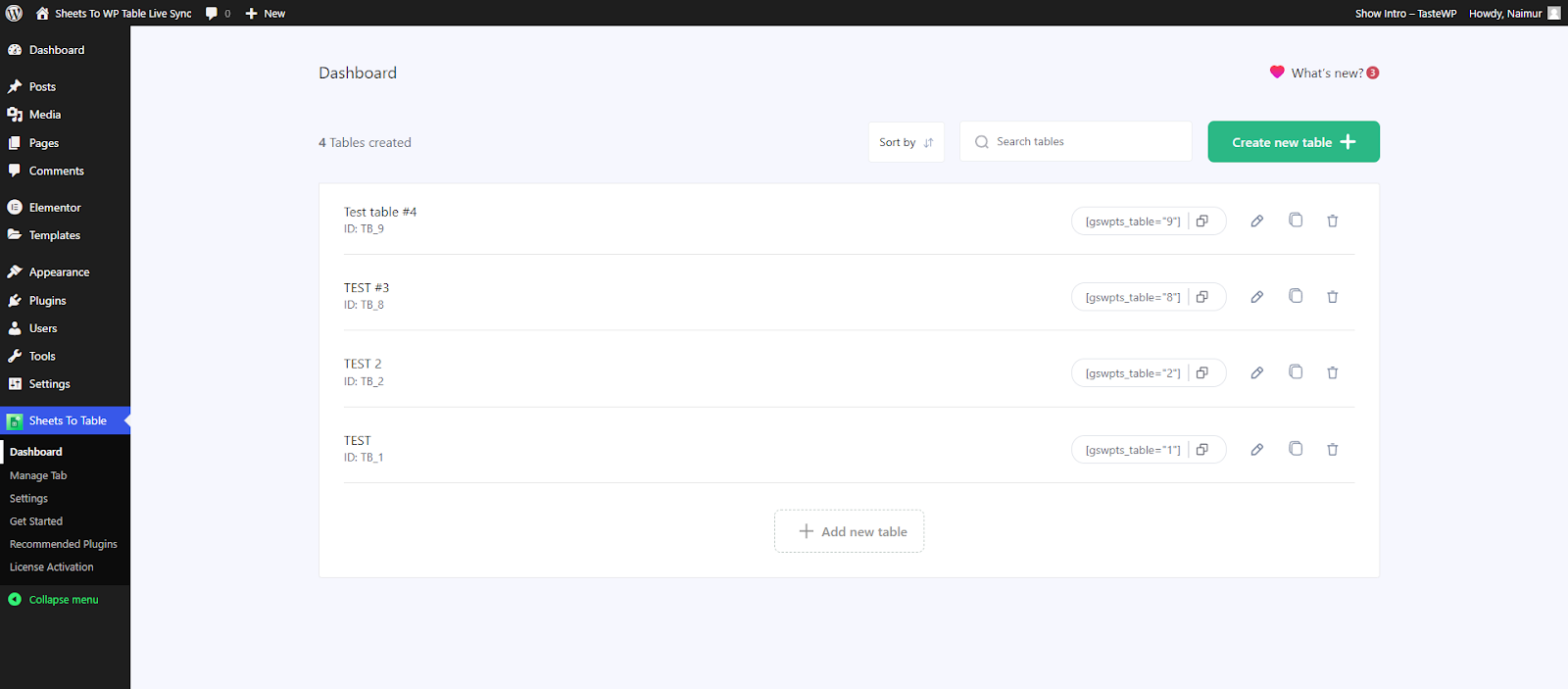
First of all navigate to WP Dashboard → Sheets to WP Table Live Sync → Dashboard. Find the table you want to work on and click on the Edit icon.
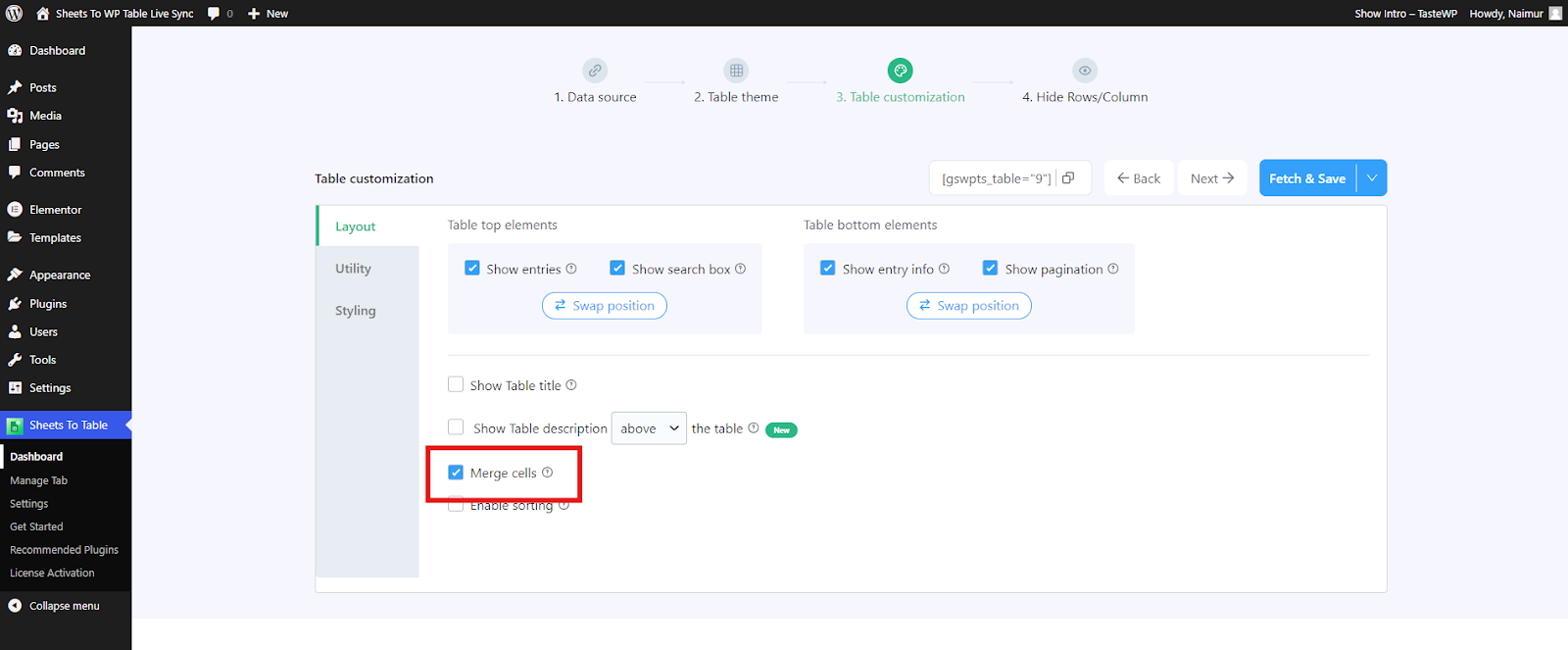
Next, navigate to Table Customization → Layout and enable the Merge cells feature. Click on “Fetch & Save” to confirm your changes.
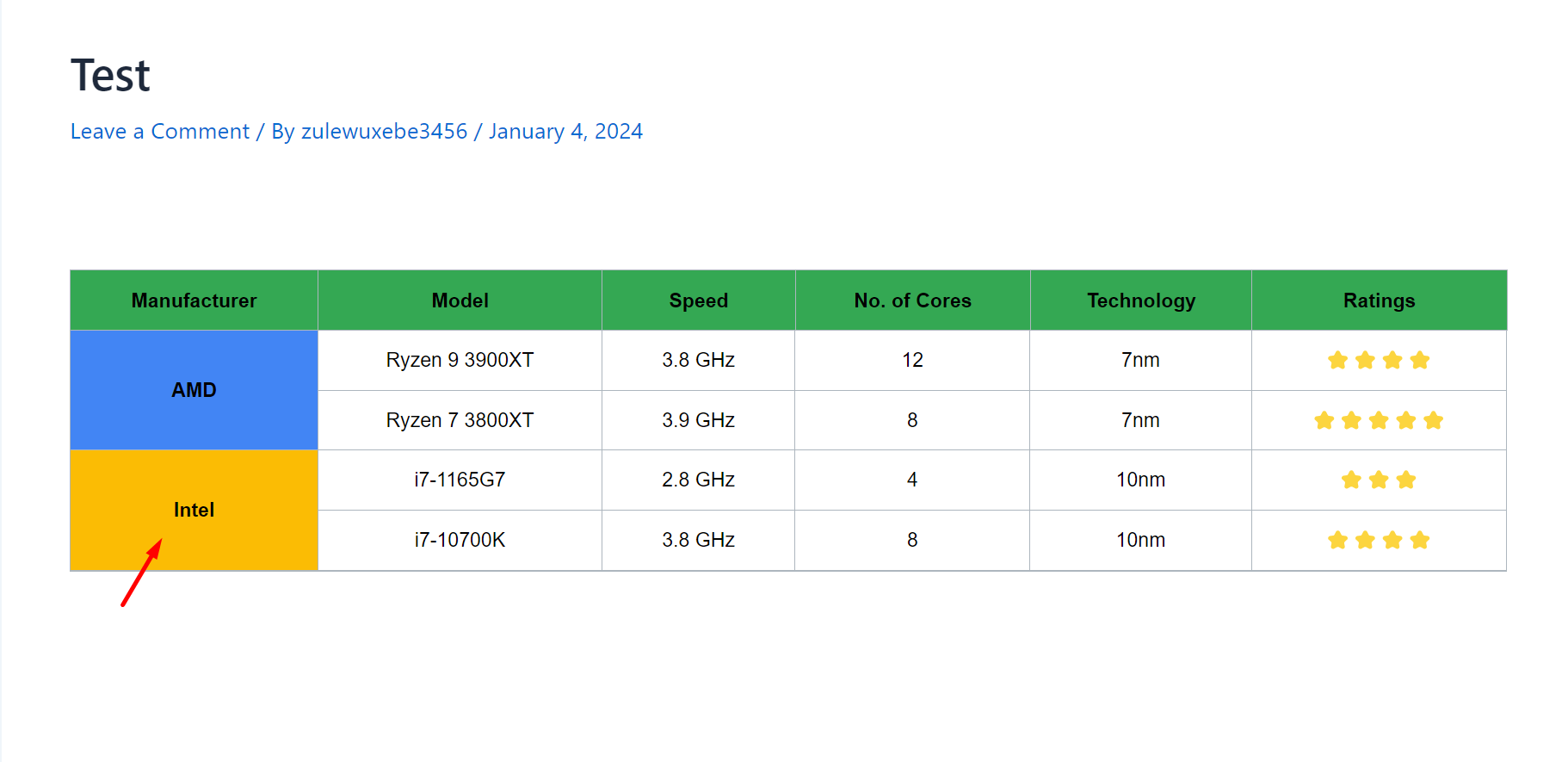
That’s it. Copy the shortcode and paste the table anywhere on your site. If your connected spreadsheet has merged cells, it will be also visible in your WordPress table.


Add your first comment to this post