









If you’ve archived orders for better management or storage and now need them back in your active order list, ArchiveMaster makes it easy to restore them. Just follow these simple steps:
✅ Step-by-Step Instructions #
1️. Go to the ArchiveMaster Dashboard #
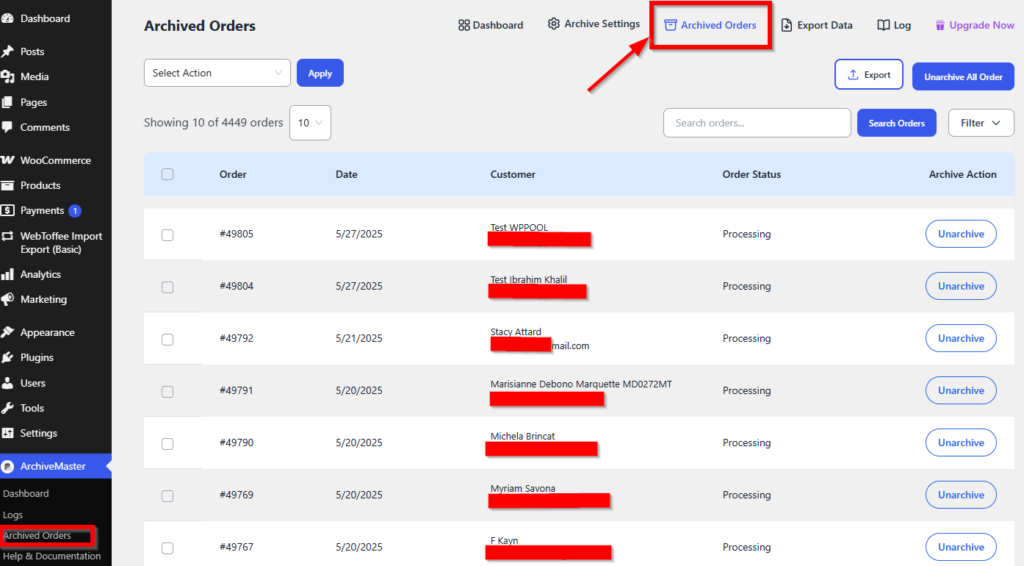
Login to your WordPress admin panel and navigate to the ArchiveMaster plugin from the left-hand sidebar.
2️. Open the “Archive Orders” Section #
Click on the “Archive Orders” tab. This section displays all your archived orders in a table format.
You can also access the “Archived Orders” section from the top menu of the plugin’s dashboard.
3️. Choose Your Unarchive Option #
You have two choices depending on your need:
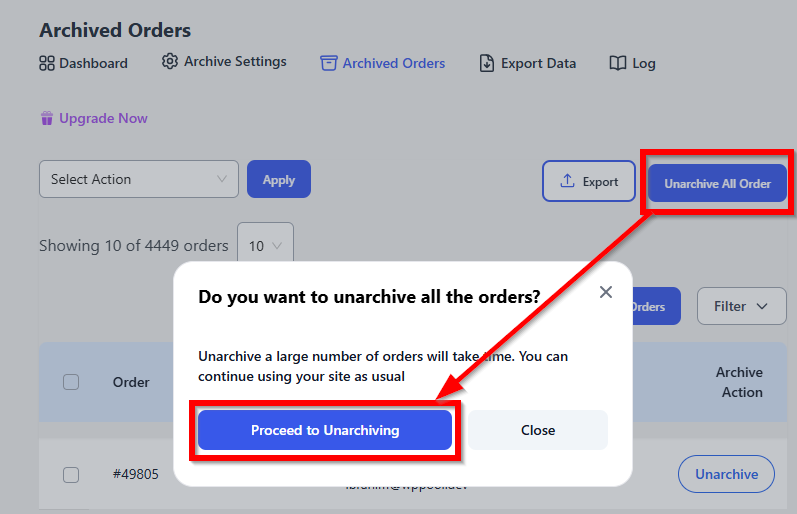
- Unarchive All Orders at Once
Click the “Unarchive All Orders” button at the top to restore every archived order in a single click.
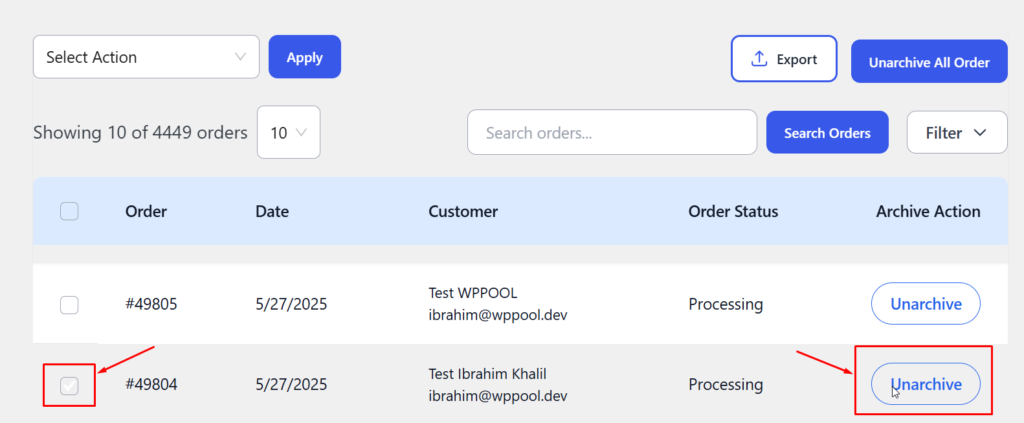
- Unarchive Specific Orders
Use the checkboxes to select specific orders you want to restore. Then click the “Unarchive Orders” button to proceed with only those.
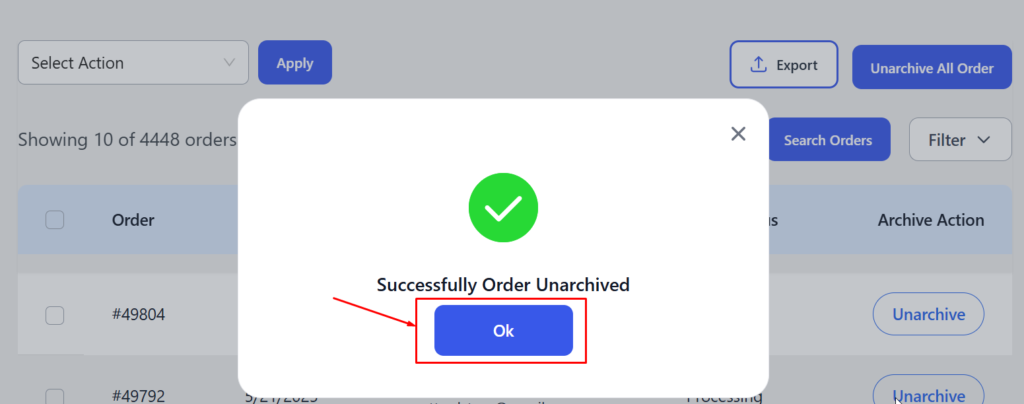
4️. Confirmation and Processing #
Once clicked, the plugin will automatically process your request and move the selected orders back to your WooCommerce order list.
This progress bar shows the unarchiving status. The process runs in the background, allowing users to continue using their site without interruption.
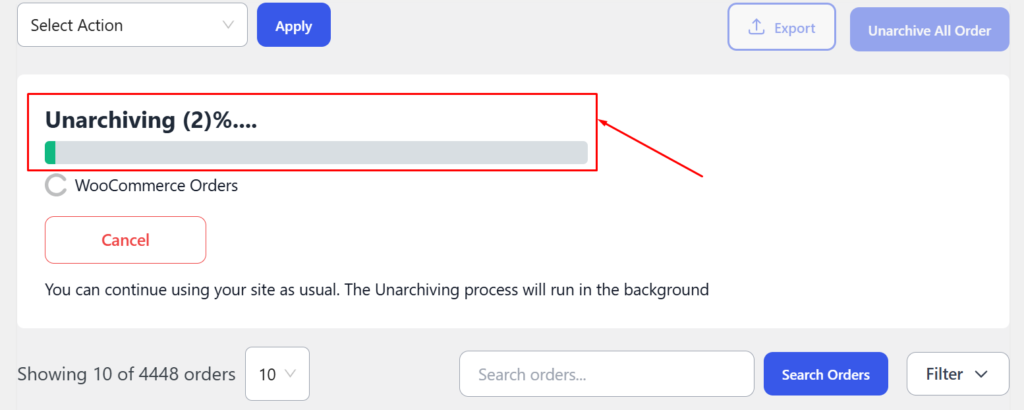
Not sure about unarchiving? No worries – the process can be canceled mid-way.
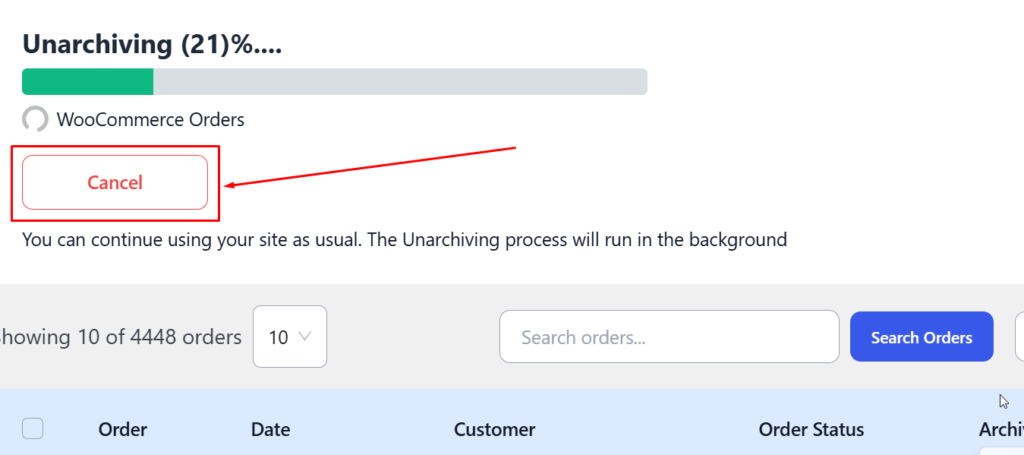
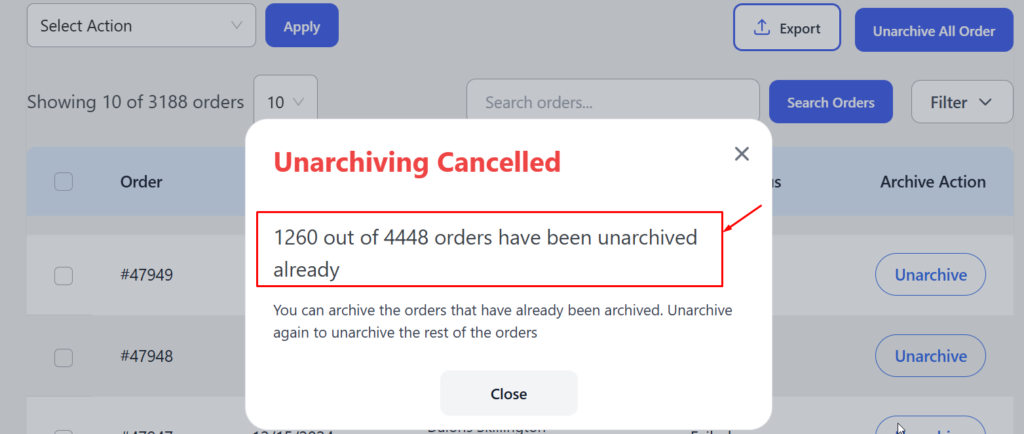
Note: Some orders may still get unarchived even after cancellation due to already-initiated actions.
If any duplicate Order IDs exist (e.g., an order with the same ID already exists in WooCommerce):
Users will see a warning notification about the conflict.
Note: The unarchive process will not stop if duplicate orders are detected. The system will continue processing other orders, and at the end, you’ll receive a conflict notice listing any problematic entries. This ensures the rest of the unarchiving proceeds without disruption.
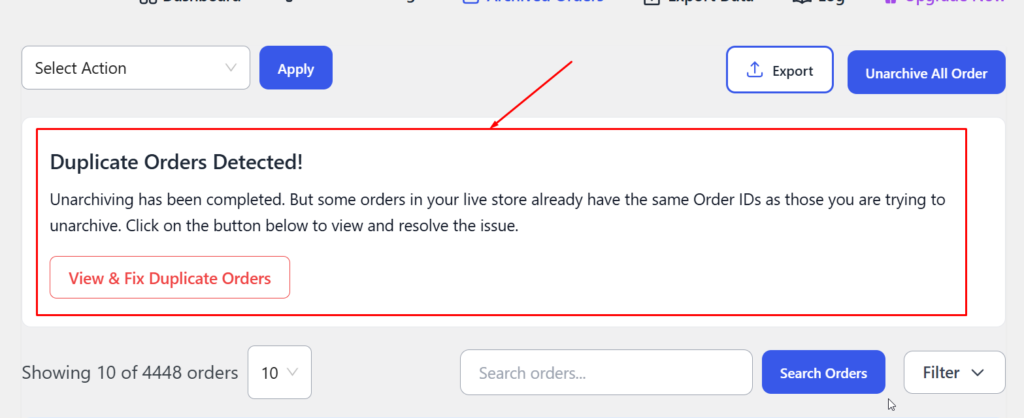
You’ll have two resolution options:
- Skip unarchiving those specific orders
- Unarchive with a New Order ID (automatically generated to avoid conflict)


Add your first comment to this post