









Table of Contents
This guide will walk you through how to translate any text string in the Echo Rewards plugin using the popular Loco Translate plugin. Follow these easy steps to localize Echo Rewards into your preferred language and deliver a fully translated experience to your users.
✅ Step 1: Install and Activate Loco Translate #
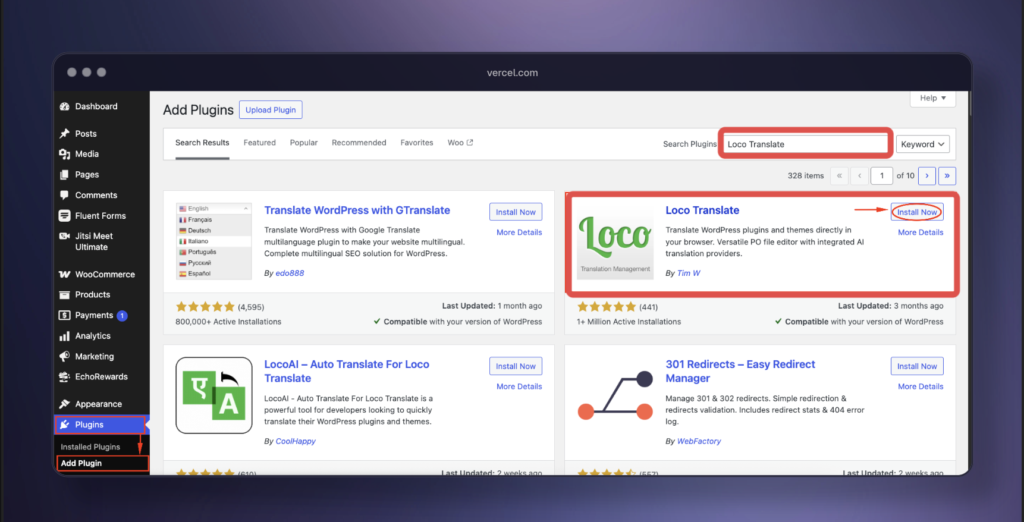
- Log in to your WordPress dashboard.
- Navigate to Plugins → Add New.
- Search for “Loco Translate“.
- Click Install Now, and then click Activate.
🔍 Step 2: Locate the EchoRewards Plugin #
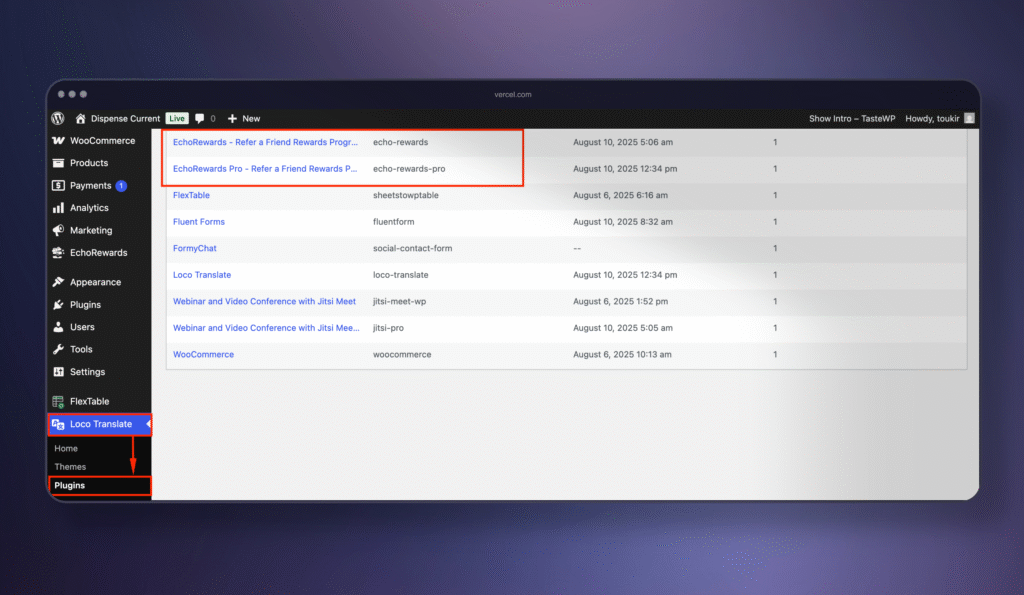
- In your WordPress dashboard, go to Loco Translate → Plugins.
- Find Echo Rewards in the list of installed plugins.
🌐 Step 3: Create or Edit a Language #
- Click New language to add a new translation, or select an existing language to update it.
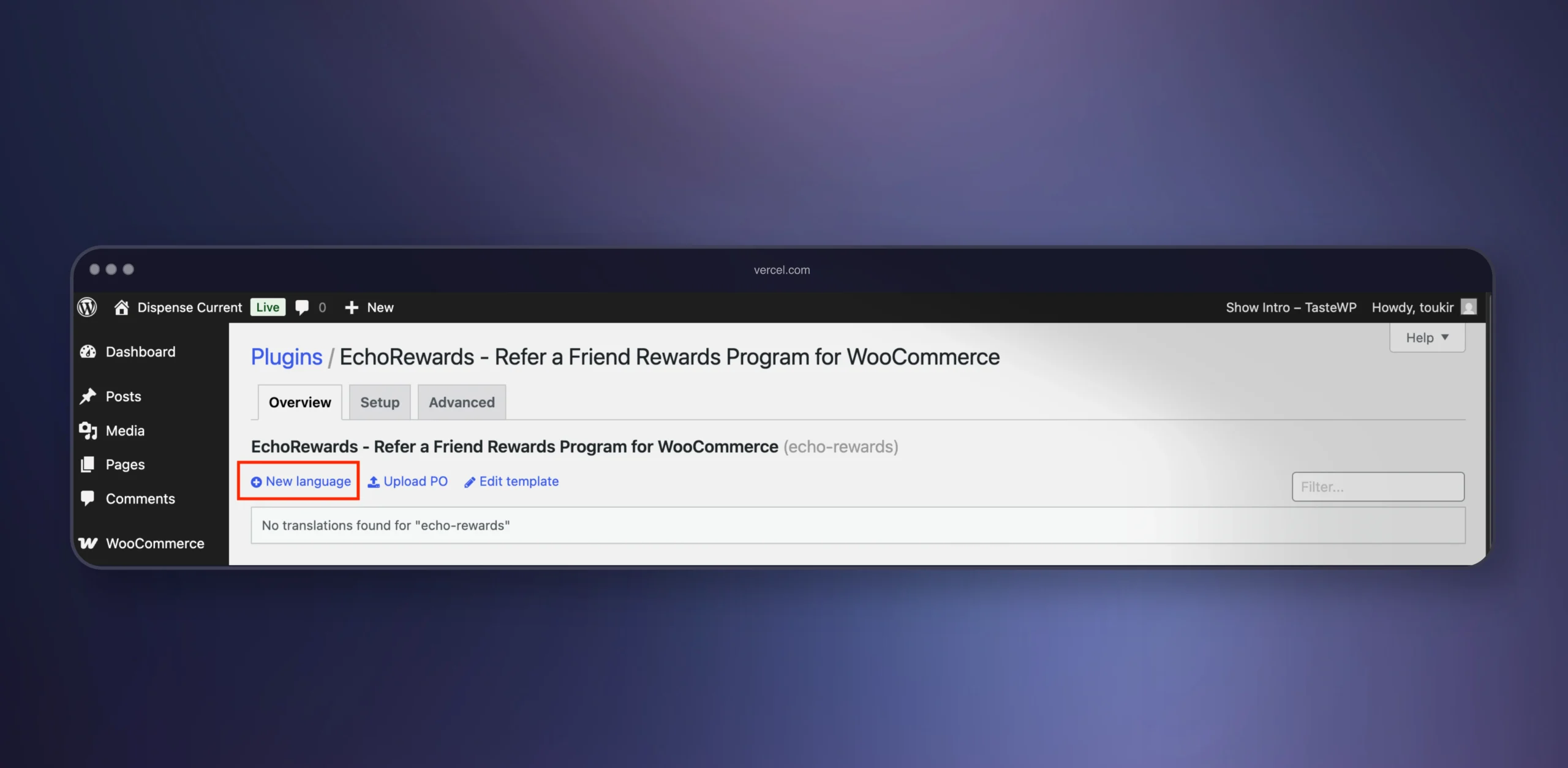
- Choose your target language (for example, French, Spanish, etc.).
- Click Start Translating.

✏️ Step 4: Translate the Strings #
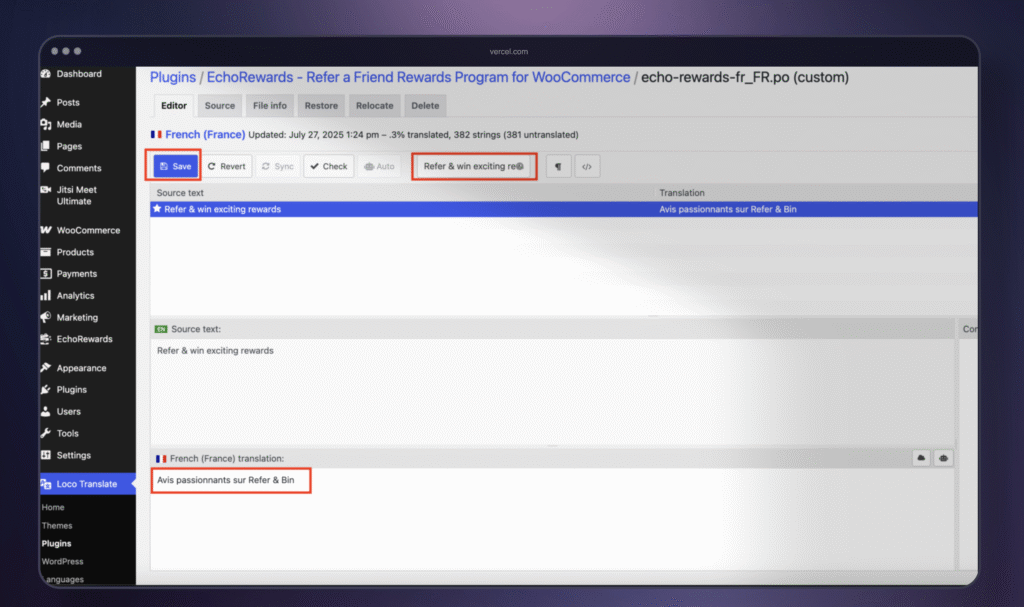
- The Loco Translate editor will display all available text strings from Echo Rewards.
- Click on the string you wish to translate.
- In the bottom text field, enter your translated text.
- Once you’ve finished translating, click Save.
✅ That’s it! Your translated strings will now appear on your site wherever Echo Rewards displays them.
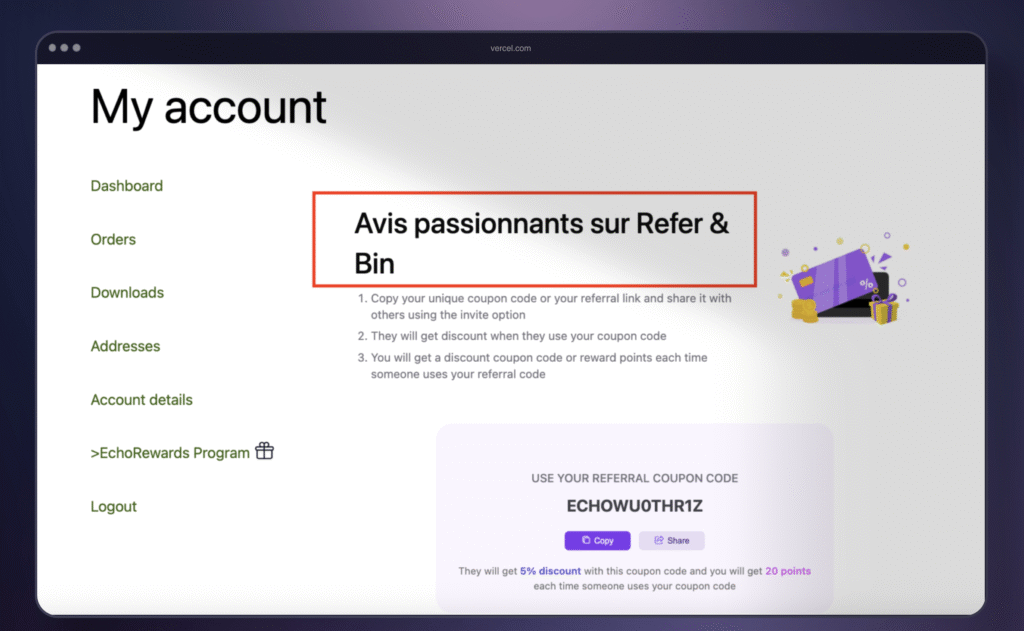
If you add new features or update the plugin in the future, simply return to Loco Translate and repeat these steps to translate any new strings.


Add your first comment to this post