









Overview: FormyChat introduces a new built-in integration with Mailchimp, a third-party SaaS platform for managing email lists, audiences, and marketing automation. Since Mailchimp is not a WordPress plugin, FormyChat provides a direct enable/disable option inside the Integration panel.
This documentation explains how to enable the integration, connect your Mailchimp account, and send leads from FormyChat directly to your Mailchimp Audience.
How to Enable Mailchimp Integration: Navigate to: FormyChat → Integration → Select Mailchimp
An Enable/Disable toggle. Once enabled, a settings (⚙️) icon will appear.
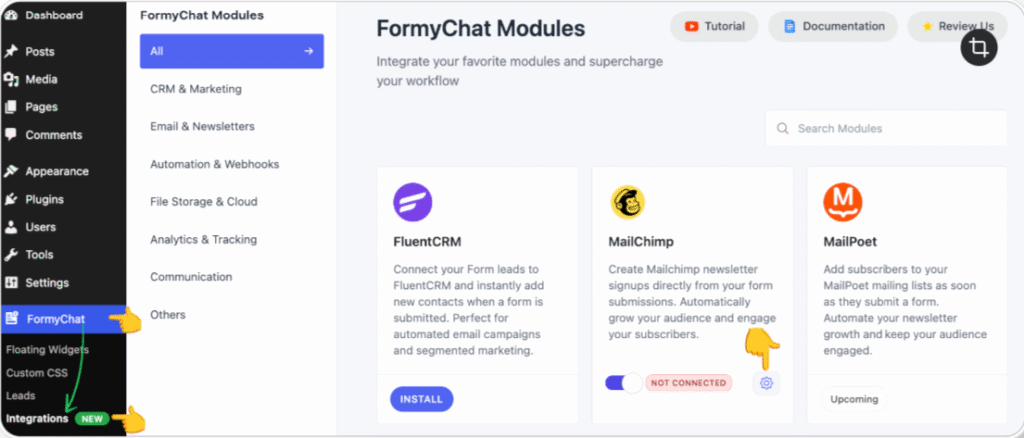
Click the settings icon to open a pop-up window where you can enter your Mailchimp API Key.
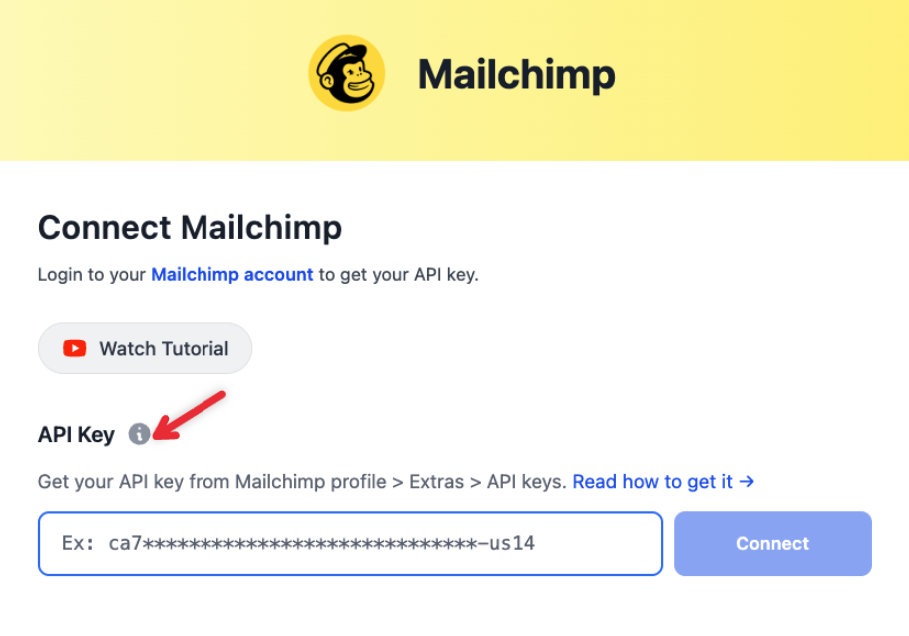
How to get your Mailchimp API Key:
- Log in to your Mailchimp account
- Go to Profile → Extras → API Keys
- Create a new API key (if needed)
- Copy the API Key
Example format:
ca7*****************************-us14
Paste this API key into the FormyChat Mailchimp settings.
Click Connect Mailchimp. Once the connection is successful, a “Connected Successfully” notification will appear, confirming that FormyChat is now linked to your Mailchimp account.
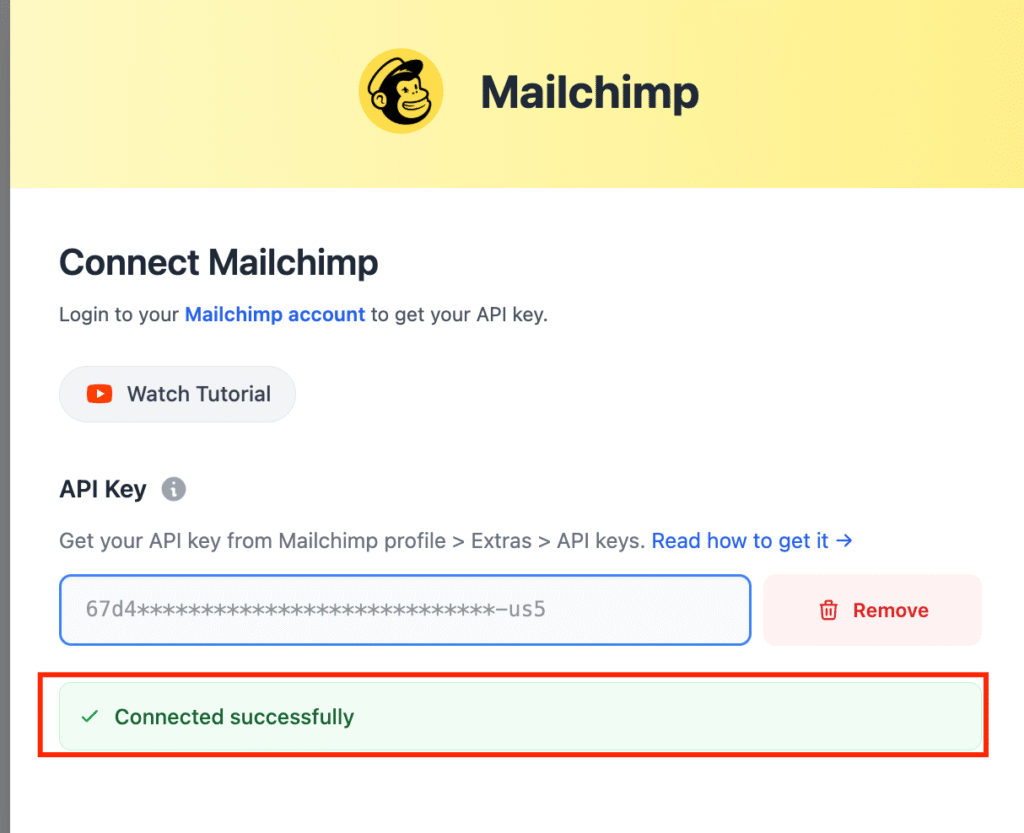
Once connected:
- FormyChat retrieves your Mailchimp Audience list
- Fetches your Tags
Enabling Lead Sync to Mailchimp: After successfully connecting your Mailchimp account, you can configure the lead synchronization settings as follows:
FormyChat> Step 4: Triggers & Targeting: Toggle Send Leads to Mailchimp to activate automatic lead transfer.
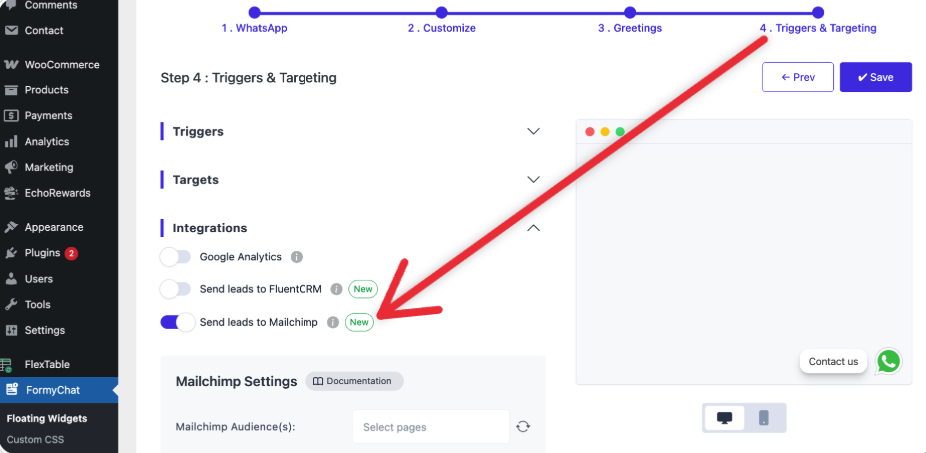
Configure Mailchimp Settings:
- Mailchimp Audience(s): Select the audience where new leads will be added.
- Mailchimp Tag(s): Assign tags to categorize or segment your leads.
- Map Fields: Match your form fields with the corresponding Mailchimp fields.
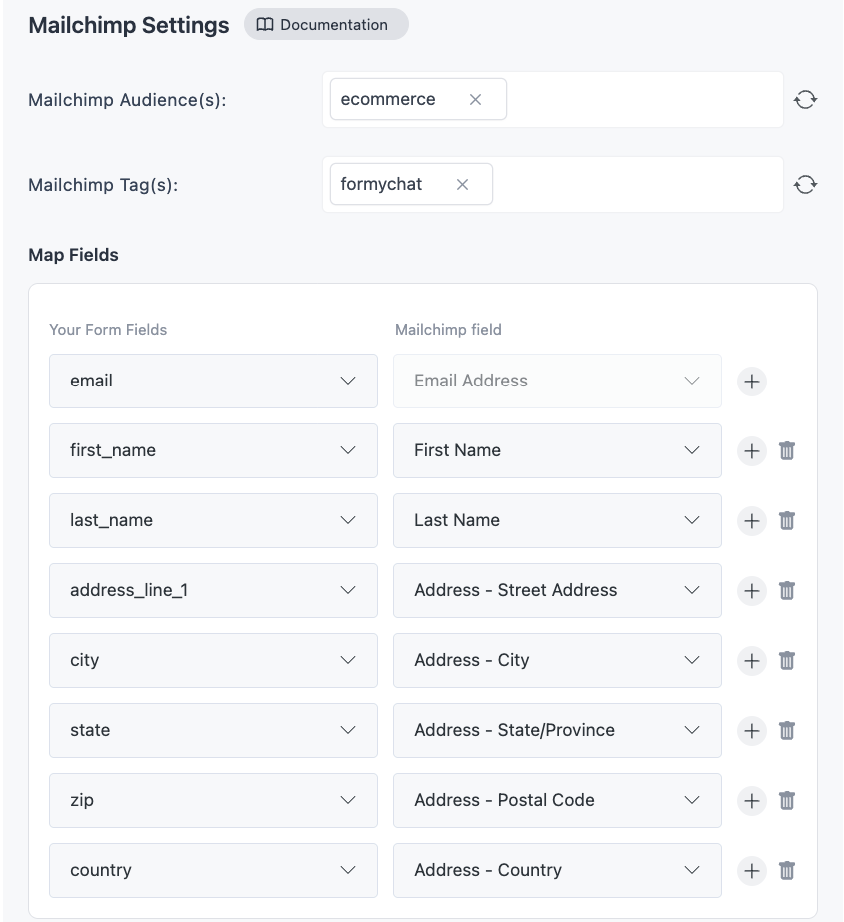
Duplicate Protection: Enable Skip if contacts already exist in Mailchimp to prevent duplicate entries.
Lead Submission Flow: User submits a form in FormyChat
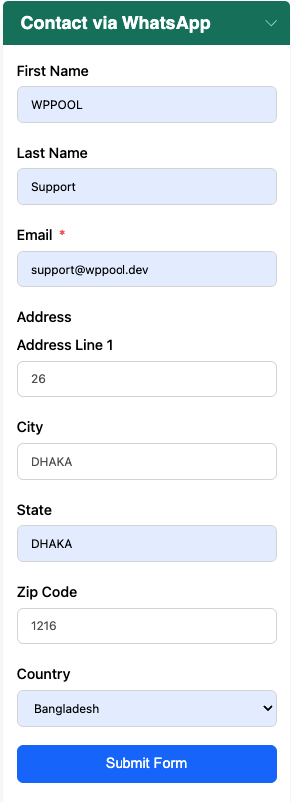
- FormyChat sends the lead to your WhatsApp (as usual)
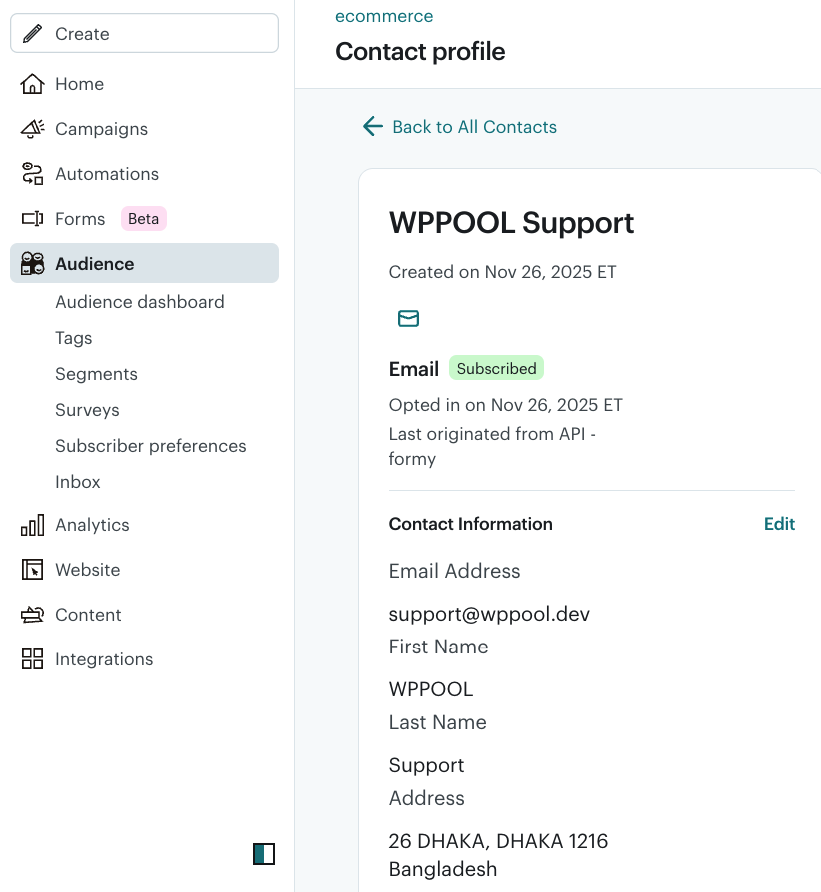
- At the same time, the lead is pushed to Mailchimp
- In Mailchimp Audience, you’ll see:


Add your first comment to this post