









This guide will walk you through the simple process of permanently deleting archived orders using ArchiveMaster.
Step-by-Step Instructions
Navigate to Archived Orders: Go to the ArchiveMaster. Select Archived Order from the menu.
Select the Order(s) to Delete: In the archived orders list, choose the order(s) you want to permanently delete. From the Select Action dropdown menu, select Permanently Delete. Click on the Apply button.
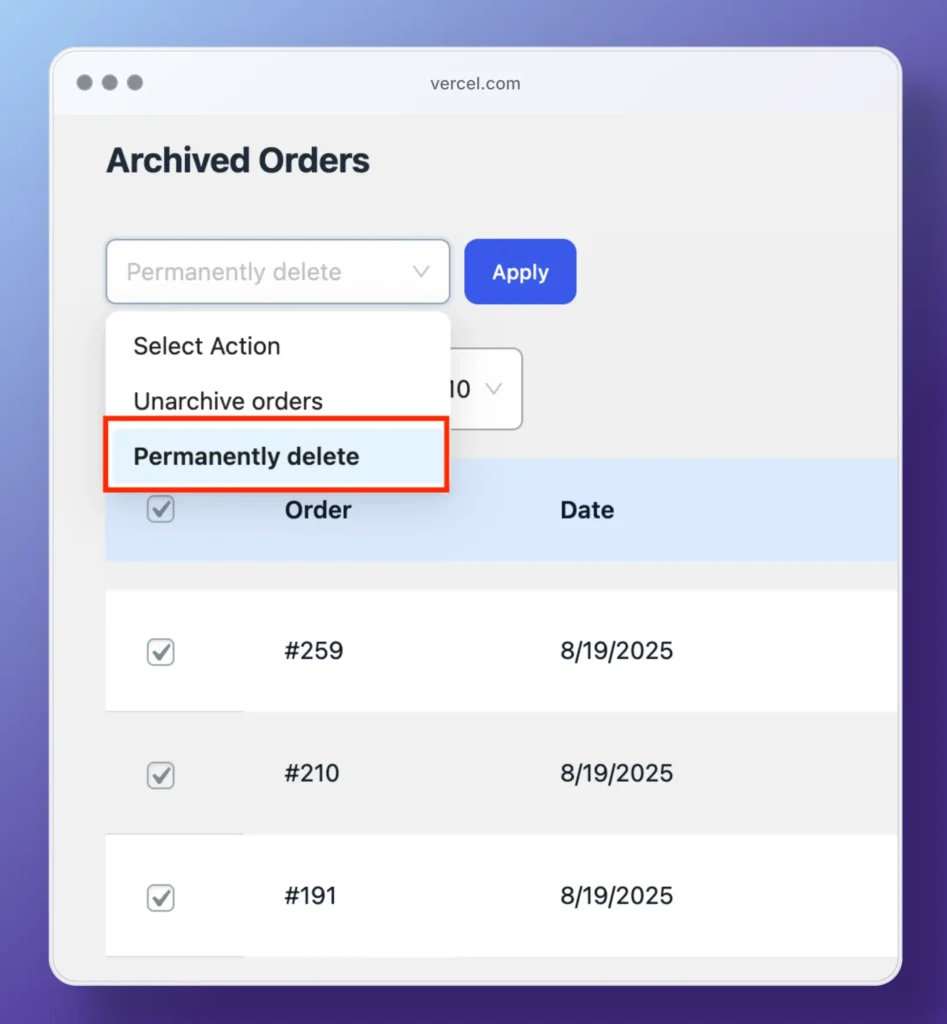
Confirm Deletion: A confirmation pop-up will appear. Click Permanently Delete to finalize the process.

Success Message: After confirming, the orders will be deleted, and you will see a success message confirming the deletion.

📝 Important Notes👇
⚠️ Permanent Deletion: Once an order is deleted, it cannot be recovered. Please double-check before proceeding with the deletion.


Add your first comment to this post