









Table of Contents
First, if you’ve configured Archive Master for archiving orders, you will see a dashboard like this. Click on “Export Orders“.
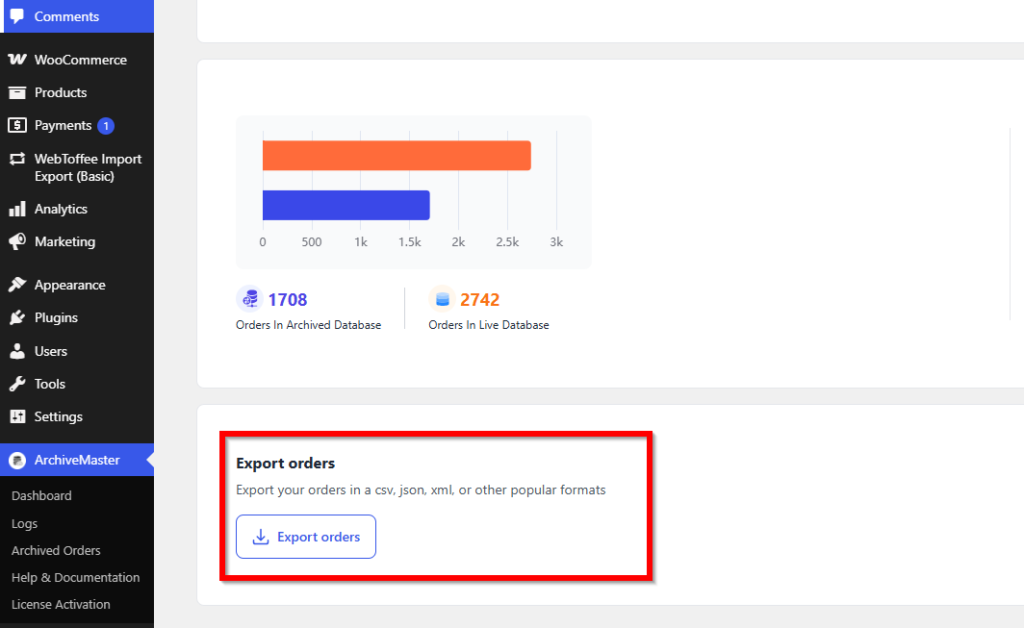
- On the Archive Master dashboard, you can export old orders in various formats(CSV, JSON, XML, PDF) by specifying a date range:
- Set Date Range: Select the start and end dates to filter which orders are exported.
- Note: If no date range is specified, all orders up to today will be exported.
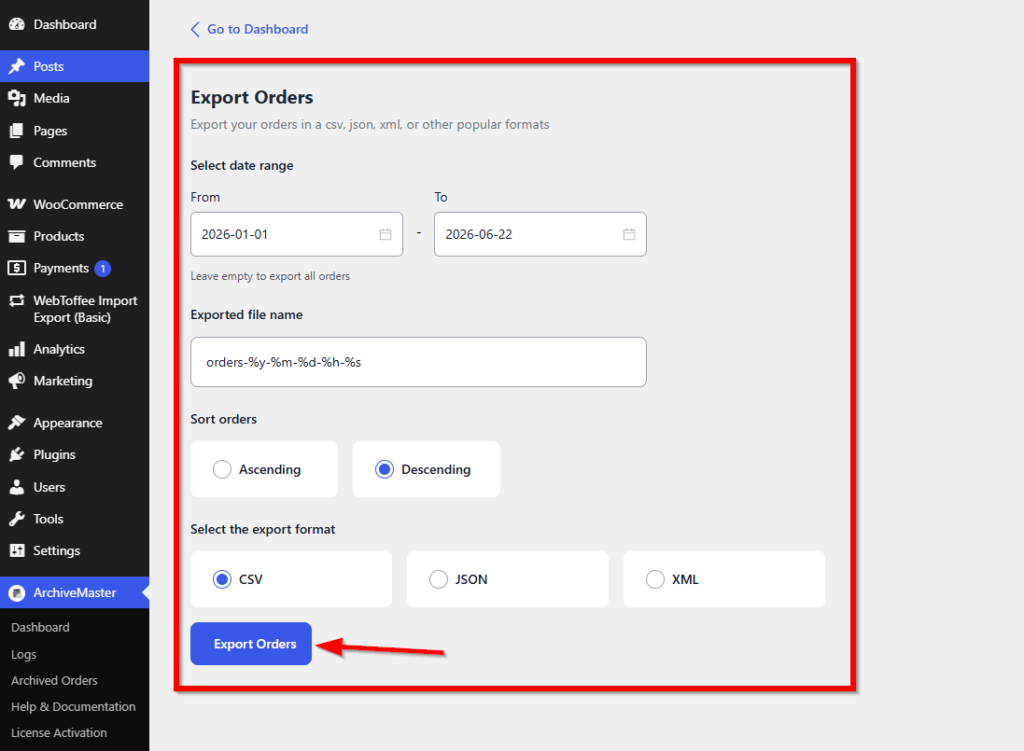
You can also sort the list of orders based on different criteria to organize the data before export.
Once you’ve selected the date range and sorted the orders (if needed), click on Export Orders to download.
Check out ArchiveMaster


Add your first comment to this post