









Looking to automatically sync your FormyChat leads with FluentCRM? With the Ultimate version of FormyChat, you can directly send all your WhatsApp and form submissions into FluentCRM for segmentation, automation, and email marketing.
Before getting started, make sure both the Free and Ultimate versions of FormyChat are installed and activated, along with the FluentCRM plugin.
If you don’t have it already, install FluentCRM from your WordPress dashboard → Plugins → Add New. Activate the plugin.
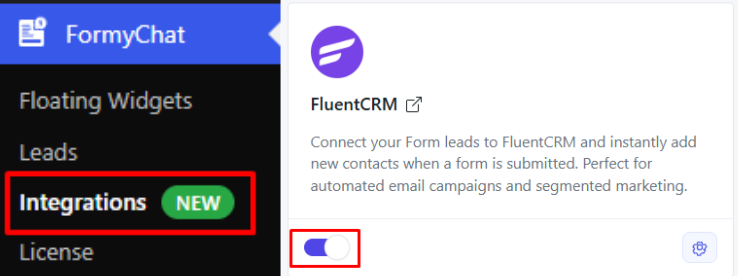
Navigate to FormyChat → Integrations from your WordPress dashboard. Ensure that FluentCRM is listed and enabled.
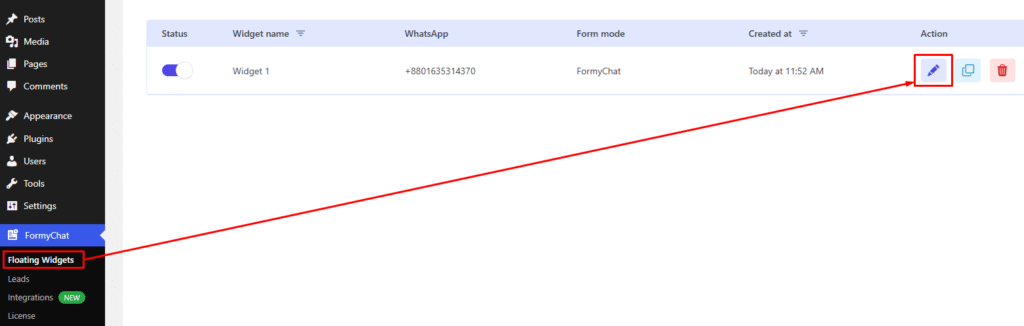
Go to FormyChat → Floating Widgets and click Edit on the widget where you want to enable FluentCRM integration.
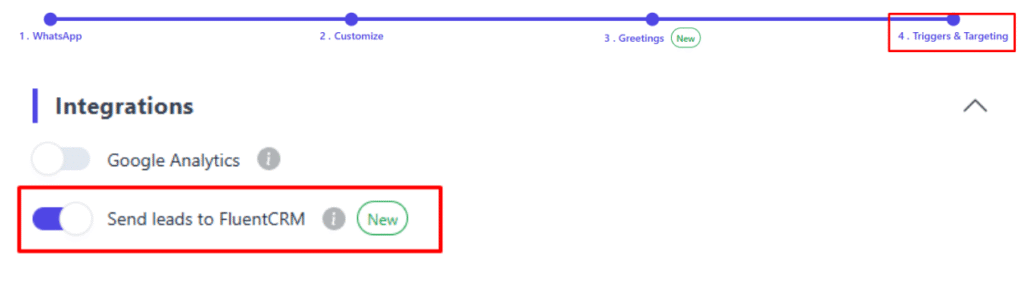
Inside the widget settings, navigate to the Triggers & Targeting tab. Scroll down to the Integrations section. Toggle on “Send leads to FluentCRM.”
Once enabled, you can:
- Import your FluentCRM Lists and select which one to send new leads into.
- Import and assign FluentCRM Tags for better segmentation.
- Map fields between FormyChat and FluentCRM (e.g., Name → First Name, Email → Email, Phone → Phone).
- Optionally, choose to skip existing contacts in FluentCRM to avoid duplicates.

Click Save to finalize your integration.

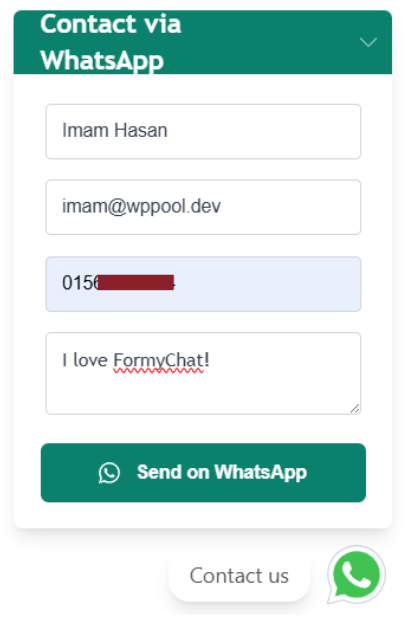
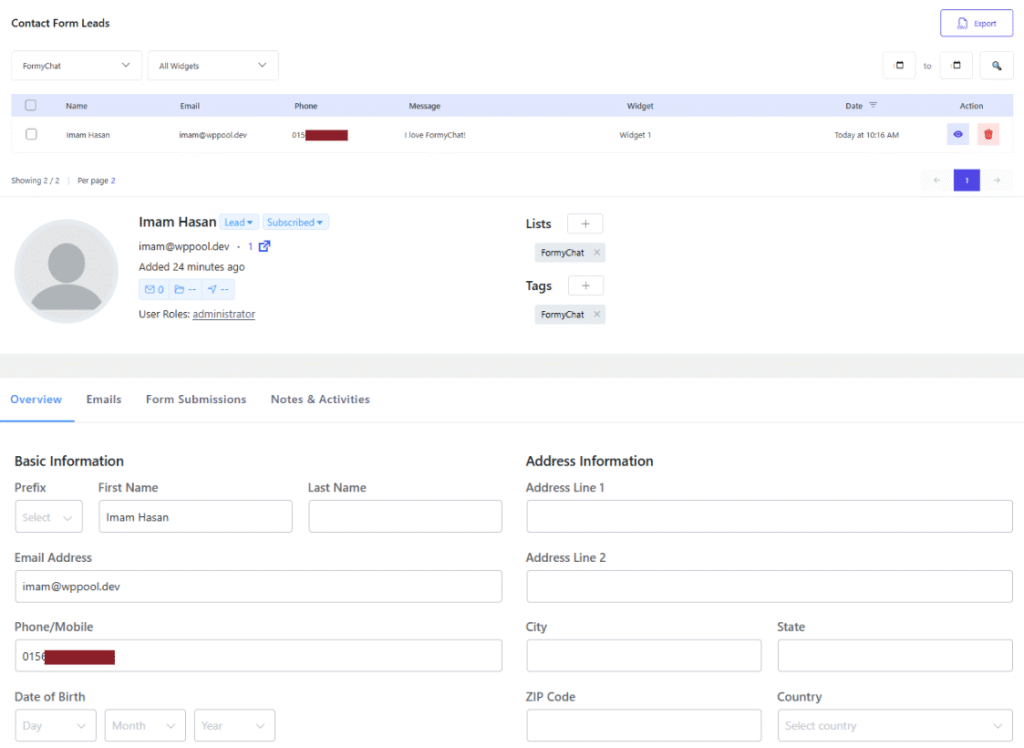
Now, whenever someone submits through your FormyChat widget, their details will appear in both:
- FormyChat Leads Dashboard
- FluentCRM Contacts


Add your first comment to this post