









Overview: #
The Google Drive Storage feature allows you to archive WooCommerce orders from any chosen date range, such as 7 days, 15 days, 1 month, etc, or custom date ranges. This ensures your website remains lightweight and optimized, while all your past orders are securely stored in Google Drive for easy access and backup.
🚀 How to Connect Google Drive:
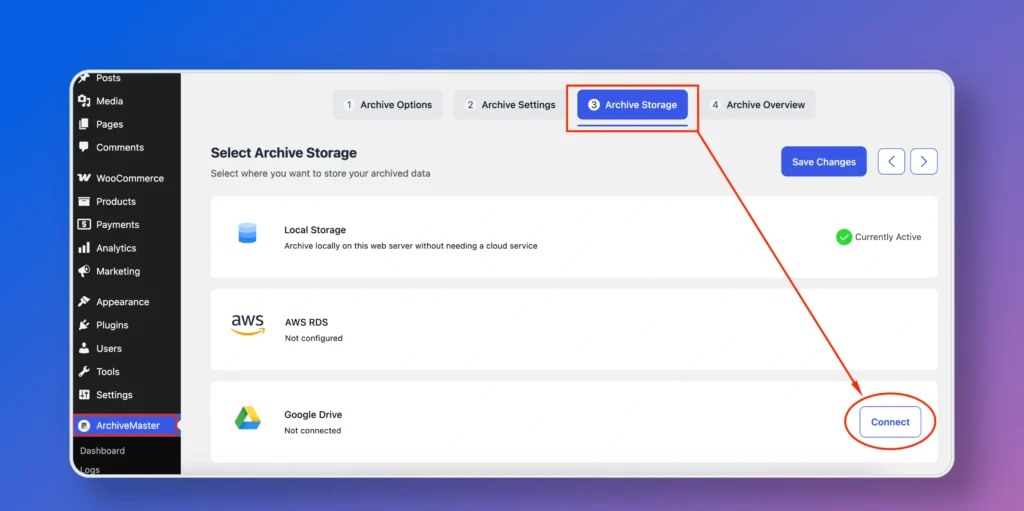
Navigate to ArchiveMaster > Archive Storage > Click on the Google Drive “Connect” button.
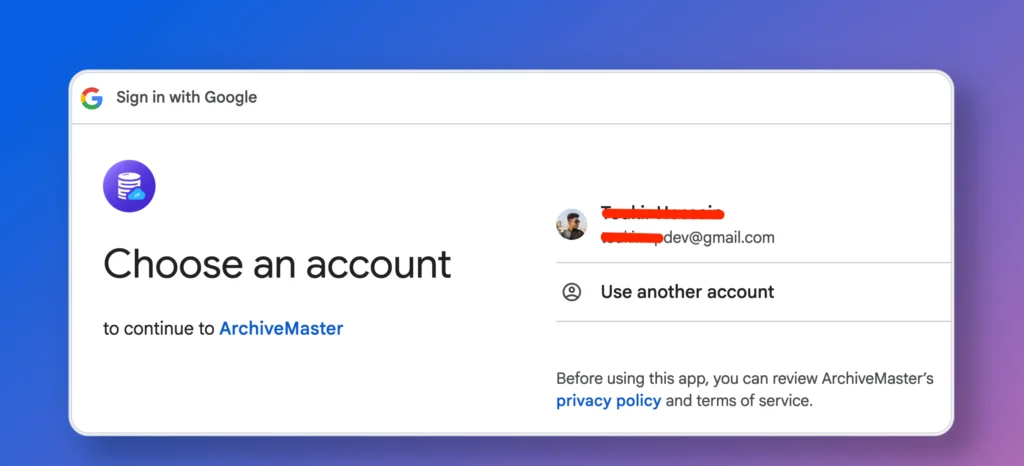
Choose your Google account when prompted.
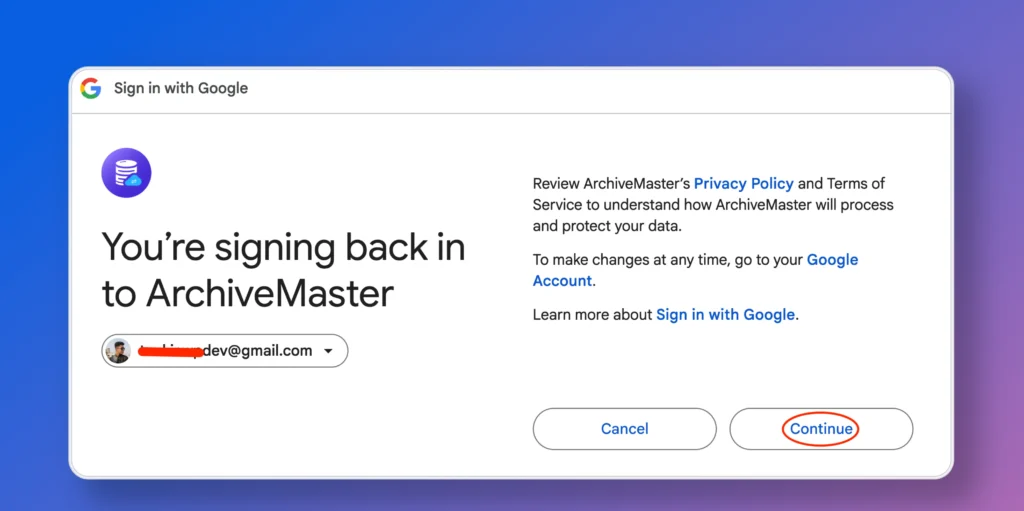
Just click “Continue” to safely allow the needed permissions and go ahead.
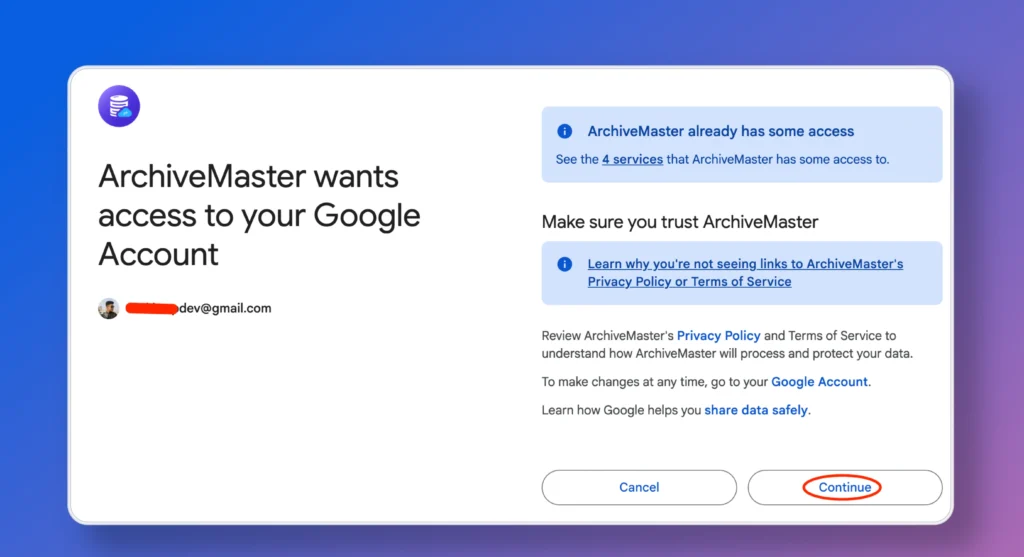
Once connected, you’ll see the Google Drive status updated in your dashboard.
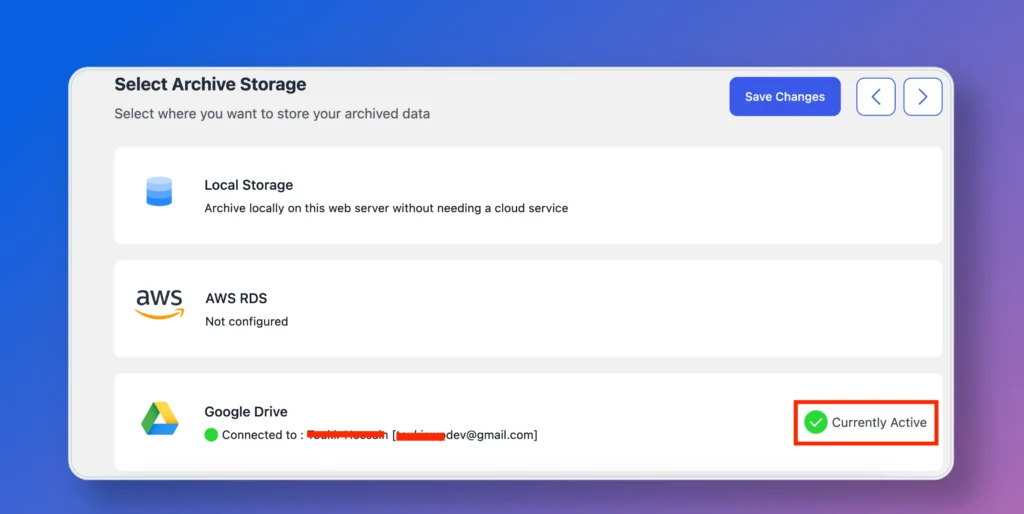
ArchiveMaster is now successfully connected to your Google Drive!
📦 How to Archive Orders:
Go to the Archive Settings. Select the desired date range (e.g., 7 days, 15 days, 1 month, etc, or custom date ranges).
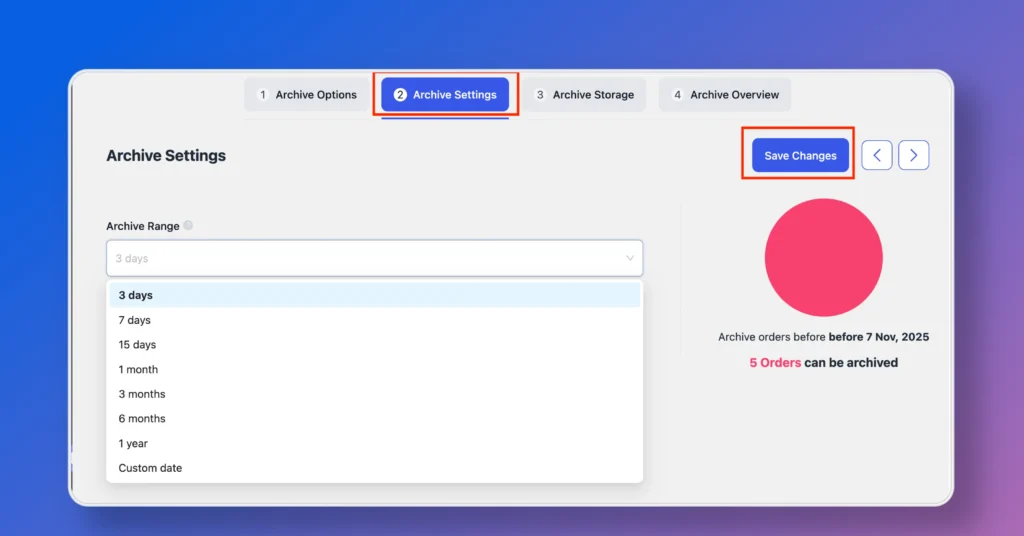
Save your settings and then click “Archive Now” to proceed.
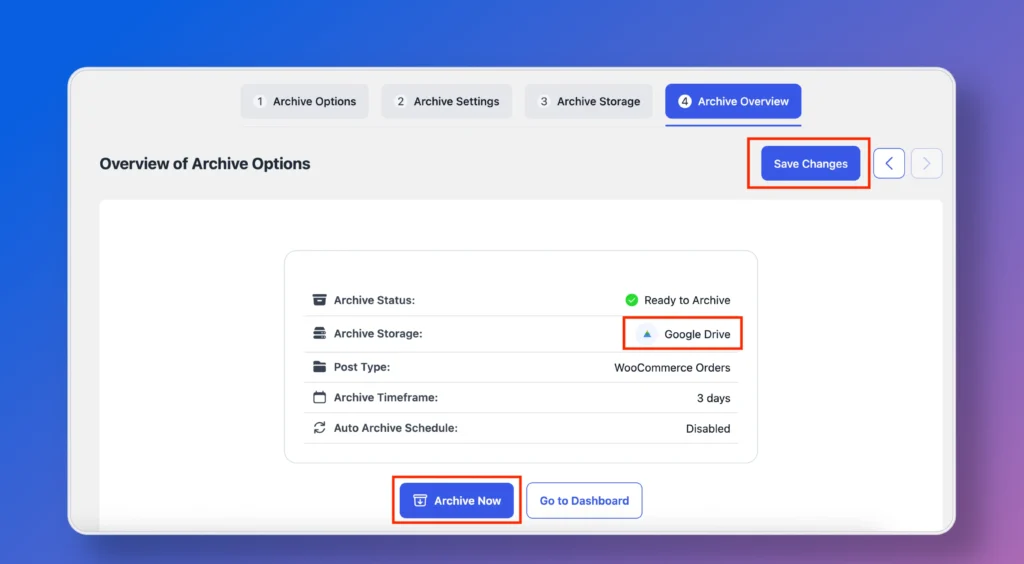
ArchiveMaster will securely transfer your selected orders to Google Drive. You can check the archive logs or status anytime from the log of ArchiveMaster.


Add your first comment to this post