









Overview: The ArchiveMaster plugin allows WooCommerce store owners to archive older orders to keep their store fast and optimized. By default, archived orders are visible only to administrators. With the new feature “Show Archived Orders on My Account Page”, you can now allow customers to view their archived orders directly from their WooCommerce account dashboard.
How to Enable the Feature:
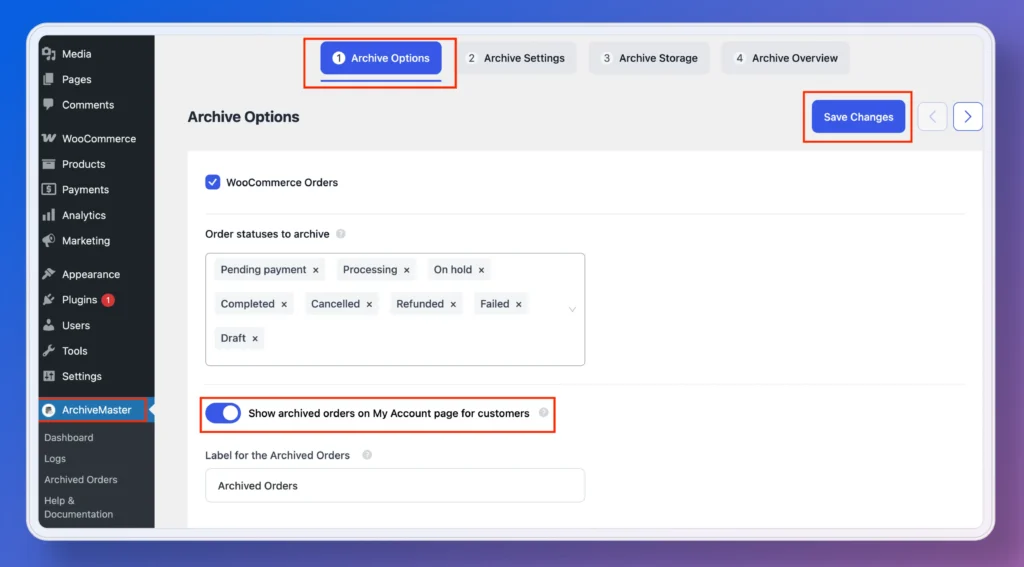
- Navigate to ArchiveMaster, and Open the Archive Options.
- Turn on Show Archived Orders in My Account.
- (Optional) Enter a custom label for the Archived Orders tab.
- Save your settings.
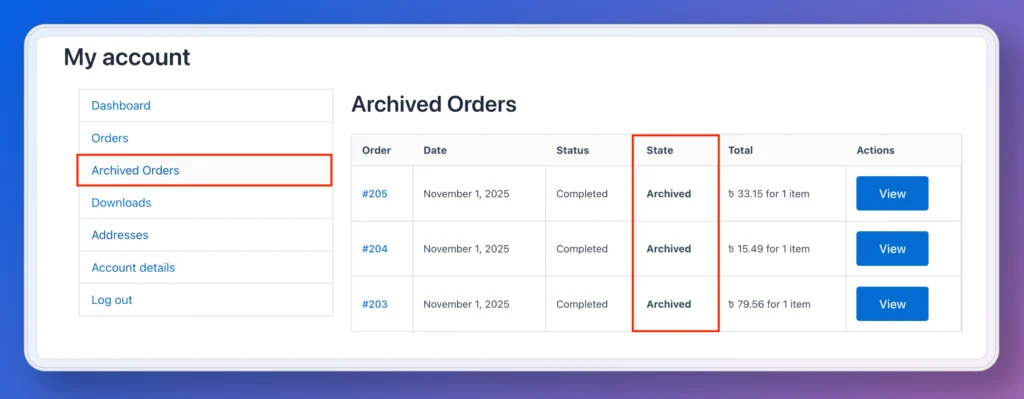
Customer View: Your customers will now see a new tab (for example, Archived Orders) in their My Account dashboard. Clicking it will show all of their archived orders in a clear, easy-to-read list just like their regular WooCommerce orders.


Add your first comment to this post