









Table of Contents
FlexTable is now fully compatible with the Divi Theme and Divi Builder, allowing users to insert FlexTable tables directly as a native Divi module.
We have introduced a dedicated FlexTable Divi Module. This module enables users to search for, select, and embed FlexTable tables visually without manually adding shortcodes.
Step 1: Add the FlexTable Module #
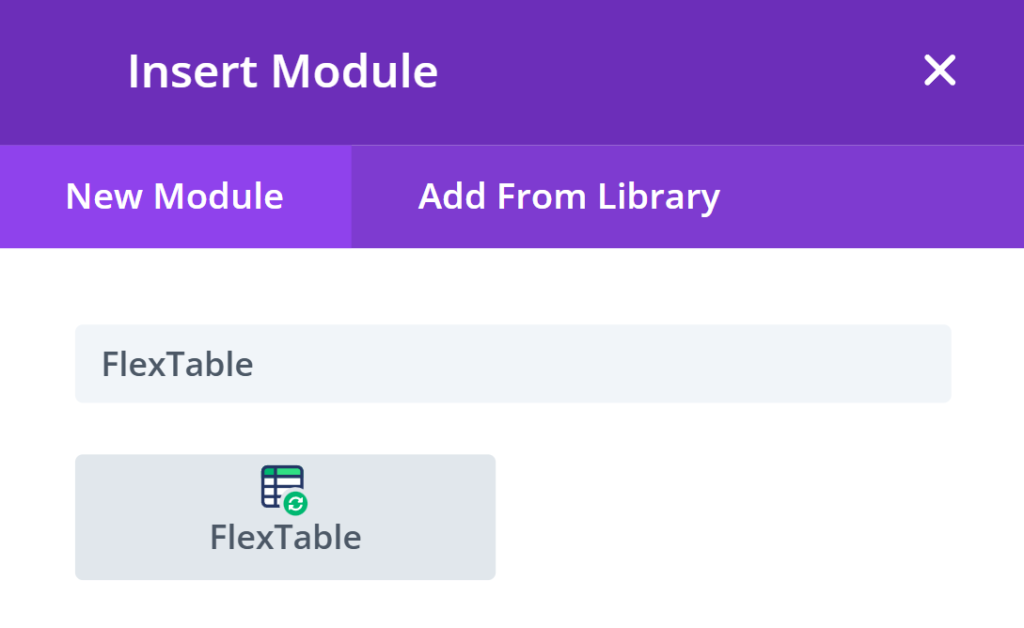
- Inside the Divi Builder, click Add Module (+).
- Search for “FlexTable”.
- Select the FlexTable module from the list.
Step 2: Select a FlexTable Table #
- Open the FlexTable module settings.
- Locate the Table Selection option.
- Choose the desired FlexTable table from the dropdown.
- Save the module.
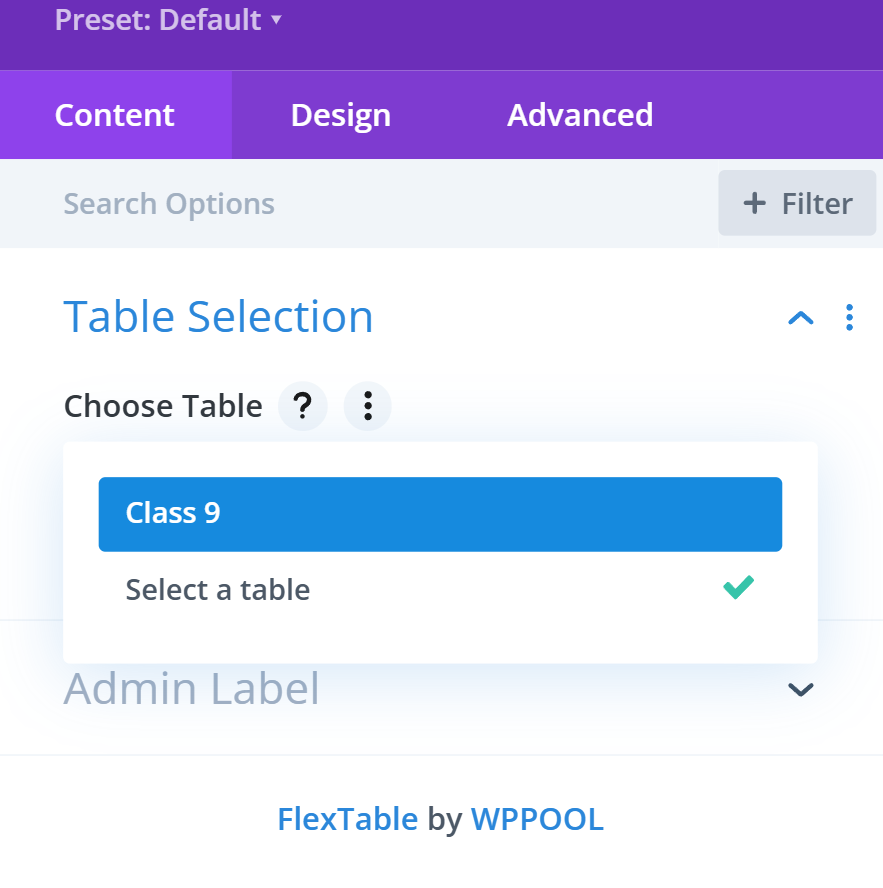
The selected table is automatically embedded; no shortcode is required.
Note on Visual Builder Preview: Visual Builder (live preview) support may be implemented in a future update, depending on guidance and support from the Divi team.
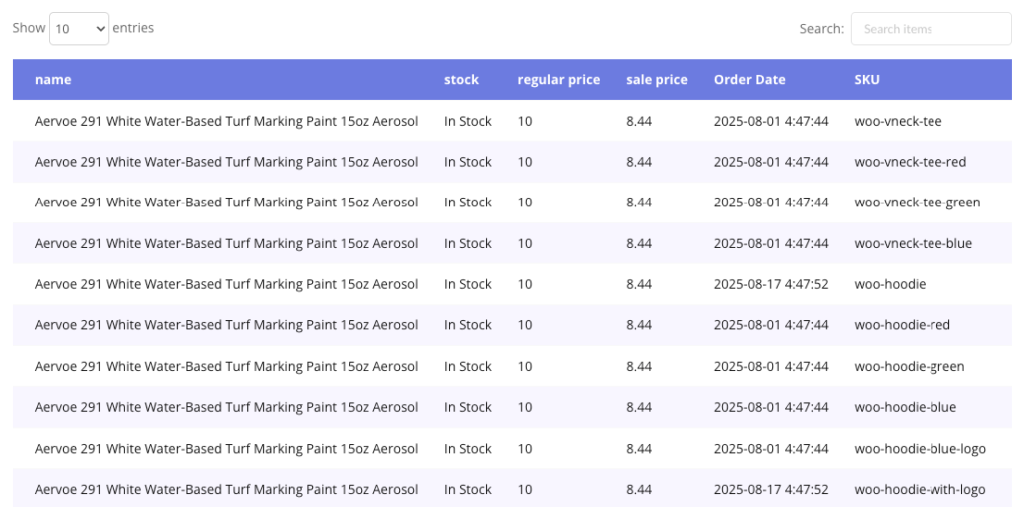
How it looks from the frontend #
The selected FlexTable is rendered on the frontend. FlexTable functionality works as expected.


Add your first comment to this post