









Table of Contents
Overview
Custom Metadata ensures all additional order data (from plugins or custom fields) is preserved. These features give you more control over which orders are archived and what data is stored during the archiving process.
How to Enable Custom Metadata Archiving
Steps: #
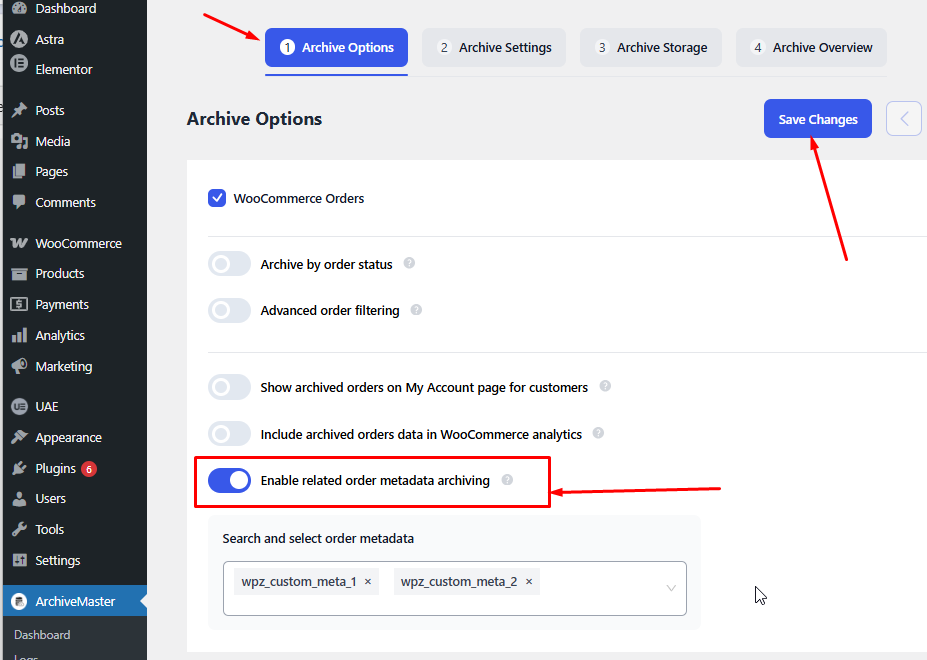
- Go to ArchiveMaster → Archive Options
- Find Custom Metadata Archiving
- Turn the option ON
How Custom Metadata Archiving Works #
Once enabled:
- ArchiveMaster automatically retrieves all metadata
- No need to manually define fields
- Works with:
- HPOS → wc_orders_meta
- Legacy → wp_postmeta
What Gets Archived #
All non-default metadata, such as:
- Subscription data
- Custom checkout fields
- Payment gateway details
- Any plugin-added fields


Add your first comment to this post