









With FlexStock Plugin for WooCommerce, you can sync and update product badges from Google Sheets. This feature currently works with the YITH WooCommerce Badge Management Plugin, so you must create your badges in that plugin first before syncing them with FlexStock.
Follow this guide to set it up.
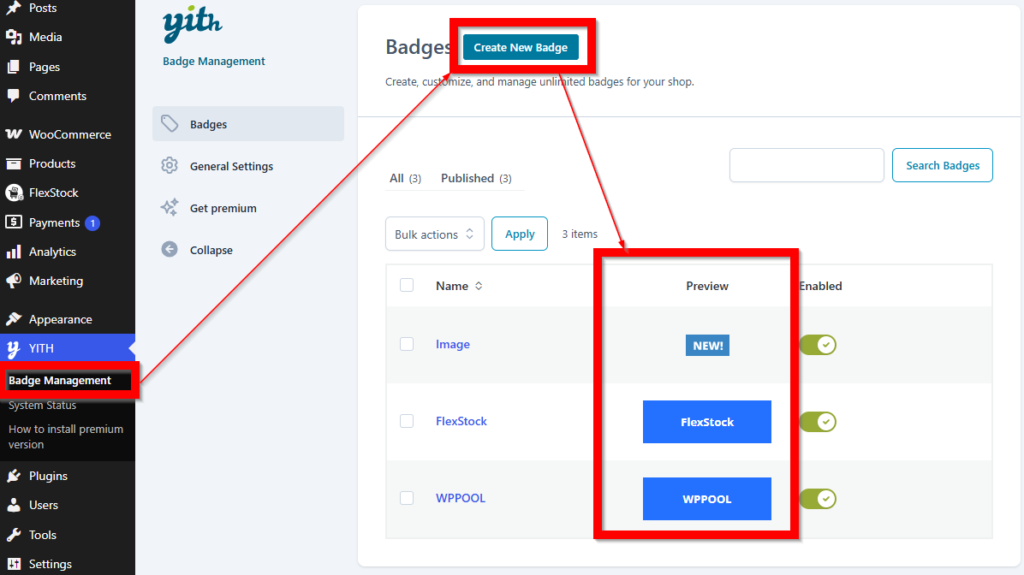
Step 1: Create Product Badges in YITH WooCommerce Badge Management #
Before using FlexStock, you need to create the badges in the YITH WooCommerce Badge Management Plugin.
In your WordPress dashboard:
- Open YITH > Badge Management
- Create the badges you want to use
- Save your badge settings
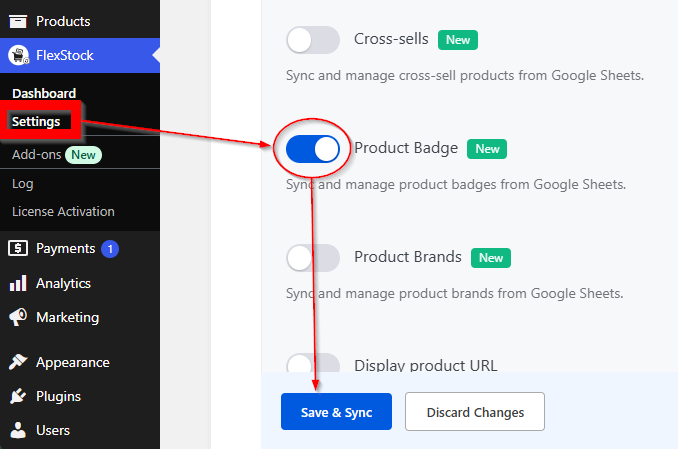
Step 2: Go to Your FlexStock Plugin Settings #
Go to your FlexStock Plugin settings in the WordPress dashboard.
Enable the Product Badge column for your connected Google Sheet, then click Save & Sync.
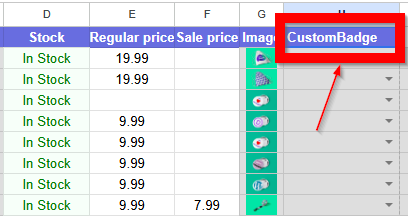
Step 3: Open the Connected Google Sheet #
Open the Google Sheet connected to your WooCommerce store through FlexStock.
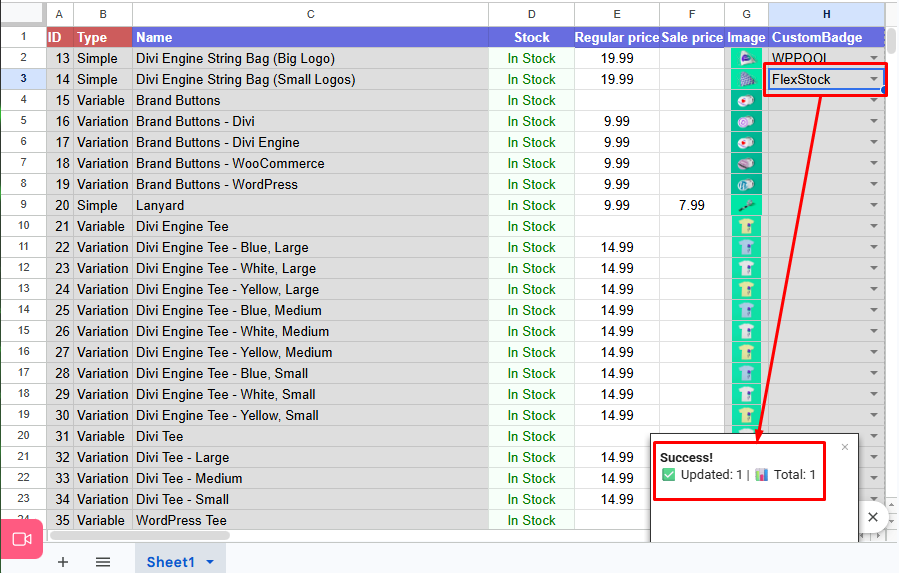
Locate the badges column to use the exact column name provided by FlexStock.
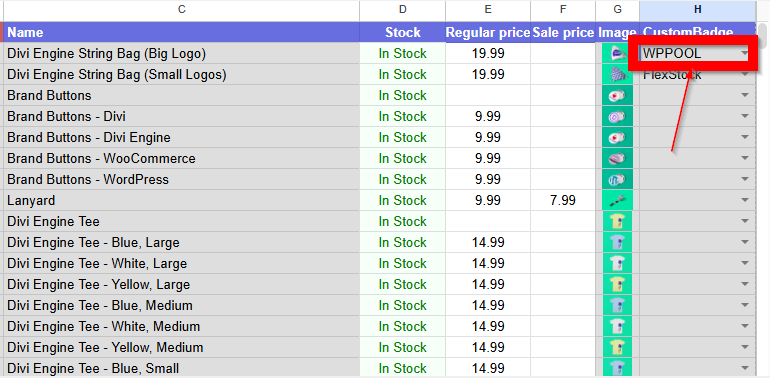
Step 4: Enter the Badge Value for Each Product #
In the badge column, choose the badge value for each product.
The value you already created in the YITH WooCommerce Badge Management Plugin. You can edit this with Google Sheets.
Example: #
Step 5: Save and Sync the Sheet #
After choosing the badge values, save your changes in Google Sheets.
If your FlexStock setup syncs automatically, the badge updates will be sent to WooCommerce based on your sync schedule.
Step 6: Verify the Product Badge in WooCommerce #
Once the sync is complete, go to your WooCommerce Products in the WordPress dashboard and open one of the updated products.
Check whether the badge has been assigned successfully.
Depending on your setup, the badge may be visible in:
- the product edit screen
- Product badge section
- the single product page
- the shop/archive page
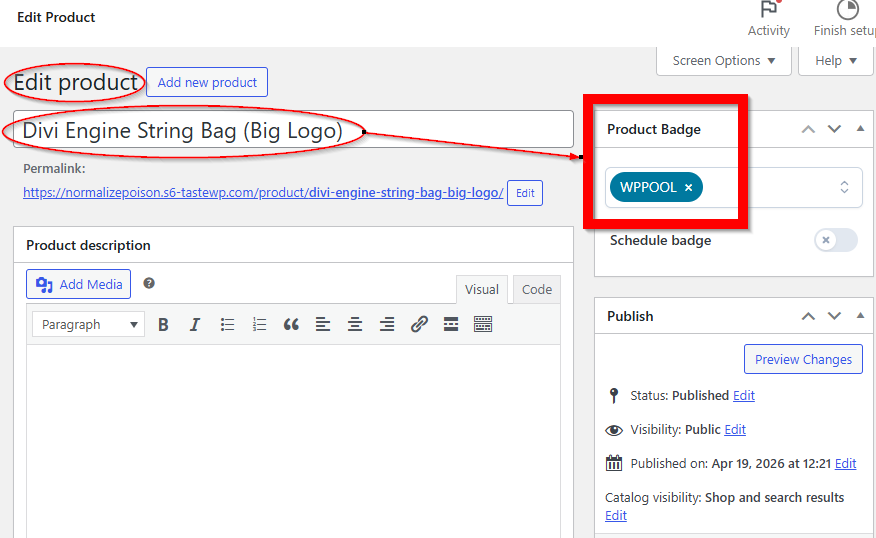
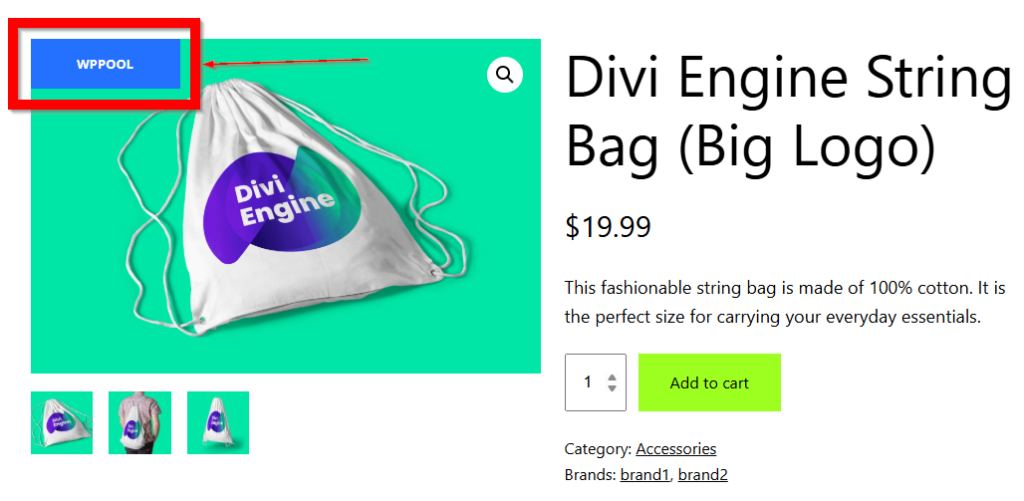
This confirms that FlexStock successfully synced the product badge from Google Sheets to WooCommerce.
Important Notes #
- This feature currently works with the YITH WooCommerce Badge Management Plugin.
- You must create badges in YITH before assigning them through FlexStock.
- FlexStock only syncs and updates existing badge assignments.
- Use the correct badge value in your Google Sheet.
- Products must already exist in WooCommerce.
- If the badge does not appear immediately, wait for the next sync or run a manual sync.


Add your first comment to this post